 Hyperlambda
If you are evaluating Magic against Supabase itself rather than bringing the experience to legacy engines, the full comparison covers that head-to-head.
Supabase changed what developers expect from a backend. Point it at a database, and you get APIs, authentication, and access control without writing boilerplate. That expectation is now the baseline.
But it comes with a condition that rarely gets said out loud: your database has to be PostgreSQL. And in practice, it helps if that database was born recently, in the cloud, with a greenfield schema.
Most enterprise data does not look like that. It lives in SQL Server and MySQL installations that are ten, fifteen, twenty years old. It sits on-premise, behind firewalls, inside networks that compliance teams have spent years getting approved. And it is not migrating — not this quarter, not next year, realistically not ever.
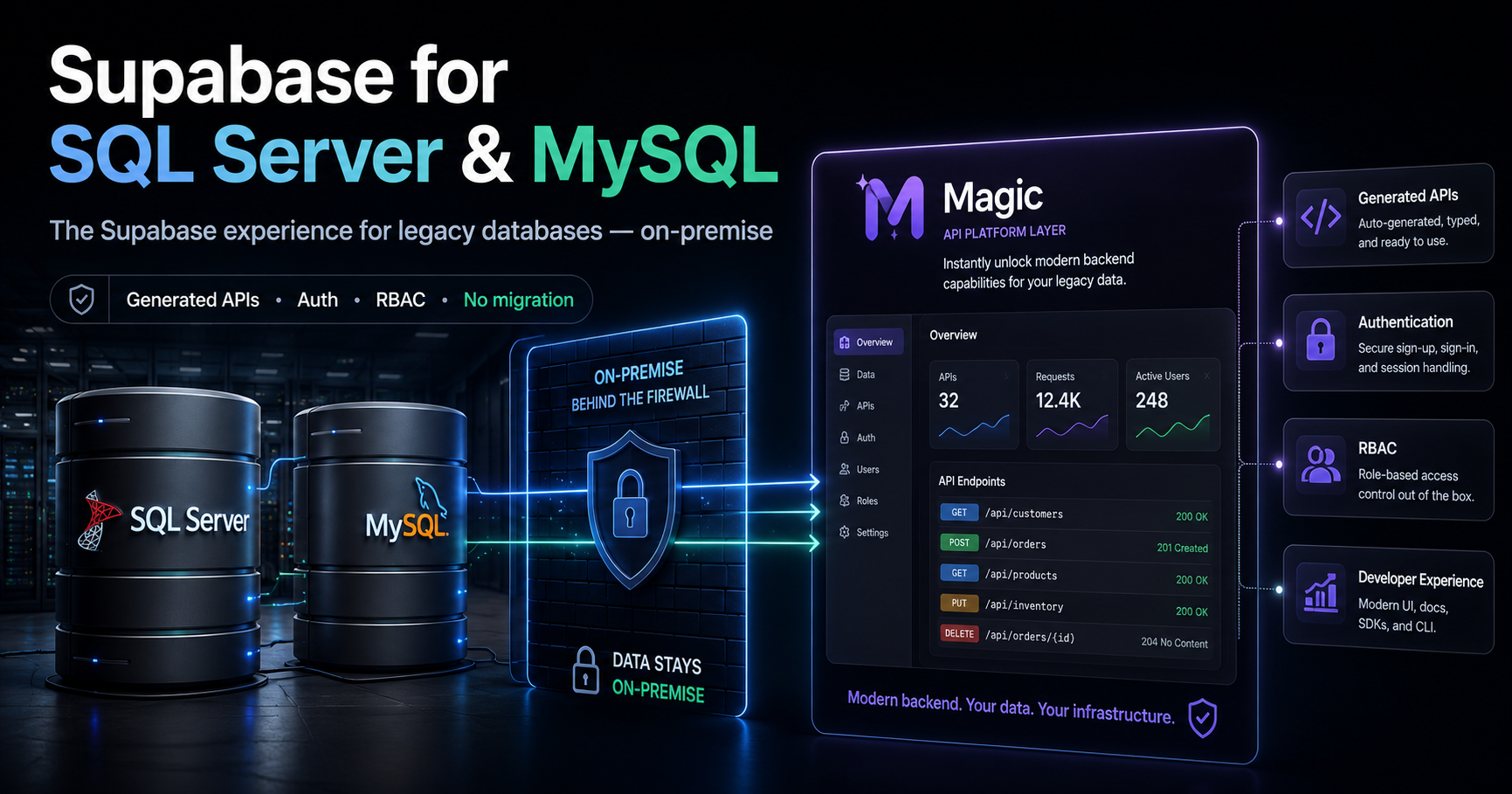
Magic is the Supabase experience for exactly those databases. Auto-generated CRUD APIs, authentication, role-based access control, custom SQL endpoints — generated directly on top of the SQL Server or MySQL installation you already have, running on the same side of the firewall the database lives on. Nothing migrates. Nothing leaves the building.
The databases nobody builds "modern DX" for
The backend-as-a-service wave — Supabase, Neon, and the rest — made a reasonable bet: standardise on PostgreSQL and build a great experience on top of it. For greenfield projects, that bet pays off. If you are starting from zero, picking Postgres and getting a generated backend for free is a good trade.
But it quietly redefined "modern developer experience" as something only new databases get to have.
The databases carrying the actual weight of most organisations were left out of the story entirely. The ERP system on SQL Server that has been extended by three generations of developers. The MySQL database behind the line-of-business application everyone depends on and nobody wants to touch. The CRM schema with foreign keys that encode fifteen years of hard-won understanding of how the business actually works.
These systems cannot migrate, and the reasons are legitimate. Decades of schema evolution. Stored procedures that encode business rules nobody has fully documented. Compliance regimes that approved a specific deployment in a specific location. Dozens of integrations and reports pointed at the existing server. A DBA team whose expertise is the operational moat around all of it.
"Legacy" in this context does not mean obsolete. It means load-bearing. The hard part — modelling the business correctly and keeping it running for years — was already done. What these databases never got is the layer on top: the generated APIs, the built-in auth, the developer experience that new projects now take for granted.
What "the Supabase experience" actually means — and what Magic delivers on MySQL and SQL Server
Strip the branding away, and the Supabase experience is a short list. You connect a database, and the platform gives you APIs over your tables, authentication, access control, and the surrounding utilities — files, scheduled jobs, logging — without hand-writing any of it.
Magic delivers that list on the database engines the enterprise actually runs.
- Generated CRUD APIs. Point Magic at your existing SQL Server or MySQL database and the CRUD generator inspects the schema and generates secured HTTP endpoints for every table you choose to expose — read, create, update, delete, and count. You decide per table which operations exist, which fields are writable, and which roles may invoke each endpoint.
- Custom SQL endpoints. Legacy databases have legacy-shaped queries — reporting joins across six tables, filtered aggregates, the kind of SQL a DBA writes in their sleep. The SQL endpoint generator wraps SQL you author yourself inside an HTTP endpoint, with arguments, verbs, and role-based access, so the queries that never fit CRUD become first-class API capabilities too.
- Authentication and RBAC as platform features. JWT-based auth and role-based access control ship with the platform. Endpoints declare which roles may invoke them, and the runtime enforces this at execution time — not per app, not re-implemented per project.
- Everything else in the bundle. A server-side file system, task scheduling, and logging — the surrounding machinery Supabase users expect — are part of the same single platform.
The comparison, angled at what matters for this audience:
| Supabase | Magic | |
|---|---|---|
| Database engines | PostgreSQL only | SQL Server, MySQL, PostgreSQL, SQLite |
| Existing databases | Designed around Postgres schemas | Generates APIs on the schema you already have, unchanged |
| Deployment locus | Hosted-first; self-hosting is the secondary path | On-premise-first; two containers next to your database |
| Migration required | To Postgres, if you are not on it | None |
| License | Open-core, some features hosted-only | MIT, everything included |
If your database is already PostgreSQL, some of those rows read neutral. If your database is SQL Server or MySQL, the first two rows are the whole story: one platform treats your installation as a first-class citizen, and the other cannot connect to it at all.
On-premise is the point, not a compromise
For the systems this article is about, on-premise is not a preference. It is a constraint. The database was approved to run in a specific place, the data is not allowed to leave, and any architecture that starts with "first, replicate your data to our cloud" is disqualified before the demo starts.
Magic deploys as one Docker container for the backend and one for the dashboard. Both run inside the same network perimeter as the database — same rack, same VLAN, same air-gapped segment if that is what your environment requires. The generated APIs talk to the database over the local network, and the data never crosses the firewall. The API layer moves to where the data is, instead of demanding the data move to where the API layer is.
This is also where Magic differs from self-hosting Supabase, which exists but is visibly the second-class path — a sprawling docker-compose stack of services to keep healthy, with a dashboard that trails the hosted product. I wrote about that in more depth in the self-hosted Supabase alternative article; the short version is that Magic is self-hosted first, and there is no hosted version holding features back. For a compliance-bound environment, that distinction is practical, not philosophical: the thing you run on-premise is the product, not a community edition of it.
And the audit story stays simple. The database remains exactly where the auditors already approved it, unchanged. What you add is an API layer beside it — one whose access control is declared per endpoint and enforced by the runtime, which is a story you can actually present to a security review.
From legacy schema to live API, step by step
In practice, the path from an untouched legacy database to a working backend is short.
First, connect the existing database. Magic connects to your SQL Server or MySQL installation as a client. It installs nothing inside the database, changes no schema, and adds no triggers or extensions. If you want to be conservative, connect with a read-only database user — then the entire platform is physically incapable of writing, regardless of what anyone generates on top.
Second, generate CRUD endpoints for the tables that should become capabilities. Not the whole schema — the tables that matter. Customers, orders, tickets. Choose which operations each table gets, which fields are exposed, and which roles are required.
Third, add a custom SQL endpoint or two for the legacy-shaped queries — the reporting join, the filtered aggregate, the query that already exists in someone's runbook and deserves to be an API.
Fourth, lock it down. Expose read endpoints first. Add writes table by table, once the read surface has proven itself. Every endpoint declares its roles, and the runtime enforces them on every request.
At that point your twenty-year-old database has a modern, secured API surface — and one consequence worth noting even if it is not why you came: those endpoints are tools. Magic includes a native MCP server, so the same generated endpoints can be handed to an AI agent as callable capabilities, inside the same role boundaries. The database that was too legacy for the modern backend wave turns out to be a few generated endpoints away from being operable by an AI agent. That argument gets its own treatment in the self-hosted Supabase alternative article and From SQL Database to AI Agent in Minutes.
When you should still pick Supabase
Honesty in both directions, as usual.
Pick Supabase if you are actually on PostgreSQL — or greenfield and free to choose it. Supabase's all-in bet on Postgres runs deep, and if Postgres extensions and ecosystem are available to you, that depth is worth real money.
Pick Supabase if you want a managed cloud service and have no on-premise requirement. Their hosted product is genuinely good, and if your data is allowed to live in it, the operational convenience is real.
And pick Supabase if your team's velocity comes from its ecosystem — the client SDKs, the auth helpers, the enormous community. That gravity matters, and it should count in your evaluation.
But none of those describe the situation this article is about. If your data lives in SQL Server or MySQL, cannot migrate, and must stay on-premise, Supabase is not the alternative you are weighing Magic against — because Supabase cannot be deployed into that situation at all. The realistic alternative is hand-writing yet another internal API layer. Against that, generating it is not a close call.
Getting started
Magic is on GitHub at github.com/polterguy/magic — MIT-licensed, with Docker images for the backend and dashboard. The documentation at docs.ainiro.io covers connecting SQL Server and MySQL databases, the CRUD generator, and the SQL endpoint generator. If you also run workloads where hosted is acceptable, AINIRO offers managed cloudlets running the same codebase — but for the on-premise case, everything in this article runs inside your own perimeter.
FAQ
Does Magic require changes to my existing SQL Server or MySQL database?
No. Magic connects as a database client and generates the API layer beside your database, not inside it. No schema changes, no triggers, no installed extensions. Your existing applications, integrations, and reports continue working against the database exactly as before.
Can I start read-only?
Yes, and you should. Generate read and count endpoints first, and connect through a read-only database user if you want the guarantee enforced at the database level too. Add create, update, and delete endpoints table by table once the read surface has proven itself.
Which versions of SQL Server and MySQL are supported?
Magic connects through the standard .NET data providers for each engine, so any reasonably current version those providers support works — which in practice covers the versions running in most enterprises. If you are on something genuinely ancient, test connectivity first; the providers are the boundary, not Magic.
Does this work fully offline or air-gapped?
Yes. The backend and dashboard are Docker containers that run wherever you place them, including network segments with no internet access. The optional AI features require reaching a model provider, but the core platform — generated APIs, auth, RBAC, files, tasks, logging — has no outbound dependency.
Is this really free?
Yes. The entire platform is MIT-licensed — the CRUD generator, the SQL endpoint generator, auth, RBAC, and the dashboard. There is no enterprise edition holding features back, and the on-premise deployment is the primary path, not a community edition.
Related reading
- Legacy Modernization — the overview
- The full Magic vs Supabase comparison
- Magic Cloud: The Self-Hosted Supabase Alternative Built for AI Agents
- From SQL Database to AI Agent in Minutes
- How to Run AI Agents on Your Existing Supabase Database Without Migrating Anything
- Connect Your AI Agent to Your Existing Databases Using Natural Language