 Hyperlambda
Part of our legacy-modernization series — the overview lives at Legacy Modernization.
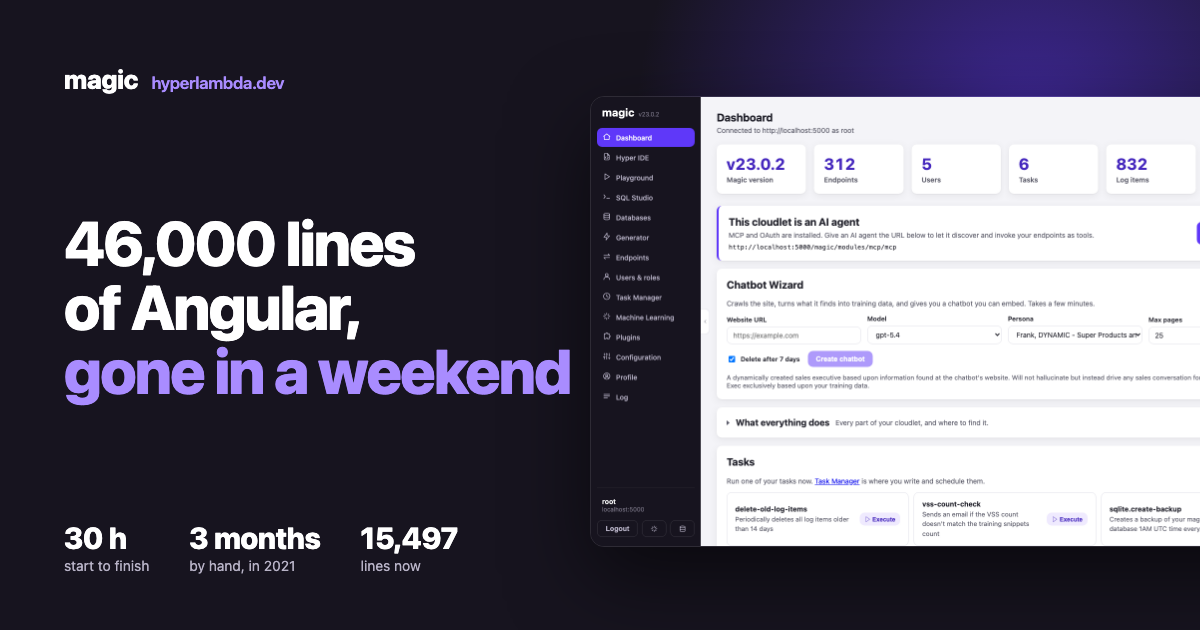
I replaced the entire Magic Cloud dashboard this week. Forty-six thousand lines of Angular — HTML, TypeScript and CSS — gone, and in its place a React application of fifteen and a half thousand lines that does more than the thing it replaced.
Twenty hours of coding. Thirty hours in total, counting my own reviewing, testing and swearing.
I know exactly what that job costs when you do it by hand, because I have already done it by hand. In 2021 I rewrote this same dashboard the traditional way. A senior developer worked on it for a month and a half. Then I picked it up and worked on it for months more. Call it a three-month job for two experienced developers who knew the domain cold.
That comparison is the only reason this article is worth writing. Anyone can claim an AI wrote a lot of code quickly. Very few people have the same application, built twice, by the same author, with the same requirements — where the only variable that changed is the tooling.
The ledger
| Then | Now | |
|---|---|---|
| Framework | Angular | React 18 + Vite + TypeScript |
| Lines of code | ~46,000 | 15,497 |
| Files | many hundreds | 47 |
| Runtime dependencies | the Angular universe | 7 |
| Production build | tens of MB | 856 KB |
| Build time | minutes | ~1 second |
| Time to write | ~3 months, two people | 30 hours, one person supervising |
A word on that line-count comparison, because it is the kind of number people rightly poke at. Angular splits a single component across a .ts file, an .html template and an .scss stylesheet. React folds all three into one .tsx. Counting the old TypeScript against the new TypeScript would flatter me dishonestly, so both sides count everything: markup, logic and styling. Forty-six thousand against fifteen and a half.
The dependency line matters more than it looks. The whole application runs on React, React-DOM, React Router, CodeMirror, SignalR, marked and DOMPurify. That is the entire third-party surface. There is no state management library, no component library, no CSS framework, no build plugin zoo. When your dependency list fits in one sentence, upgrades stop being events.
How it actually ran
I drove Claude — Fable for the bulk of the work, Opus for the parts that needed more thinking. The model wrote essentially all of the code. My job was to babysit: sanity-check what came back, test it in a browser, catch the things that were confidently wrong, and decide what to build next.
The loop that made it work was not "describe the feature and hope." It was: screenshot the old Angular screen, build the new one, screenshot the new one, compare them, fix the gap. Verification happened against rendered pages, not against source code. That distinction matters, because a model reading old Angular source will faithfully reproduce old Angular mistakes. A model looking at what the screen actually does will build what the screen actually does.
Below is what came out of that loop, screen by screen — because the interesting claim is not that thirty hours produced code, it is that thirty hours produced this much working software.
Login
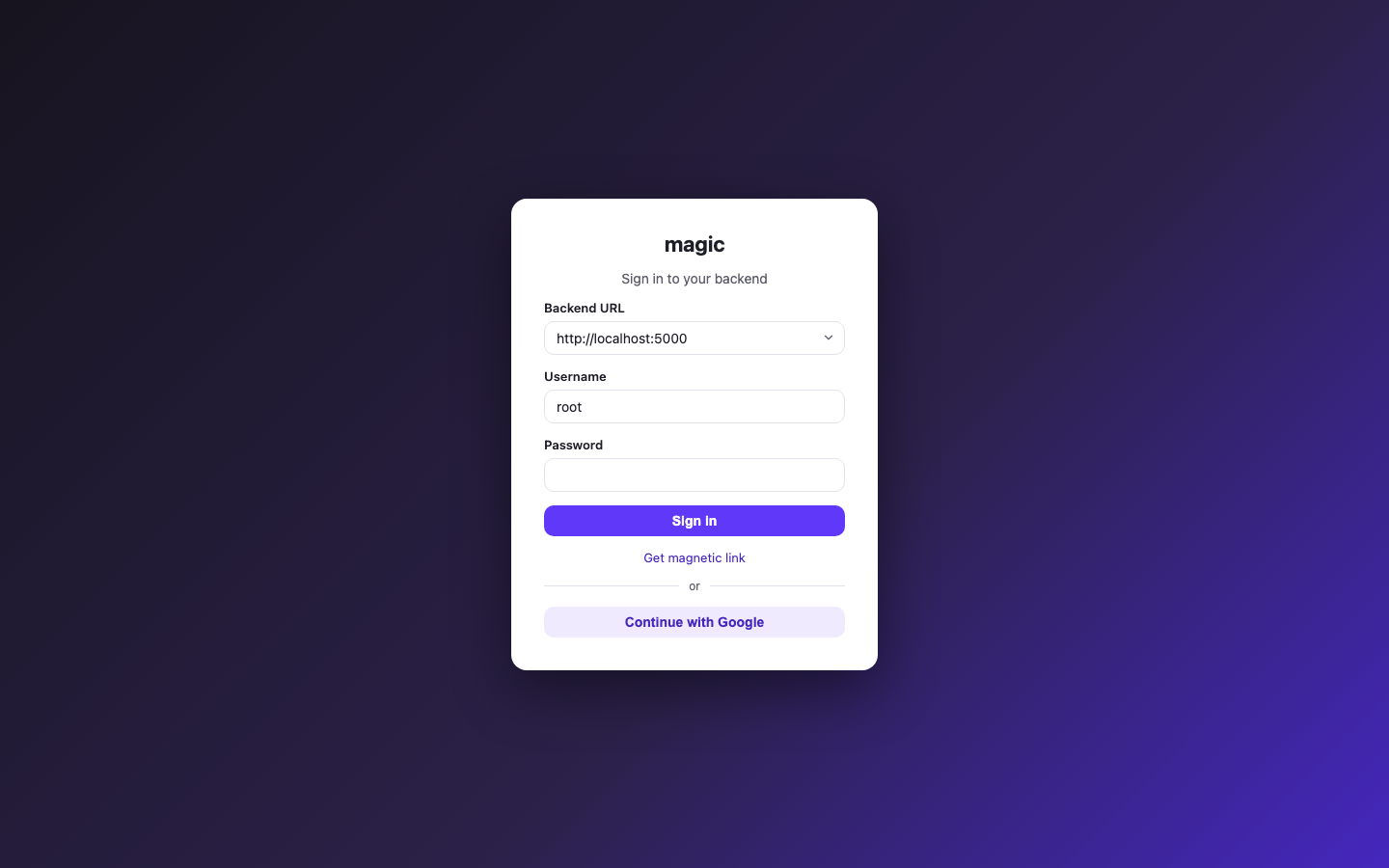
The dashboard talks to any Magic backend, so the first thing it needs is which one. The backend selector remembers every cloudlet you have ever signed into and keeps a separate JWT for each, so switching between them does not mean signing in again.
Underneath the password field are two things the Angular version never had. Magic link sends a temporary sign-in link to your email — it doubles as passwordless login, and it only appears if the backend actually has SMTP configured, because offering it otherwise is a dead end. Continue with Google signs you in over OIDC against whatever providers the backend has registered. Both were built during this port, not ported into it.
Dashboard
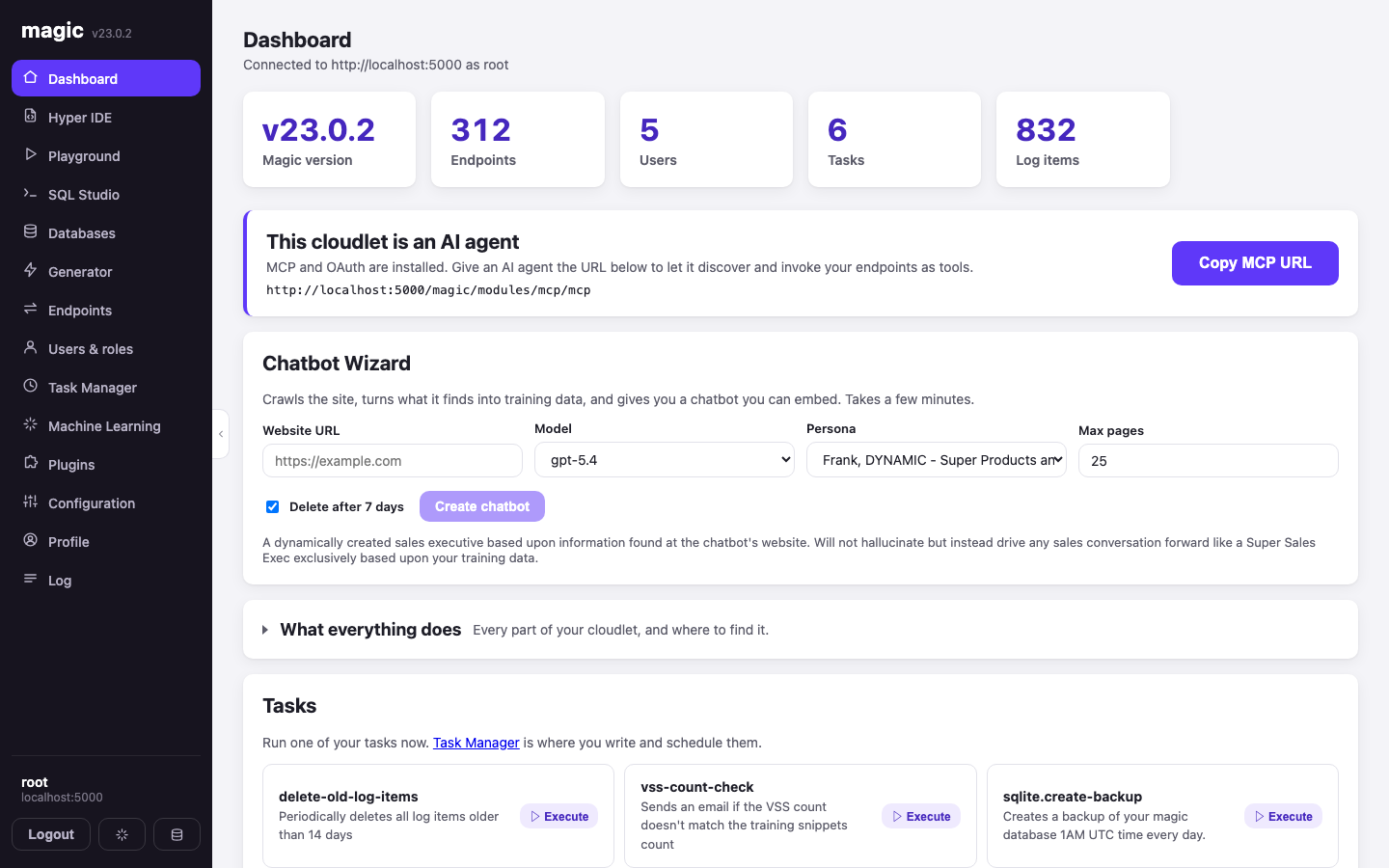
The landing screen answers "what is this cloudlet, and is anything wrong with it" in one glance: version, endpoint count, users, tasks, log items.
Two panels below that are new. The first announces that your cloudlet is an AI agent — with the MCP plugin installed, the URL shown there hands any MCP-capable agent your endpoints as callable tools. Claude, or anything else speaking the protocol, can discover and invoke them directly.
The second is the Chatbot Wizard, which runs the other direction: give it a website, pick a model and a persona, and the backend crawls the site, turns what it finds into training data, and gives you an embeddable chatbot grounded in your own content. The crawl takes minutes and reports progress over a SignalR channel, so the feedback window opens before the job starts — a socket that connects late misses the first messages. You can close the window; the crawl carries on.
Hyper IDE
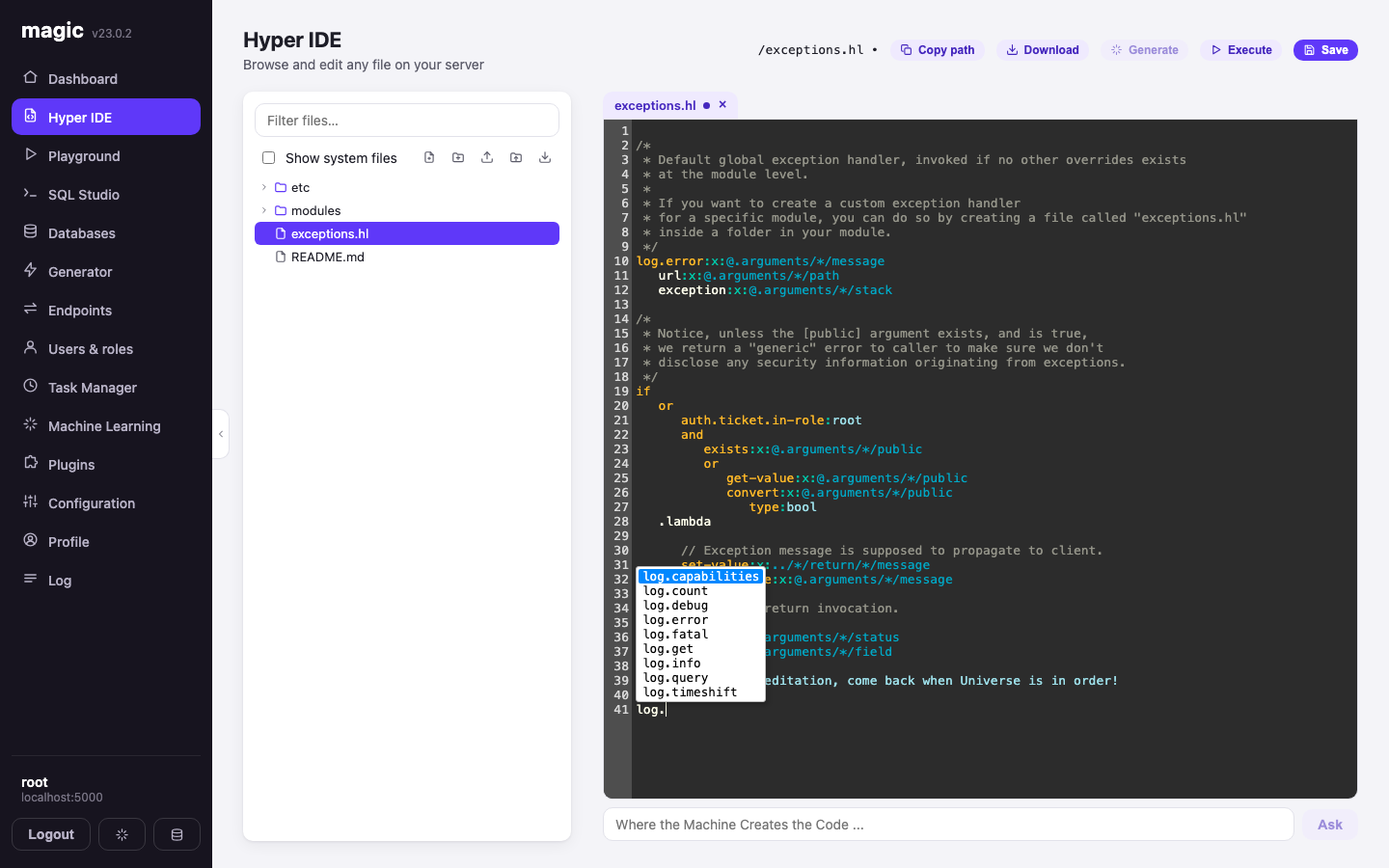
The file manager and code editor for everything on your server, and the component that absorbed the most work.
The tree browses the whole backend file system. Files open as tabs, several at once, and each tab tracks whether it is dirty — a dot appears on the tab and beside the path in the header the moment you change something, and navigating away asks before discarding it. The editor runs a Hyperlambda mode ported from the old dashboard, so slot invocations are coloured correctly, and Ctrl+Space completes against the backend's actual vocabulary — the list of slots is fetched from the server you are connected to, and cached per backend, because two cloudlets with different plugins know different slots. That is the popup in the screenshot above, listing the log.* slots this particular cloudlet knows about.
Executing a file is smarter than it was. If the file is a real HTTP endpoint — it ends in .get.hl, .post.hl and friends, and lives under /modules/ or /system/ — the IDE invokes it as an endpoint, with arguments, and shows you the status code and response headers. Only files that are not endpoints get evaluated directly. You can upload and download files, preview HTML, XML, images, JavaScript and CSS straight from /etc/www/, and press F1 on any selection to ask the AI what it does.
Playground
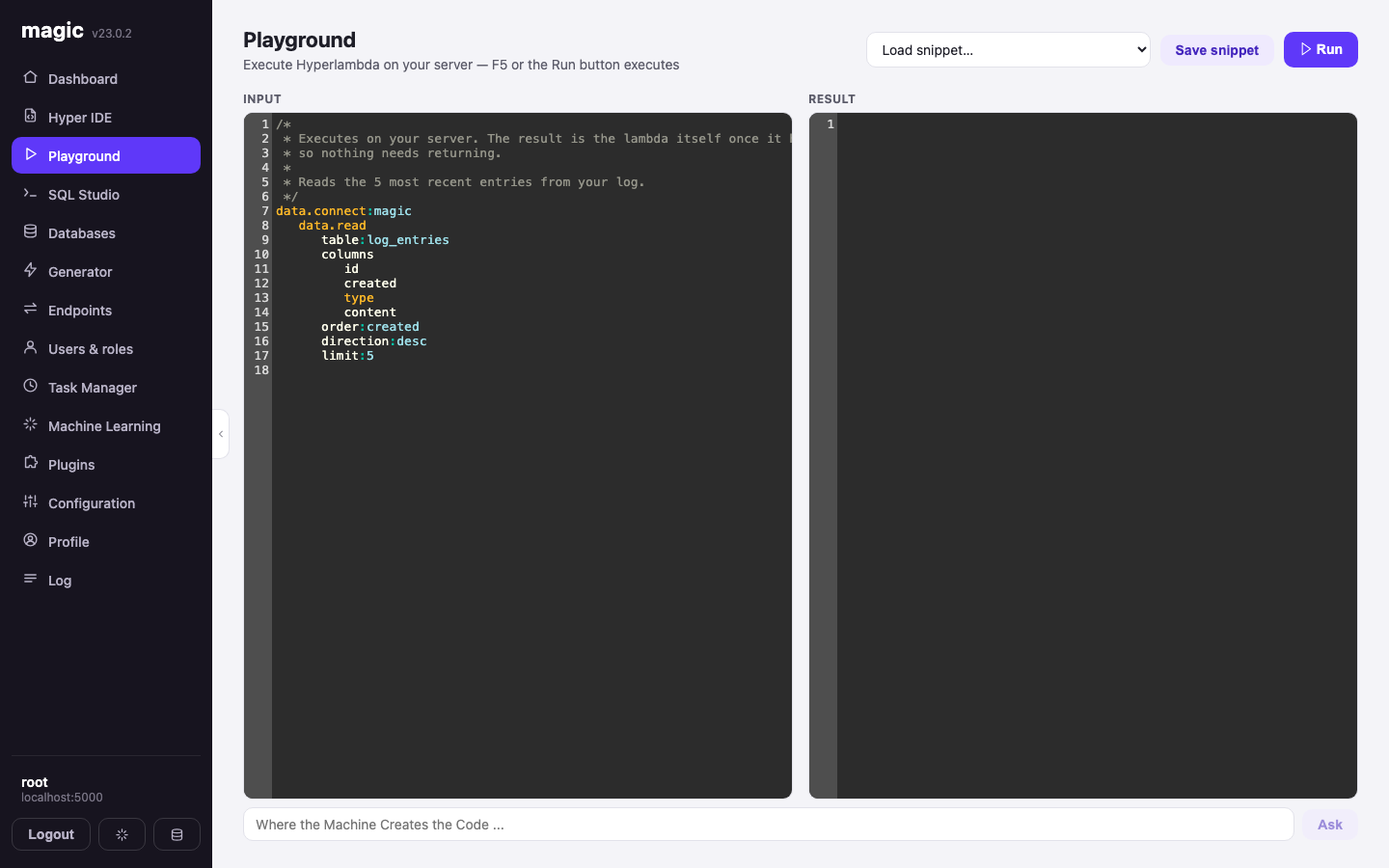
Hyperlambda, executed on your server, without saving anything first. Input on the left, result on the right, F5 to run. It is the scratchpad you reach for when you want to know what a slot actually returns, and it saves snippets when the scratch turns out to be worth keeping.
SQL Studio
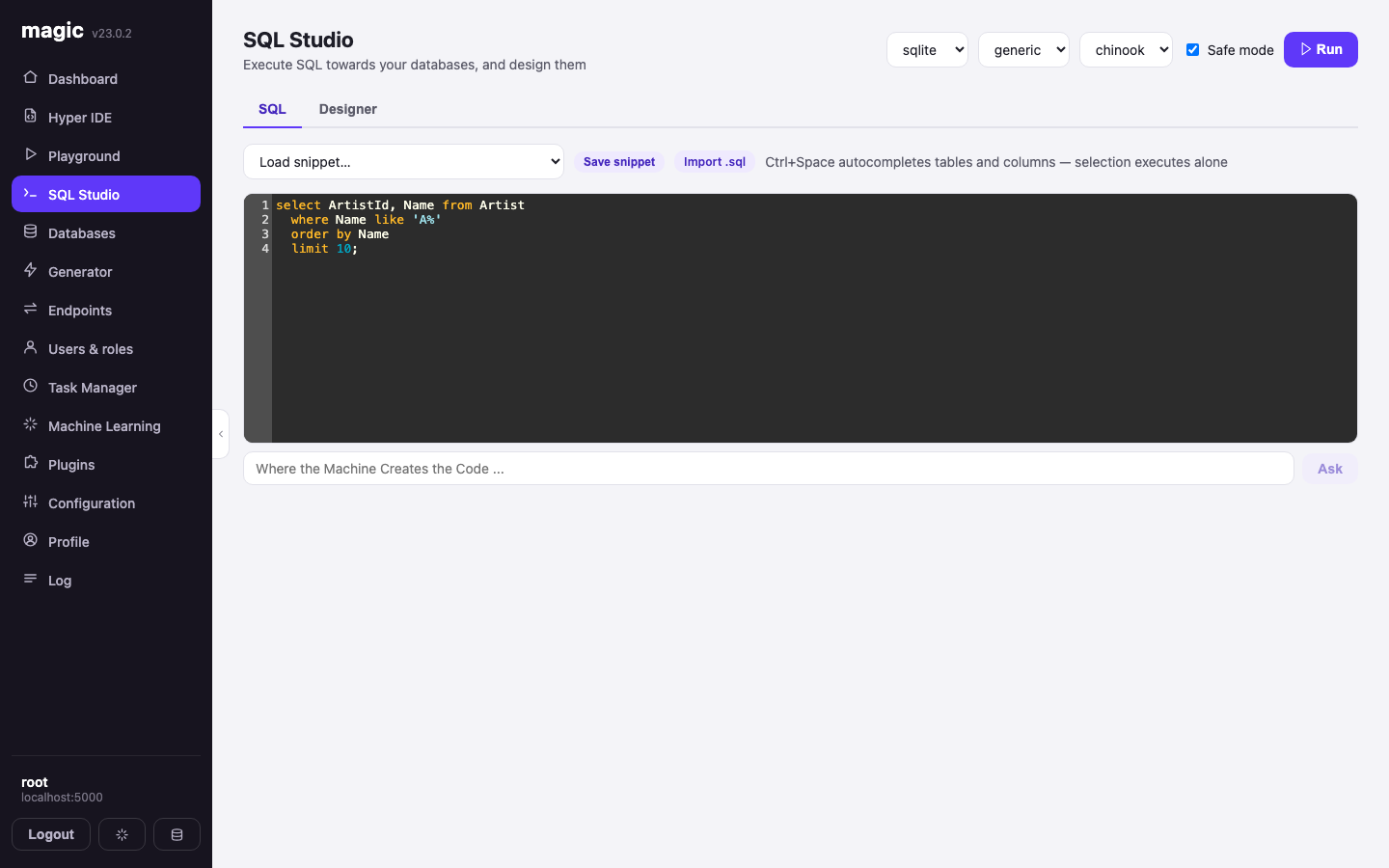
Two tabs over the same three selectors: database type, connection string, database.
The SQL tab is a query editor with syntax colouring, Ctrl+Space completion over your real tables and columns, saved snippets, .sql import, CSV export of results, and a Safe mode toggle that caps what a careless query can do. Selecting part of the text executes only the selection.
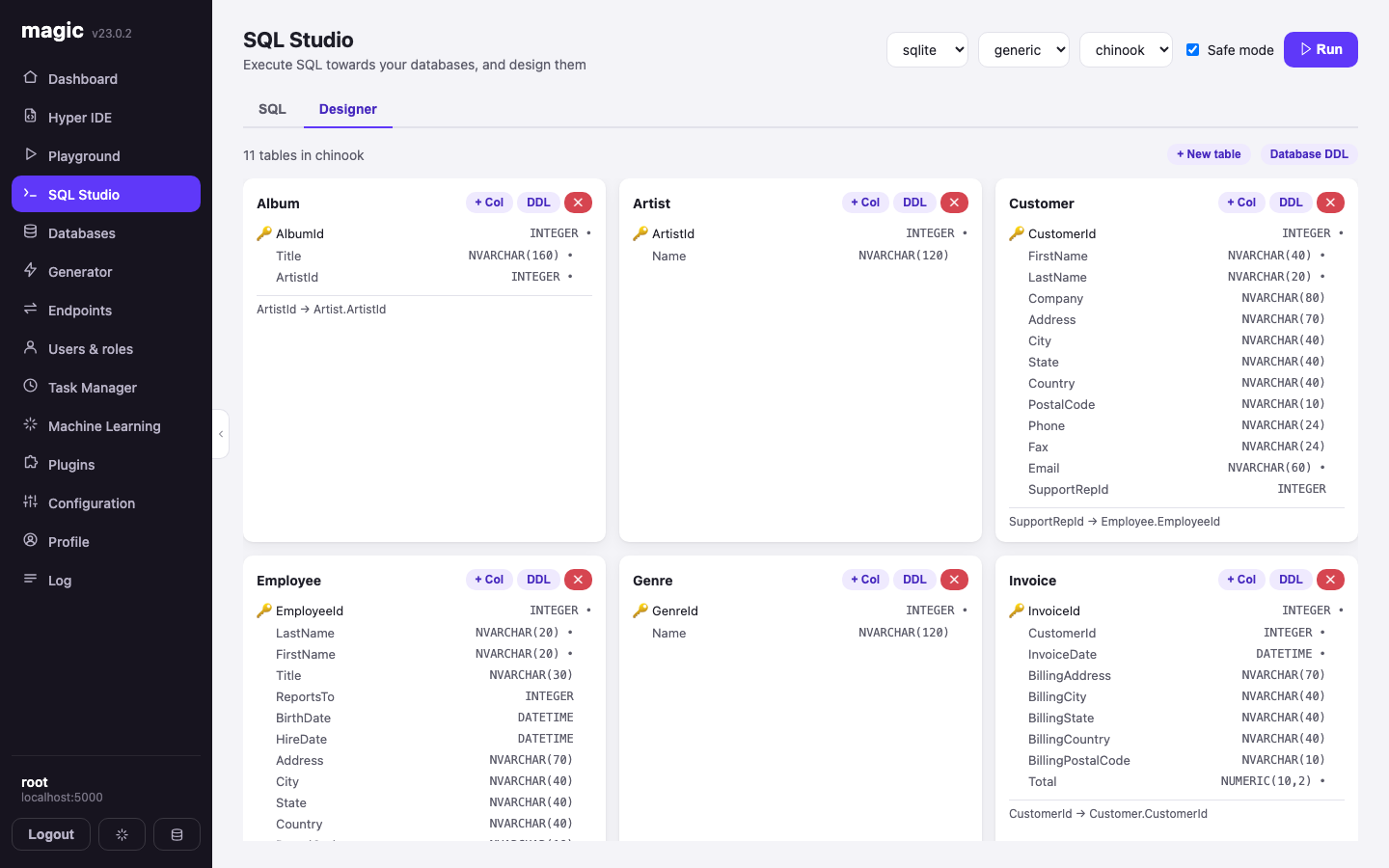
The Designer tab is the one I am quietest about and proudest of. It renders every table in the database as a card — primary keys, column types, nullability, and the foreign keys spelled out underneath — and lets you add tables, add columns and wire up relations without writing DDL. It will also hand you the DDL for a single table or the whole database if you would rather write it yourself.
Databases
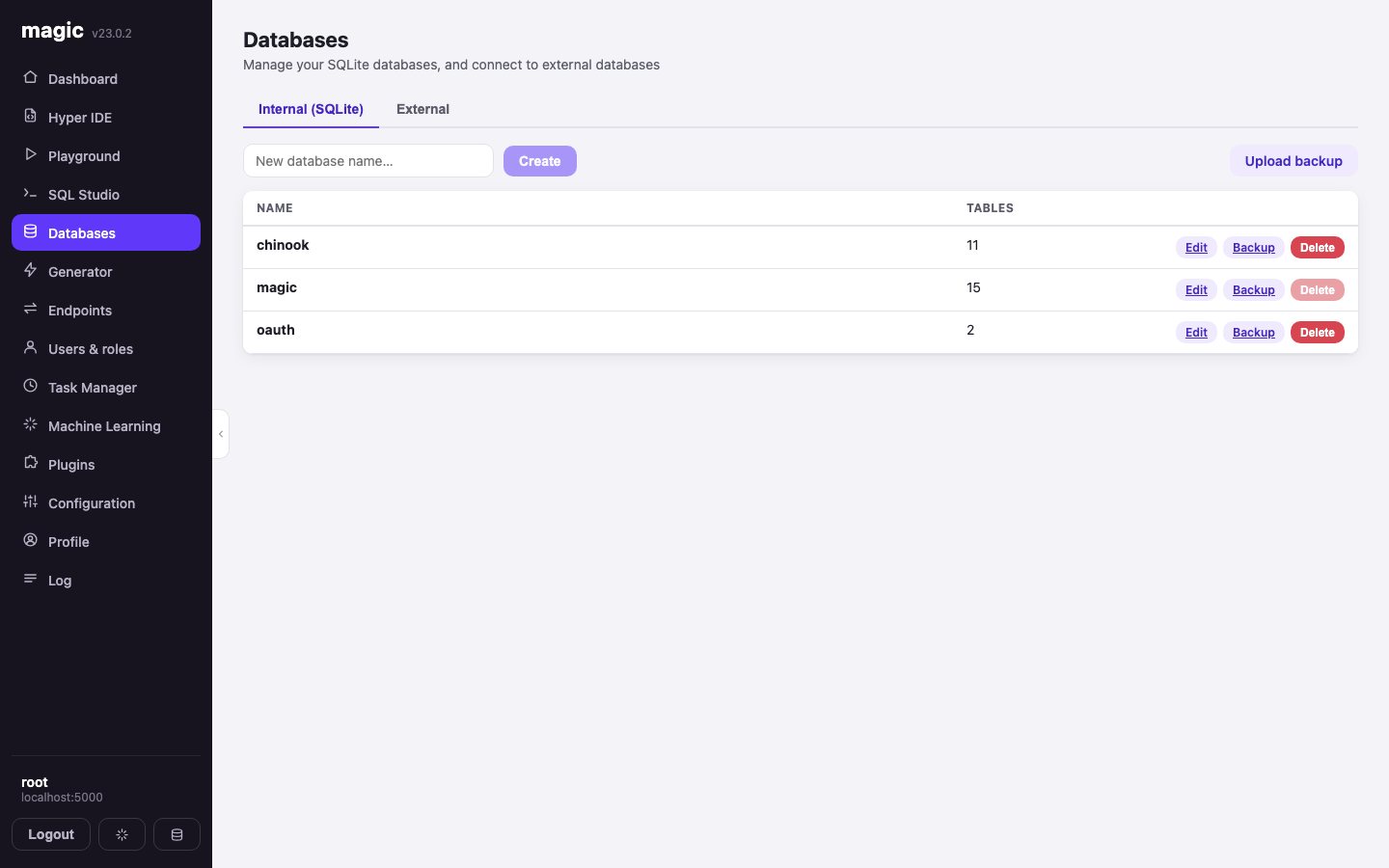
Create SQLite databases, back them up, restore them from an uploaded backup, delete the ones you no longer need — and, on the second tab, connect to external MySQL, PostgreSQL and SQL Server instances. Everything else in the dashboard then treats those exactly like a local database.
Generator
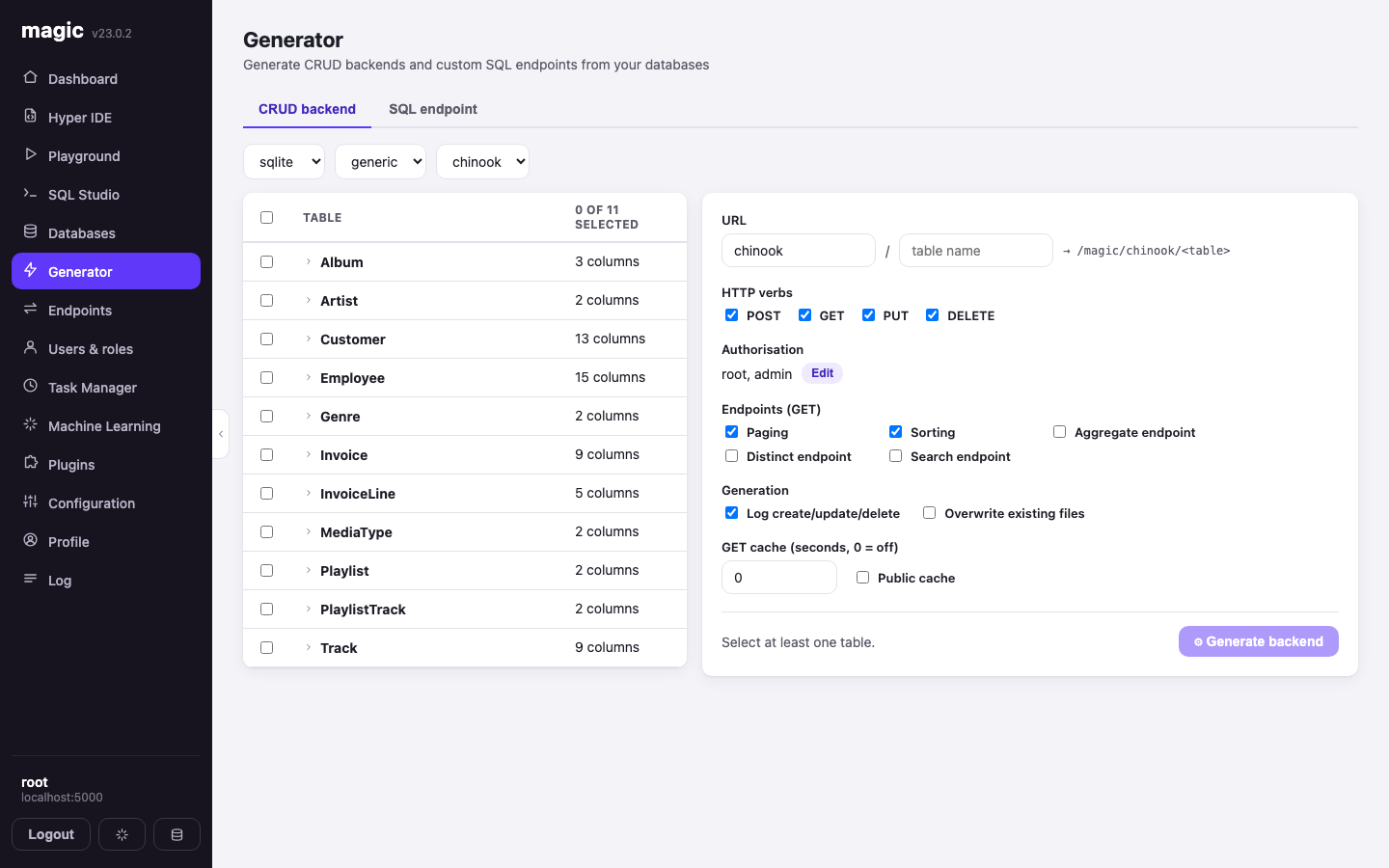
Point it at a database, tick the tables, and it writes you a complete CRUD backend: POST, GET, PUT and DELETE per table, with paging, sorting, aggregates, distinct and search endpoints if you want them. You choose which roles may call what, whether writes are logged, how long GET responses may be cached, and whether existing files may be overwritten. The second tab wraps a custom SQL statement in an endpoint of its own.
This is the part that turns a schema into a secured API in seconds, and it is why the backend is rarely where the time goes.
Endpoints
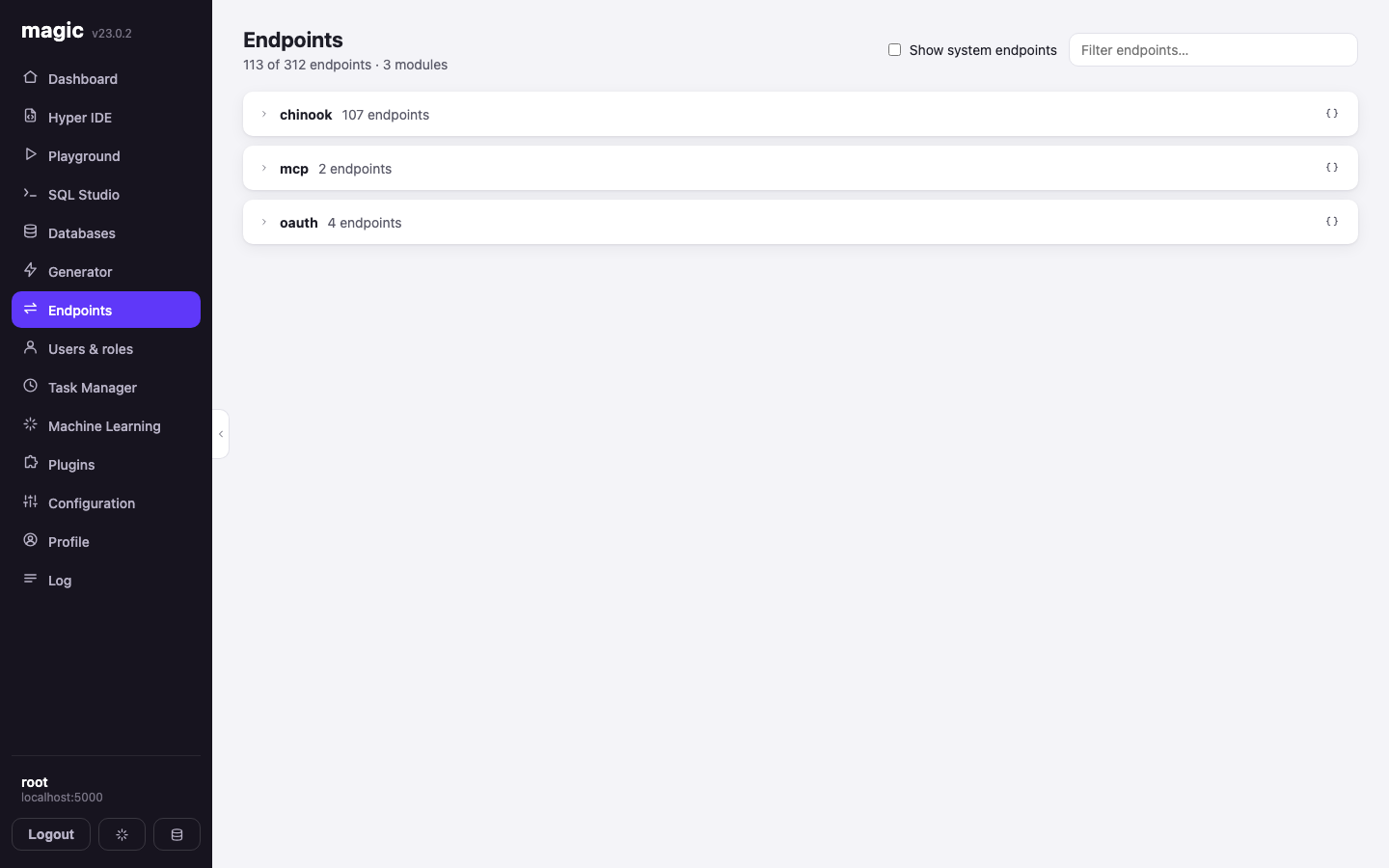
Every endpoint on the backend, grouped by module, with its HTTP verb. Open one and you get a form built from its actual arguments — fill them in, invoke it, and see the status code, the response headers and the body rendered according to its content type.
It handles files in both directions now, which it did not before: endpoints that accept multipart/form-data get a proper file picker with image thumbnails inline, and endpoints that return files offer them as downloads. Each module will also hand you its OpenAPI specification, which is how you point an external tool — or an agent — at a subset of your API.
Users and roles
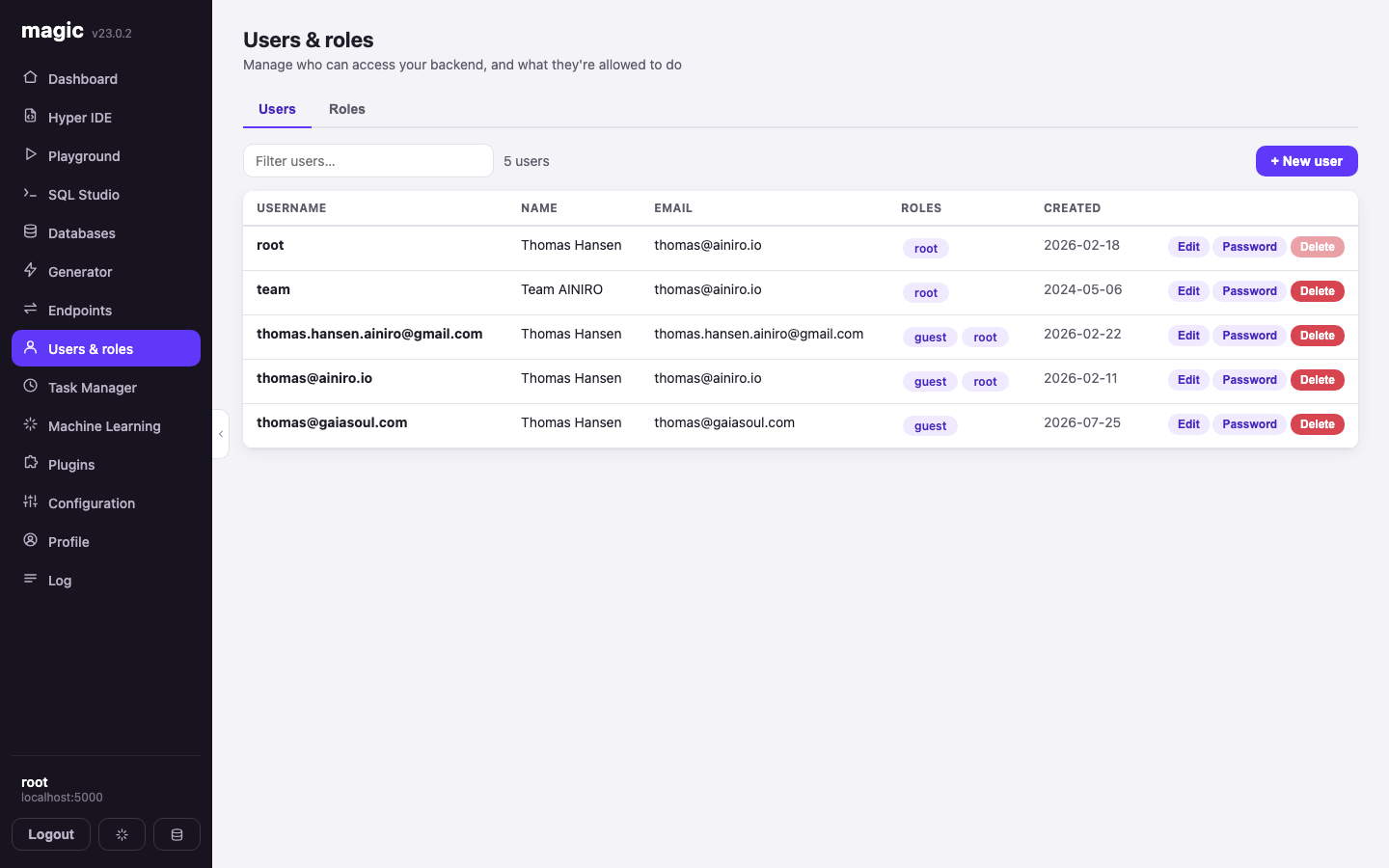
Who may reach your backend, and what they may do. Create users, assign roles, change passwords, lock accounts. Roles are the same objects the Generator gates endpoints with and the same ones inside the JWT, so this screen is the authorisation surface for the entire platform in one table.
Task Manager
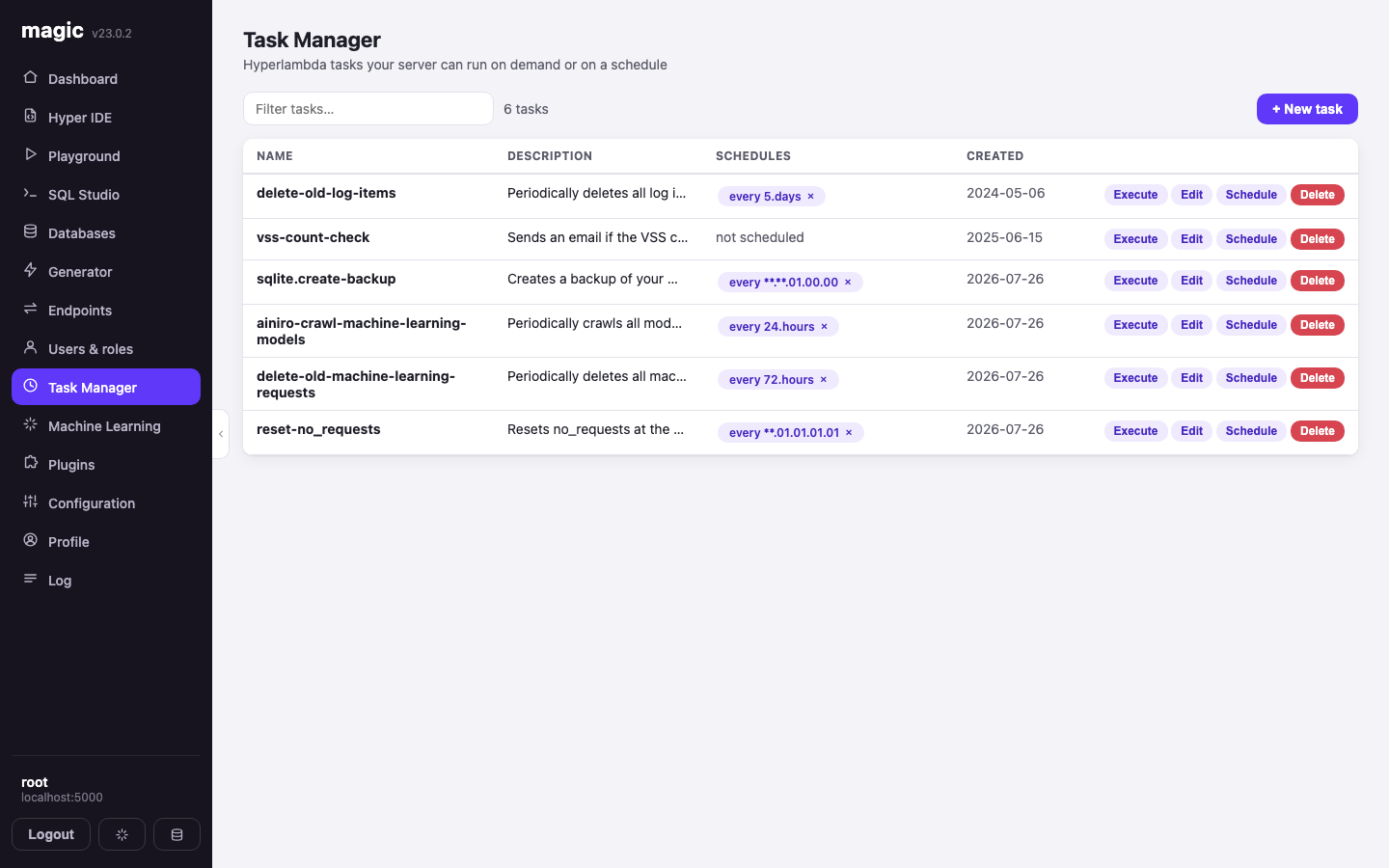
Hyperlambda that runs on a schedule or on demand — backups, cleanup jobs, crawls, alerts. Tasks can repeat on an interval, fire once at a fixed date, or follow a custom repetition pattern, and you can execute any of them immediately to see what happens. Executing asks first, because a task named delete-old-log-items means it.
Machine Learning
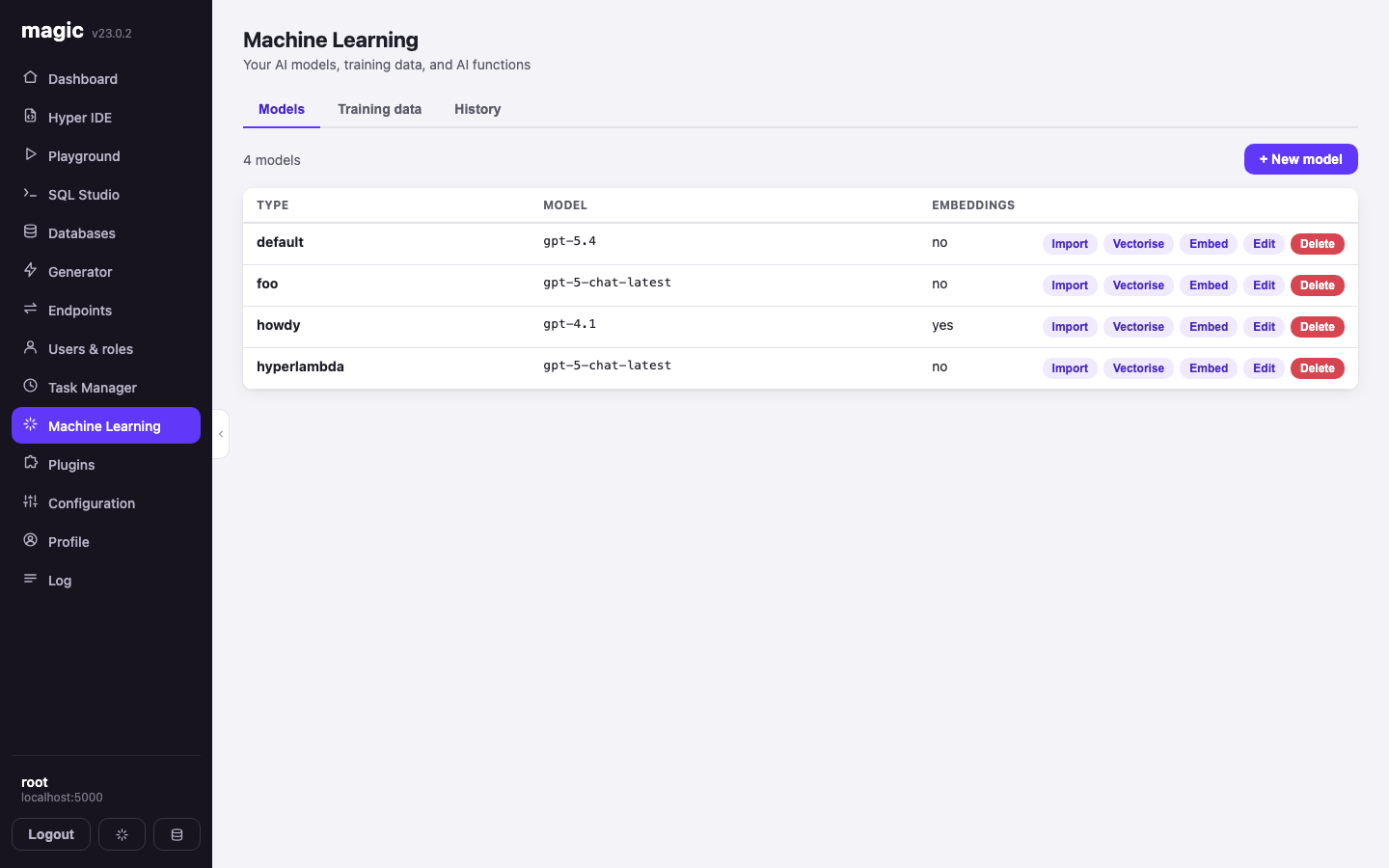
The largest single screen in the application, at two thousand lines. Models define which LLM answers, at what temperature, with what system message and what threshold. Training data is the content those models answer from — crawled from a site, uploaded as files, or written by hand. Vectorising turns it into embeddings; embedding hands you the snippet that drops the finished chatbot onto a web page. A history tab shows what people actually asked it.
Plugins
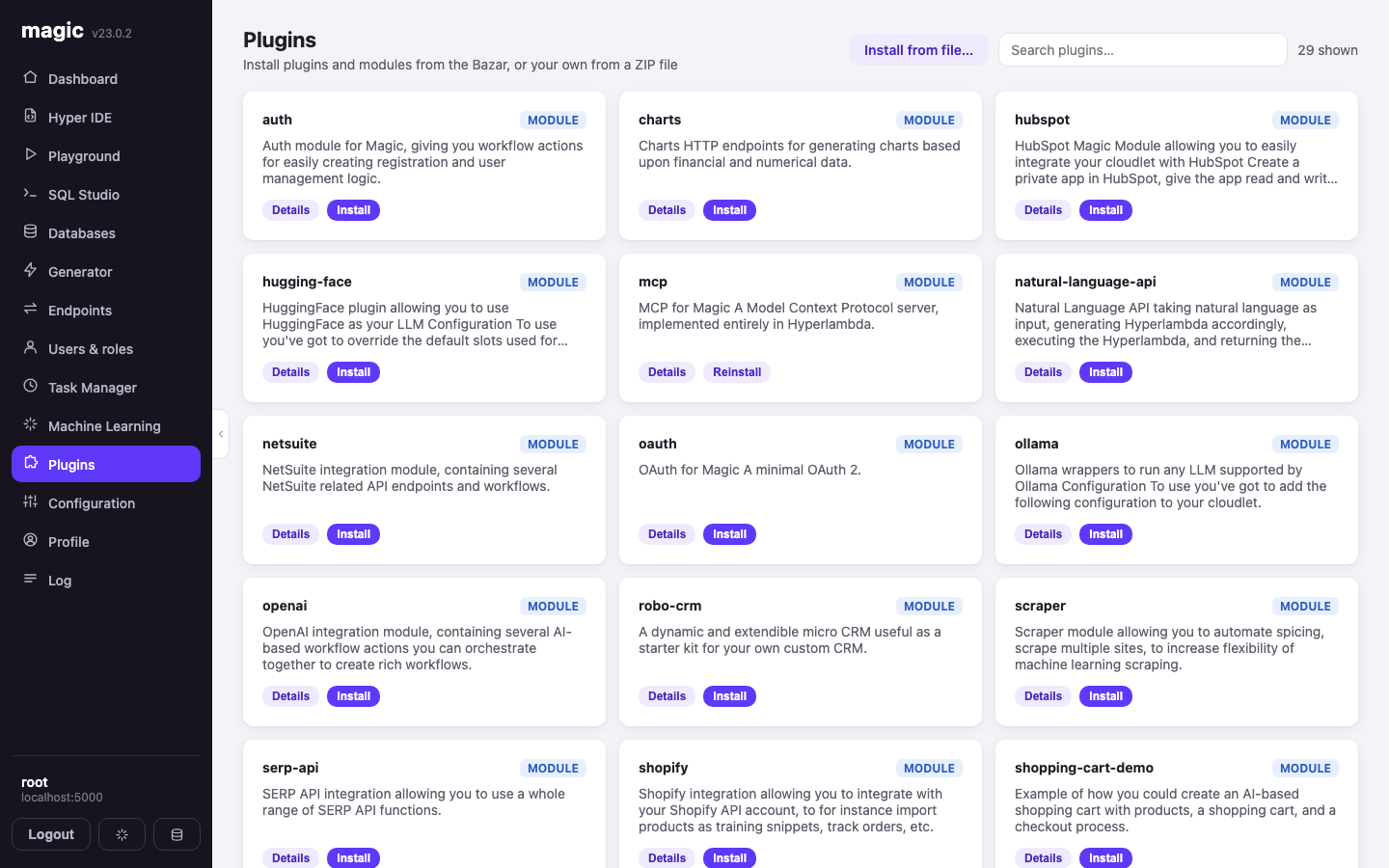
The Bazar: MCP, OAuth, OpenAI, Ollama, HuggingFace, Shopify, HubSpot, NetSuite, scraping, charts, and a couple of dozen more. One click installs a module into your cloudlet, endpoints and all. You can also install your own from a ZIP file.
Profile
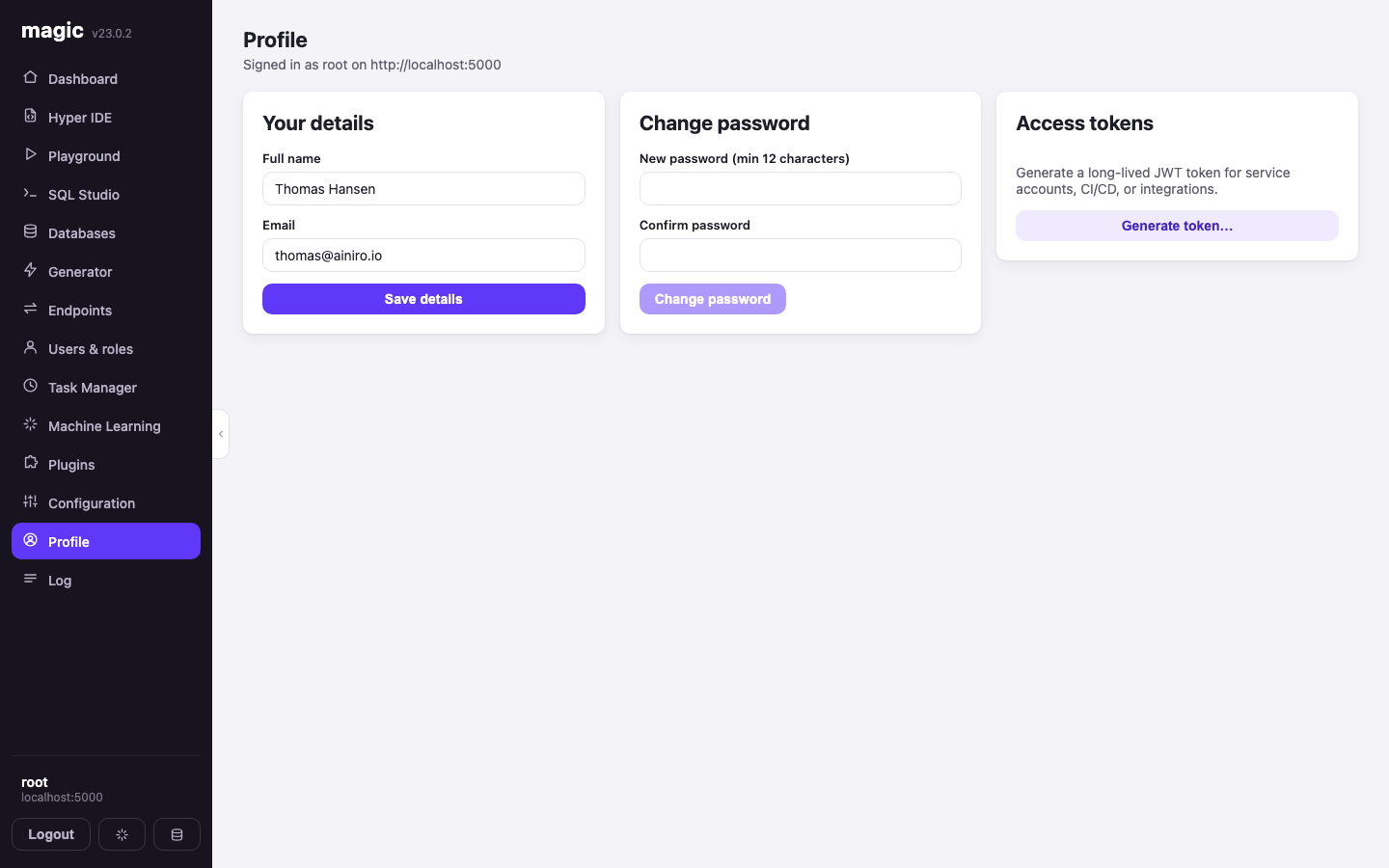
Your name, your email, your password — and access tokens, which is the part that matters operationally. Generate a long-lived JWT for a service account, a CI pipeline or an integration, scoped to the roles you pick and expiring on a date you choose.
Log
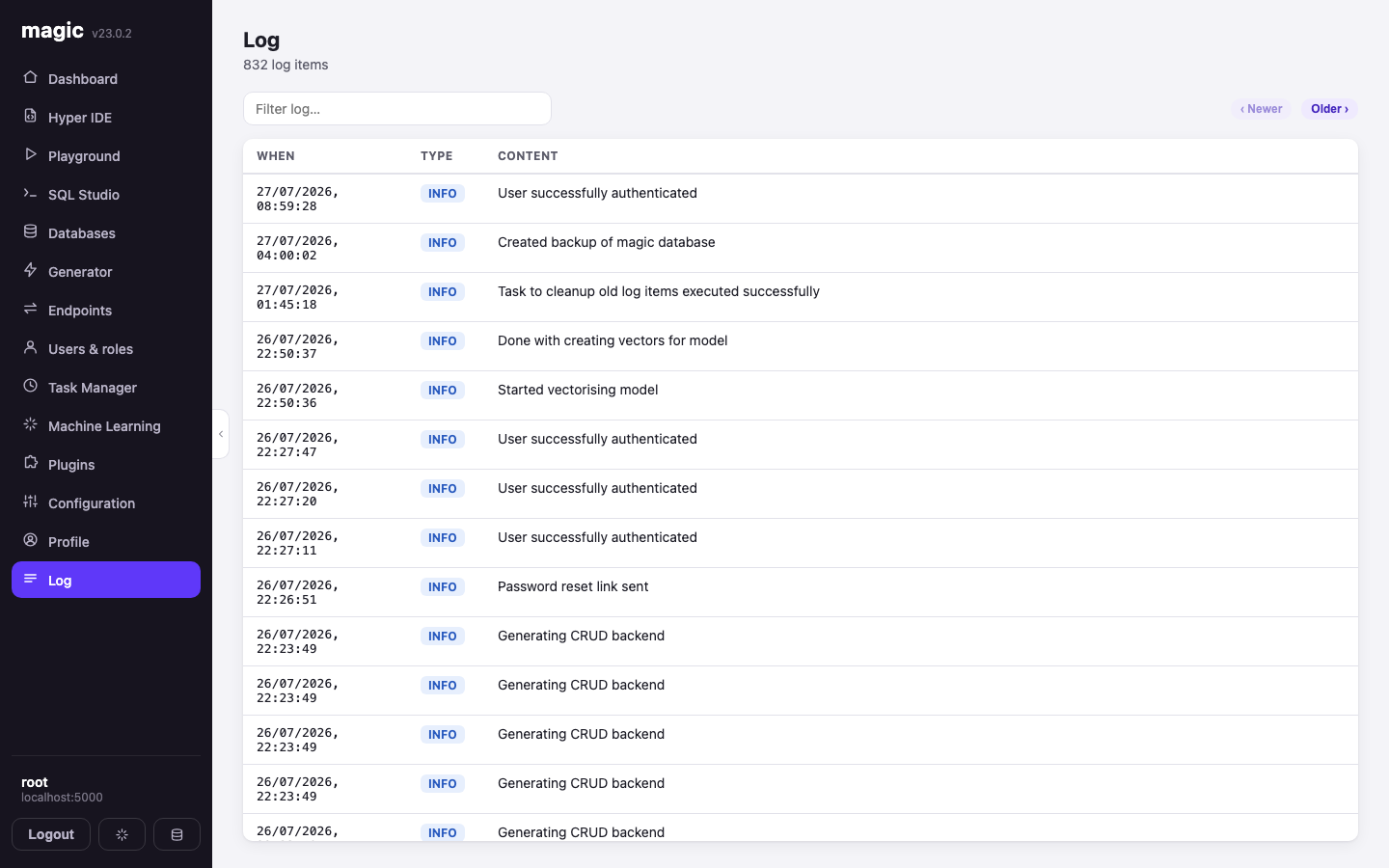
What your backend has been doing, newest first, filterable, with severity on every row. It is where you go when something did not work, and the generated CRUD endpoints write to it automatically when you ask them to log writes.
What got better, not just moved
If this had been a straight translation I would not have bothered writing about it. The features that did not exist in the Angular version, all built inside those same thirty hours:
- OIDC login — sign in with Google or any registered provider
- File upload and download through the Endpoints screen, with inline image previews
- Dirty-file tracking across Hyper IDE, SQL Studio and the Playground
- Multiple files open at once, as tabs
- Multi-backend support with a separate JWT per cloudlet and shareable
?backend=links - Magic-link login for passwordless sign-in
- The MCP agent banner and the Chatbot Wizard
- Previewing HTML, XML, images, JavaScript and CSS from
/etc/www/ - An AI support agent on F1, answering from the Hyperlambda and Magic documentation
The bug ledger
Two rules make this kind of build survivable: the model writes, and a human reviews everything before it lands. Here is what the review caught.
React's StrictMode caused three separate bugs. It deliberately runs effects twice in development, which broke an image preview (the object URL was revoked before the image loaded), killed a SignalR connection (started and stopped in the same tick), and made two stacked dialogs land on the same z-index. All three were the same root cause wearing different hats, and all three were found by looking at the screen, not the code.
The model invented a slot that does not exist. It used date.add for date arithmetic. There is no such slot. The fix was math.add with a time node — the pattern already used elsewhere in the codebase.
It invented a role, too. It gated the dashboard on an admin role. The backend has 159 endpoints and every one of them checks root. Caught during review, renamed everywhere.
A mail endpoint was built with the wrong node shape, which produced a runtime error rather than an email. A magic link took three attempts to redirect correctly, because the token was being stripped from the URL before a second render could read it. An expired token walked straight into the dashboard, because expiry was being checked without asking the server whether the token was still valid.
And two mistakes the model made about its own work, which I include because they are the most instructive of the lot. It told me one screen had no confirmation dialog before running a destructive task — it had searched the code in a way that could not have found the guard, which was sitting six lines above what it read. And it told me a screenshot I had pushed did not exist, when the file was recoverable the whole time. Both were confidently wrong, and both were wrong in the same direction: reporting an absence after looking in the wrong place.
Nothing on this list shipped. But the list is the honest cost of the method, and anyone telling you their AI build had no such list is not counting.
What this actually demonstrates
It would be easy to read this as "AI writes code fast." That is not the finding, and it is not what changed.
The expensive part of the 2021 rewrite was never typing. It was reading the old implementation to work out what a screen did in the edge cases, holding forty-odd screens' worth of behaviour in your head, and checking parity one control at a time. That is the part that compressed. The model does not get bored on screen thirty-one, and it does not skip the tedious parts of the Machine Learning page because the Dashboard was more fun.
What did not change is who is responsible. I reviewed everything. I found the invented slot, the invented role, and the token that should not have been trusted. The ratio moved; the accountability did not. Thirty hours with a competent reviewer is not the same thing as thirty hours unattended, and I would not claim otherwise.
Three months to thirty hours, on the same application, by the same person. That is the number I would want to see from someone else before I believed any of this, so it is the number I am publishing.
Magic is MIT-licensed and open source — the repository is at github.com/polterguy/magic, with documentation at docs.ainiro.io.
Related reading
- Legacy Modernization — the overview
- Claude Code Tried to Break Magic Cloud and Mostly Ended Up Confirming Its Security
- A Complete CRM in One Conversation: 60 Seconds of Backend, Six Cents of Tokens
- Magic Now Supports MCP Server Integration for AI Agents
- The Magic Cloud Dashboard, Component by Component
- Lovable Alternative — own what you build