The Magic Cloud dashboard

Everything Your Cloudlet Can Do, In One Place

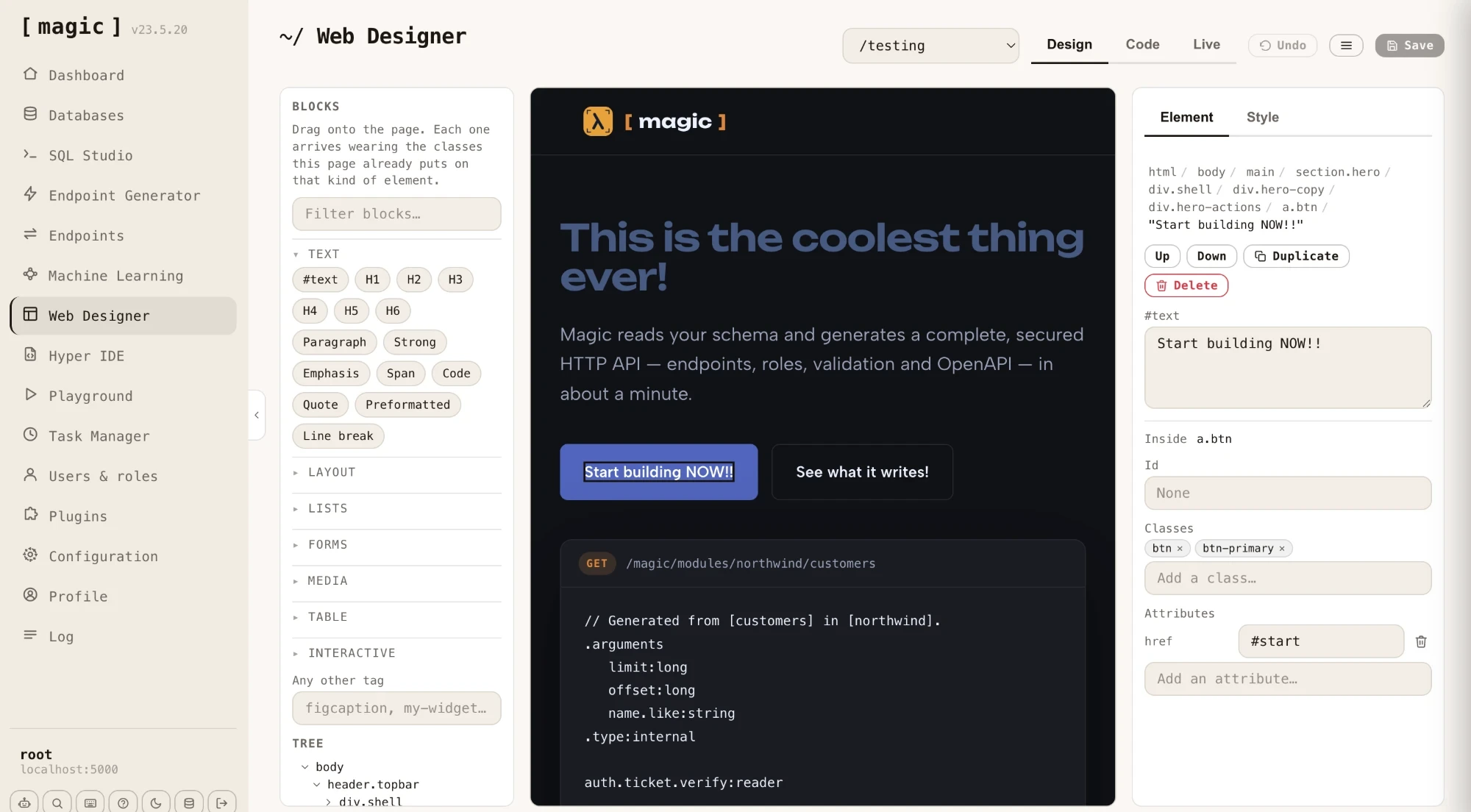
Edit any file and run it, query and design your databases, generate secured CRUD APIs, train chatbots, install plugins and manage users — all from one React application that ships with every Magic Cloud install.

15,497lines of React, whole dashboard
7runtime dependencies
856 KBproduction build
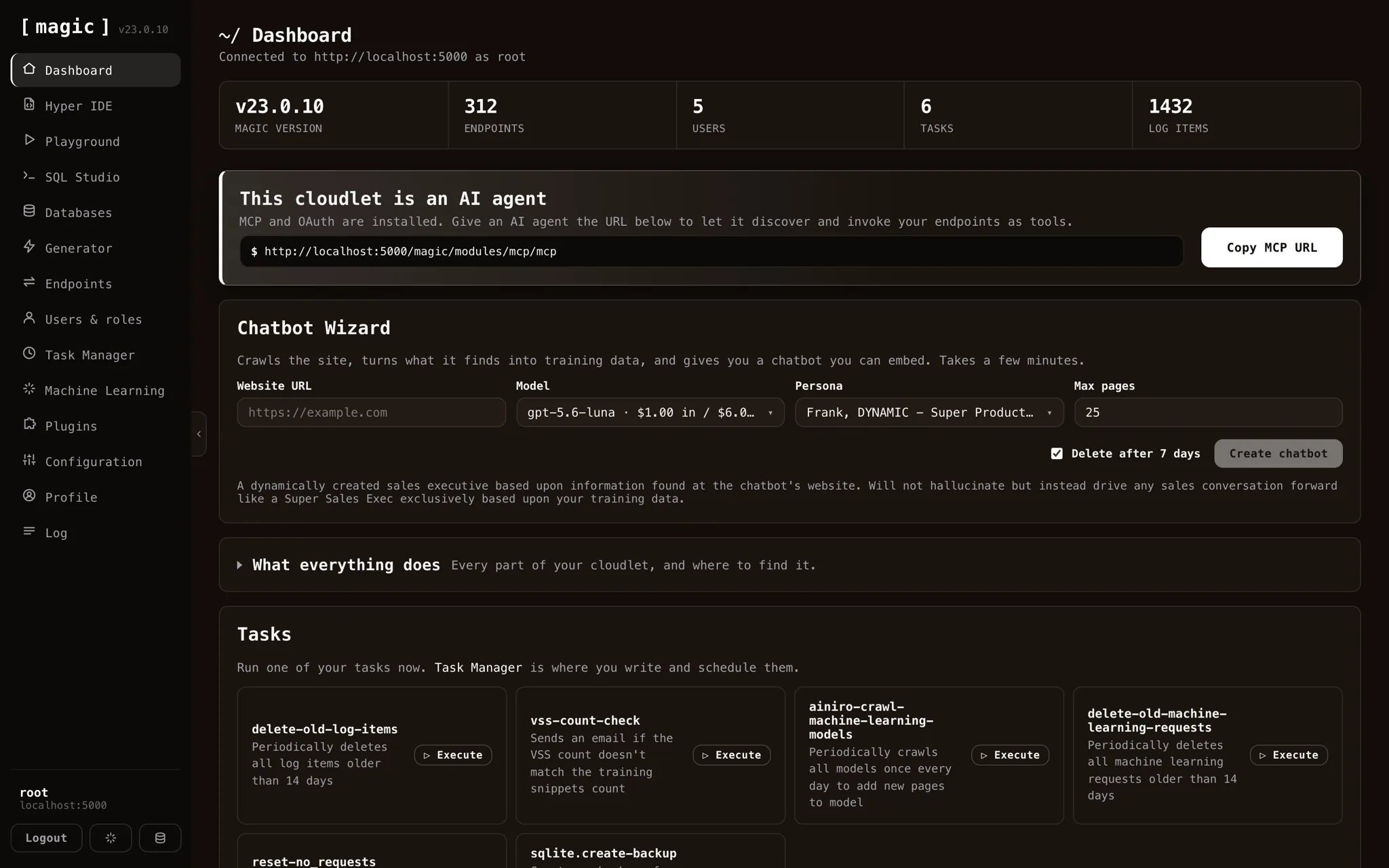
The Magic Cloud dashboard showing KPI cards, the MCP agent banner and the Chatbot Wizard
Login

Sign in to any backend

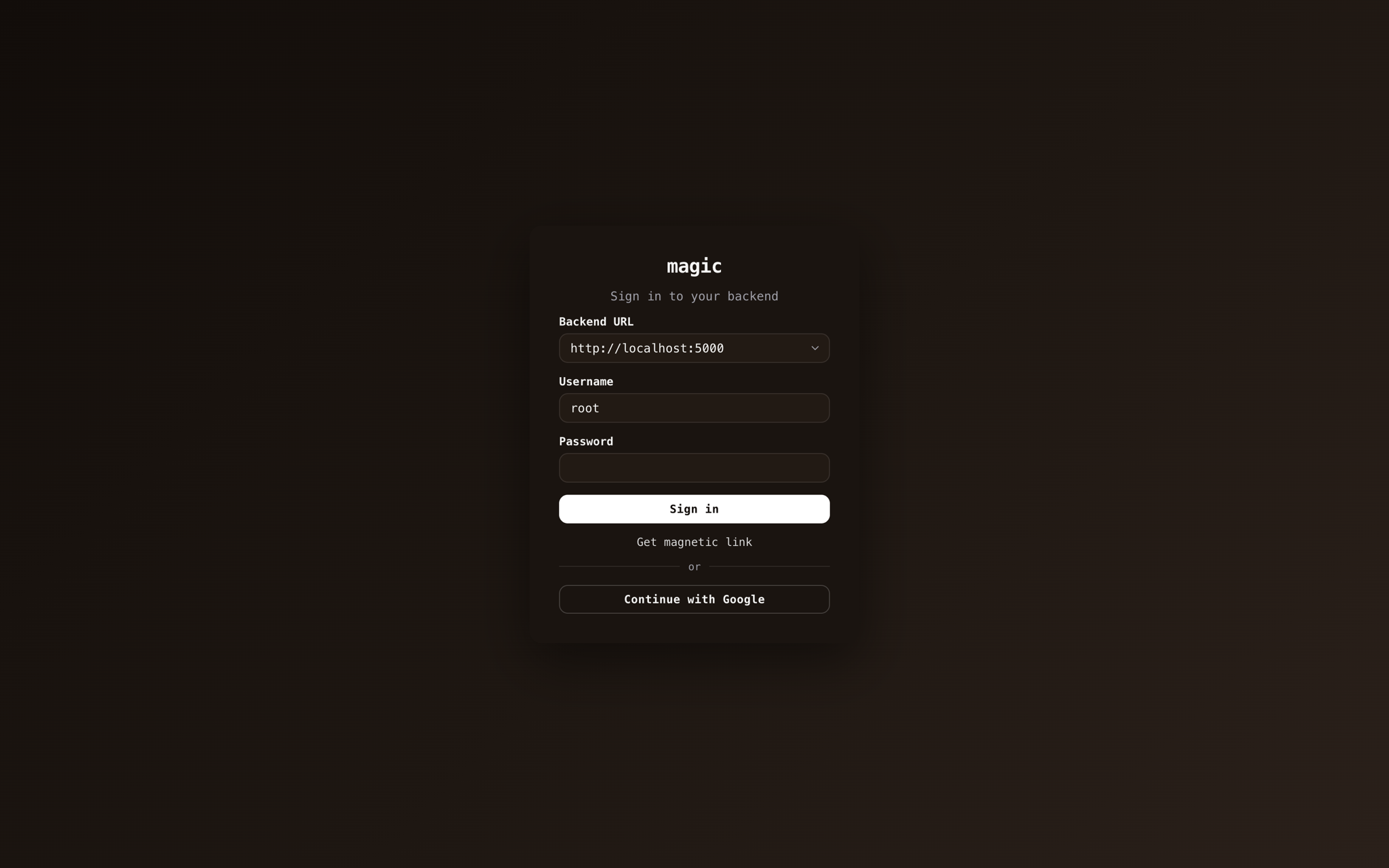
The dashboard talks to any Magic backend. The selector remembers every cloudlet you have signed into and keeps a separate JWT for each, so switching between them never means signing in twice.

A magnetic link signs you in from an email when SMTP is configured, and Continue with Google authenticates over OIDC against whatever providers your backend has registered.

The Magic login screen with backend selector, magnetic link and Google sign-in
The dashboard landing screen with KPI cards, MCP banner and Chatbot Wizard
Dashboard

Your cloudlet at a glance — and as an AI agent

Version, endpoints, users, tasks and log items in one row. Below them, the MCP banner hands any MCP-capable agent your endpoints as callable tools — point Claude, or anything speaking the protocol, straight at it.

The Chatbot Wizard runs the other way: give it a website, and the backend crawls it, turns what it finds into training data, and hands you an embeddable chatbot grounded in your own content.

Hyper IDE

Edit and run anything on your server

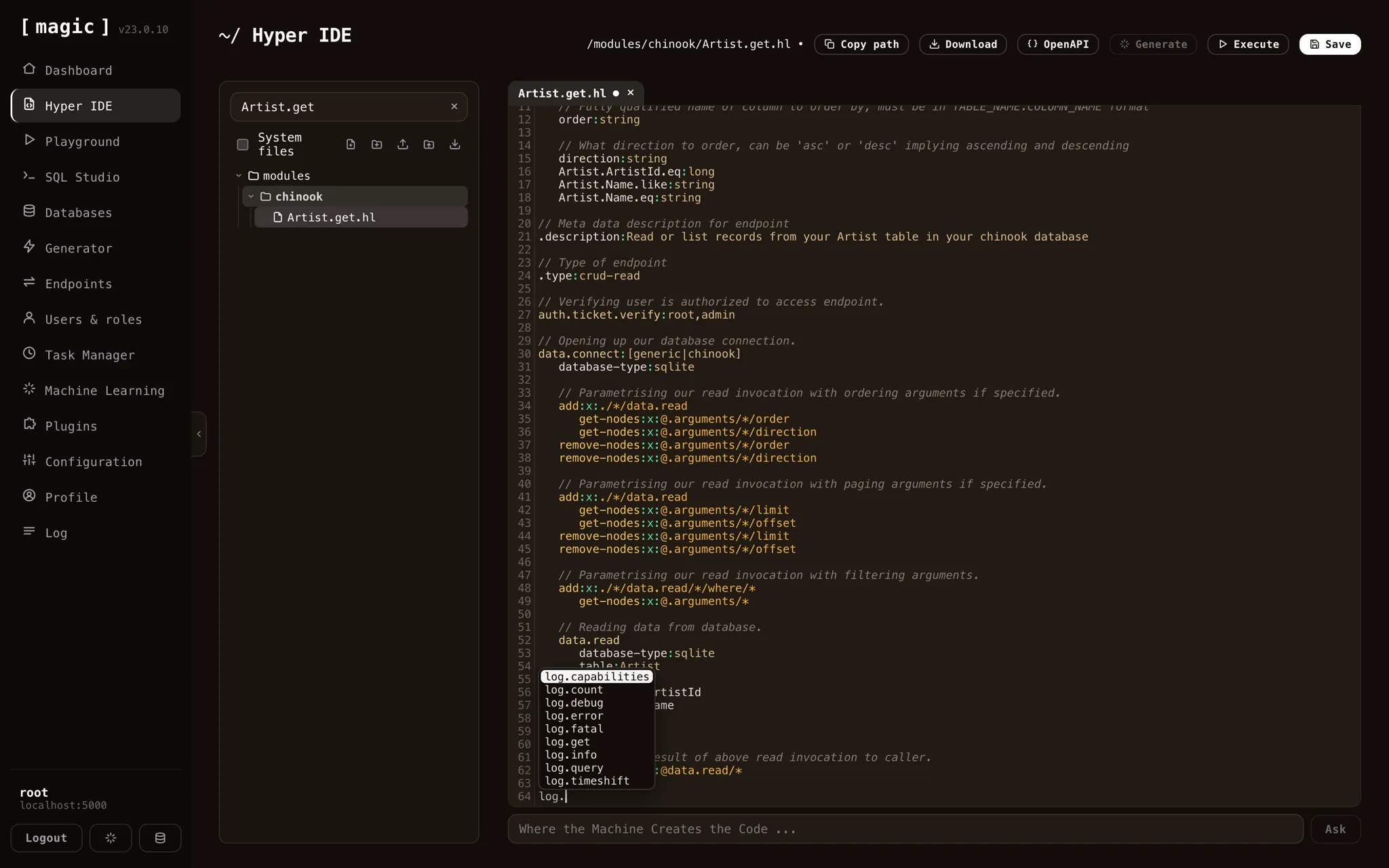
A file tree over the whole backend, with files open as tabs — several at once, each tracking whether it is dirty. The editor colours Hyperlambda correctly and completes against the backend's actual vocabulary with Ctrl+Space.

Endpoint files are invoked as real endpoints with arguments and response headers; everything else is evaluated directly. Upload and download files, preview HTML, images, JavaScript and CSS, and press F1 to ask the AI what a piece of code does.

Hyper IDE with a Hyperlambda file open, a dirty tab marker and the slot autocomplete popup
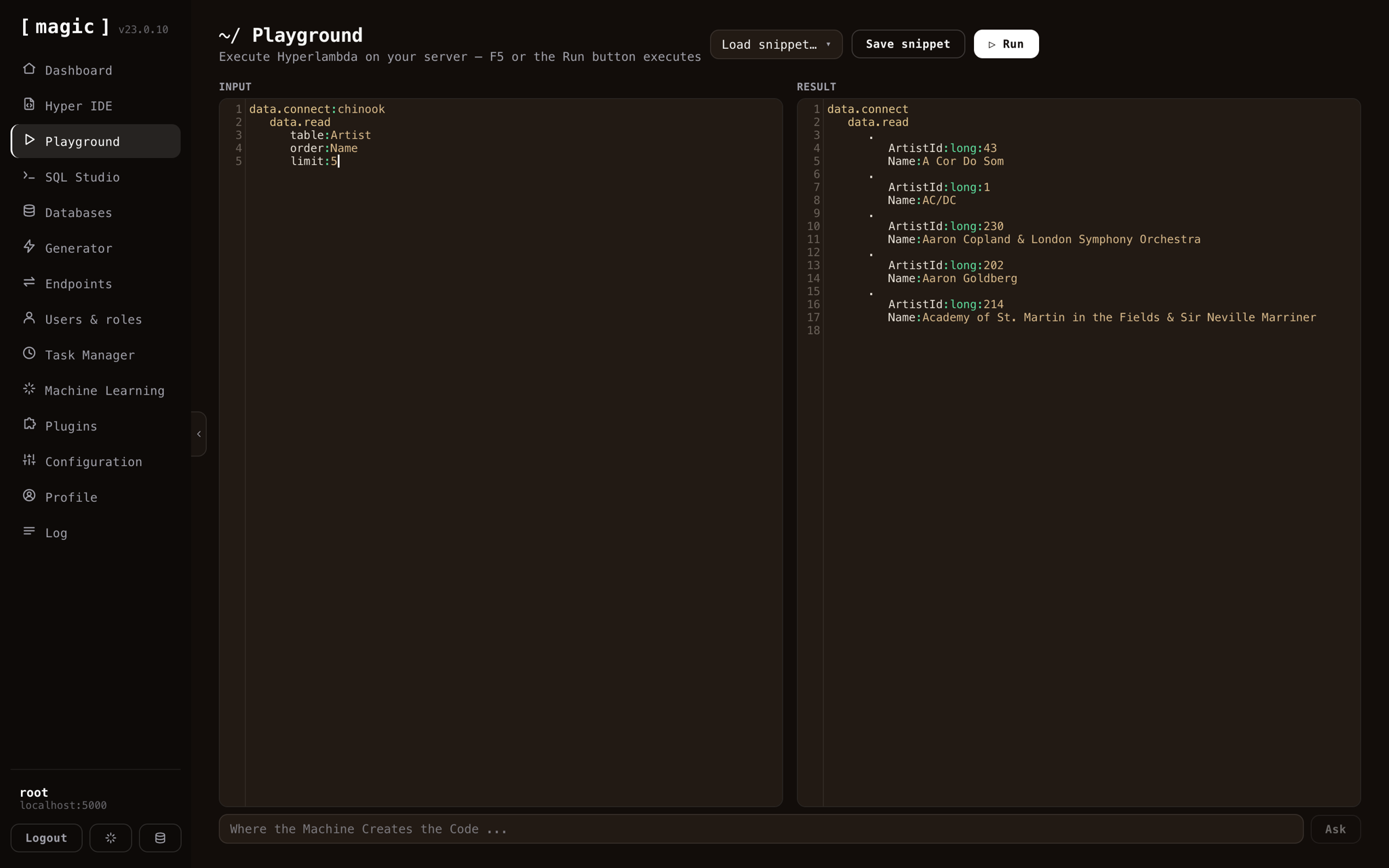
The Hyperlambda Playground with an example and its result pane
Playground

Run Hyperlambda without saving anything

Input on the left, result on the right, F5 to run. It is the scratchpad you reach for when you want to know exactly what a slot returns — and it saves snippets when a scratch turns out to be worth keeping.

SQL Studio

Query your databases — and design them

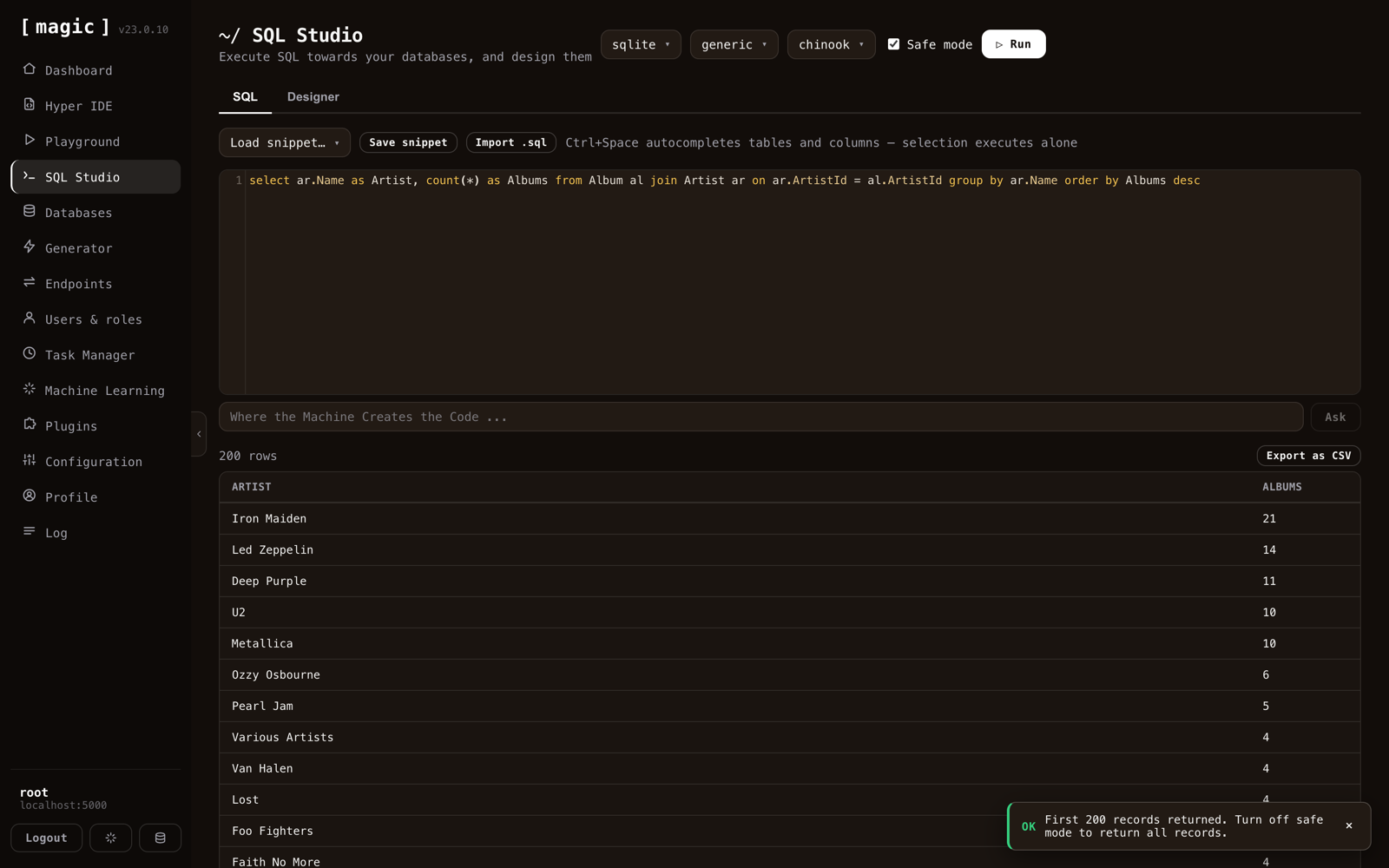
The SQL tab is a query editor with syntax colouring, completion over your real tables and columns, saved snippets, .sql import, CSV export, and a Safe mode that caps what a careless query can do. Selecting text executes only the selection.

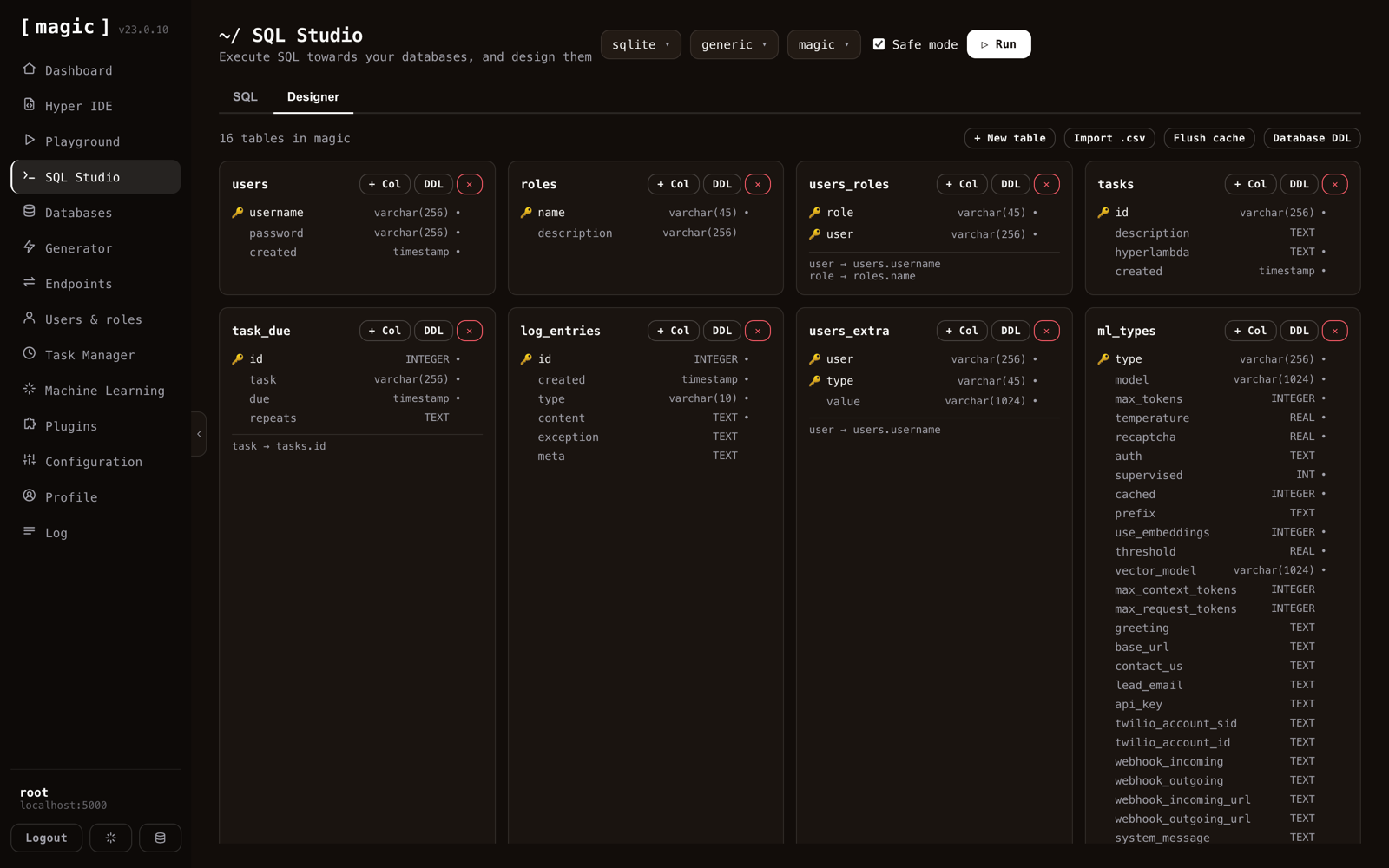
The Designer tab renders every table as a card — keys, types, nullability and foreign keys spelled out — and lets you add tables, columns and relations without writing a line of DDL.

SQL Studio with a query written against the chinook database
The SQL Studio Designer tab rendering chinook tables as schema cards with foreign keys
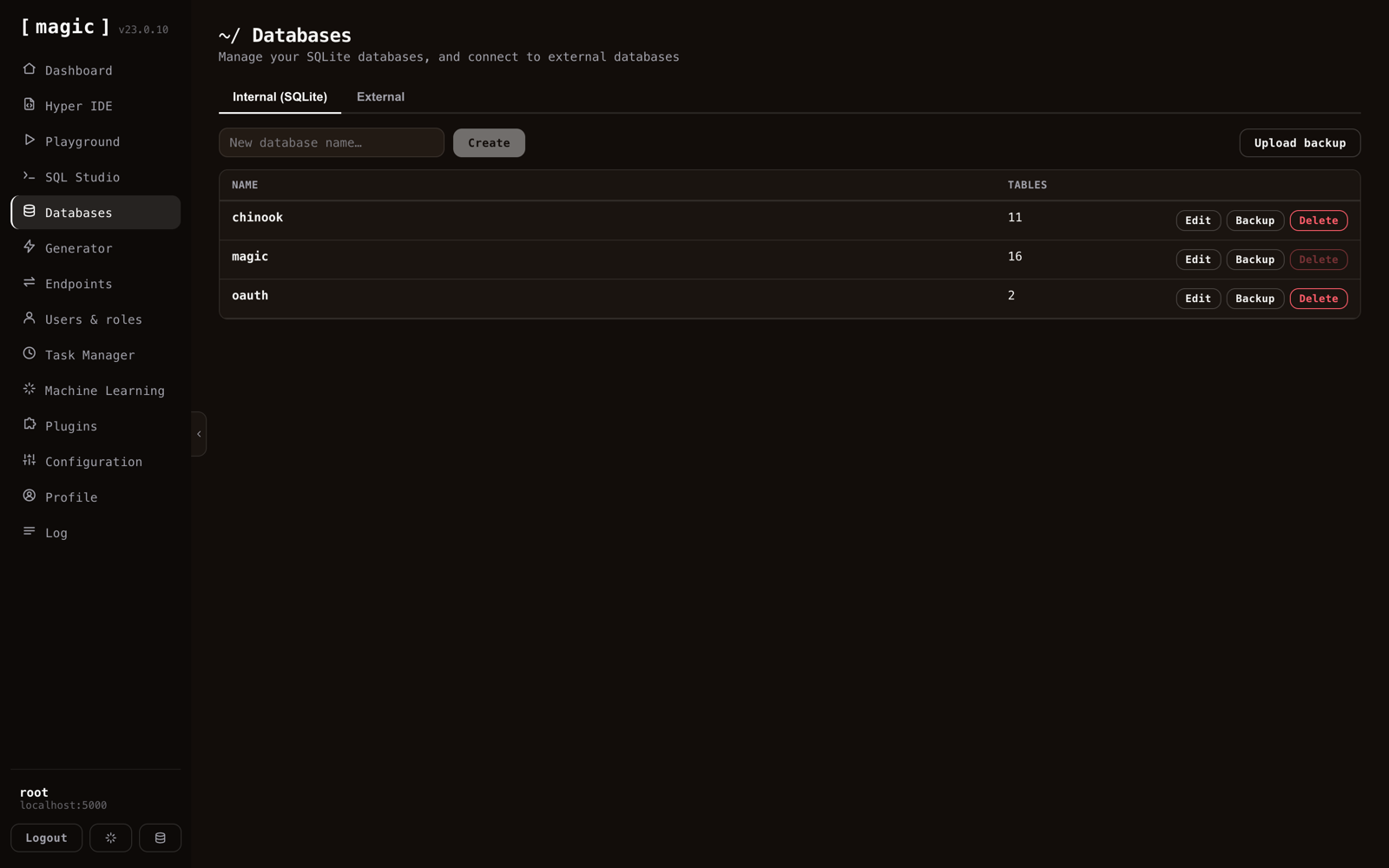
The Databases screen listing SQLite databases with table counts
Databases

SQLite in, and everything else connected

Create SQLite databases, back them up, restore from an uploaded backup, and drop the ones you no longer need. On the second tab, connect to external MySQL, PostgreSQL and SQL Server instances — after which the whole dashboard treats them exactly like a local database.

Generator

Tables in, secured API out

Point it at a database, tick the tables, and it writes a complete CRUD backend: POST, GET, PUT and DELETE per table, plus paging, sorting, aggregates, distinct and search endpoints on request.

You choose which roles may call what, whether writes are logged, how long GET responses may be cached, and whether existing files may be overwritten. The second tab wraps a custom SQL statement in an endpoint of its own.

The Generator screen with chinook tables selected and CRUD options
The Endpoints screen with modules expanded showing HTTP verb badges
Endpoints

Every endpoint, invokable with real arguments

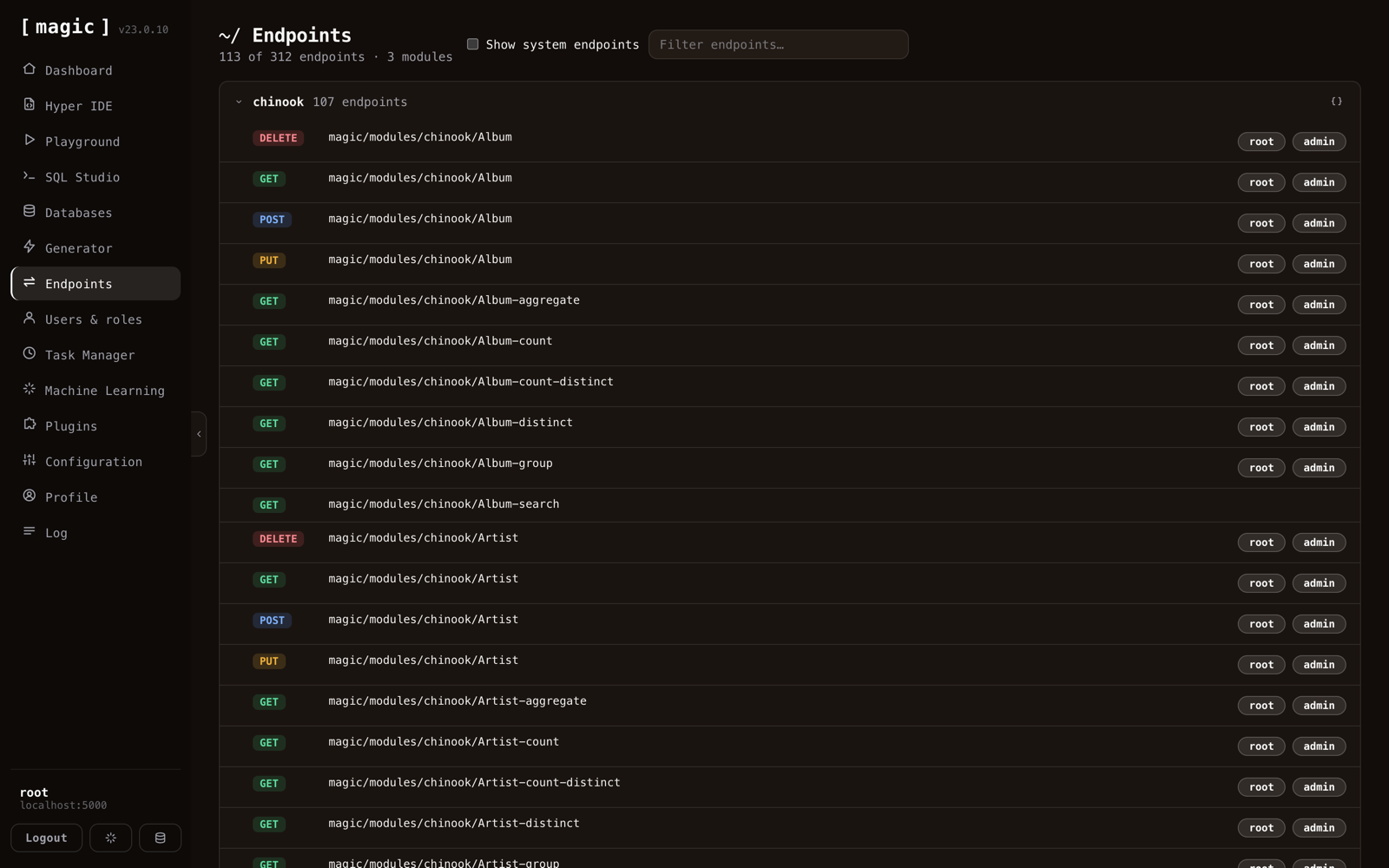
Grouped by module, with its HTTP verb. Open one and you get a form built from its actual arguments — fill them in, invoke it, and read the status code, response headers and body rendered by content type.

Endpoints that accept multipart get a file picker with inline image thumbnails; endpoints that return files offer them as downloads. Each module will also hand you its OpenAPI specification.

Users & roles

The authorisation surface, in one table

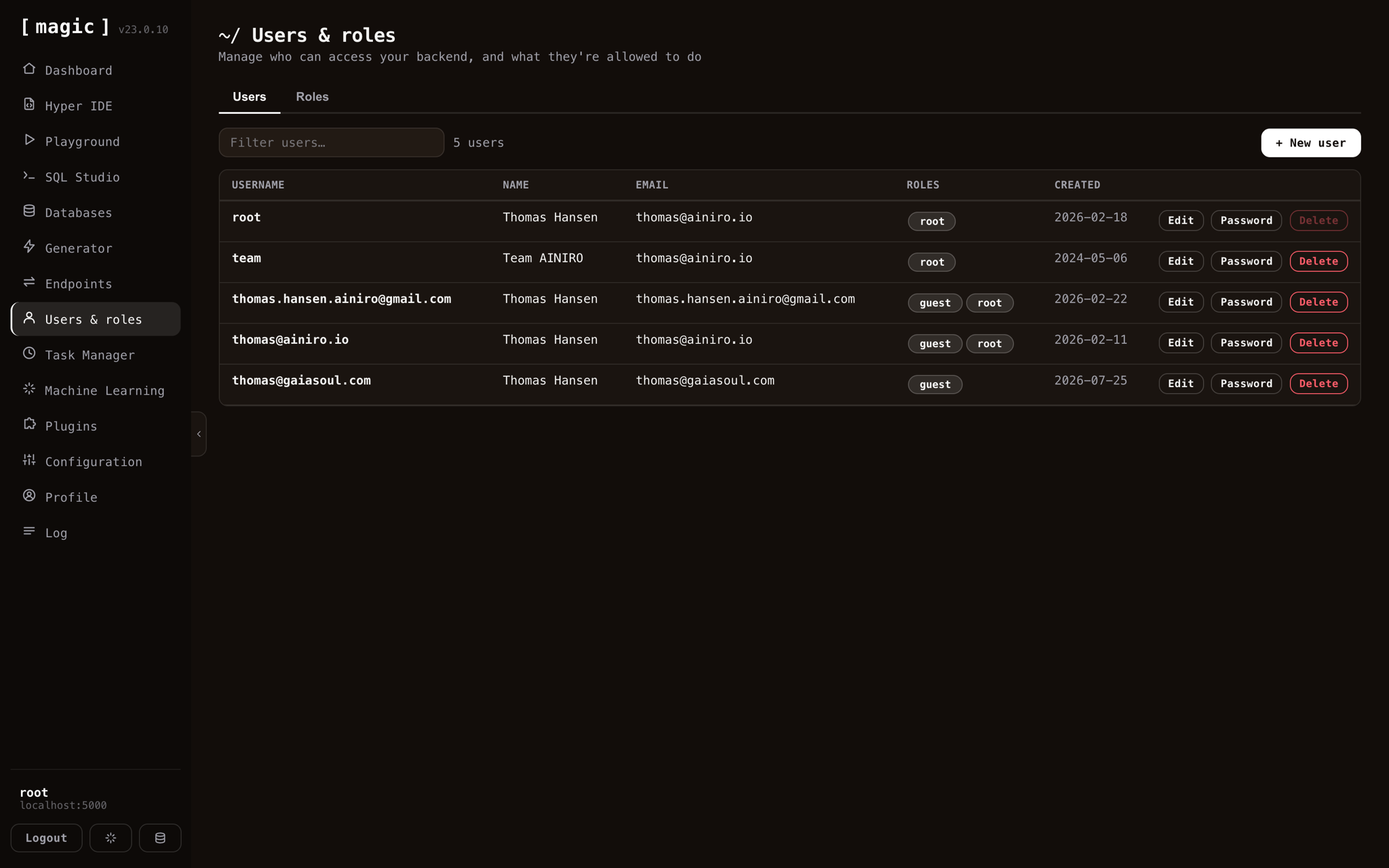
Who may reach your backend, and what they may do. Create users, assign roles, change passwords, lock accounts. Roles are the same objects the Generator gates endpoints with and the same ones inside the JWT — so this one screen is the entire access model.

The Users and roles screen listing users with their roles
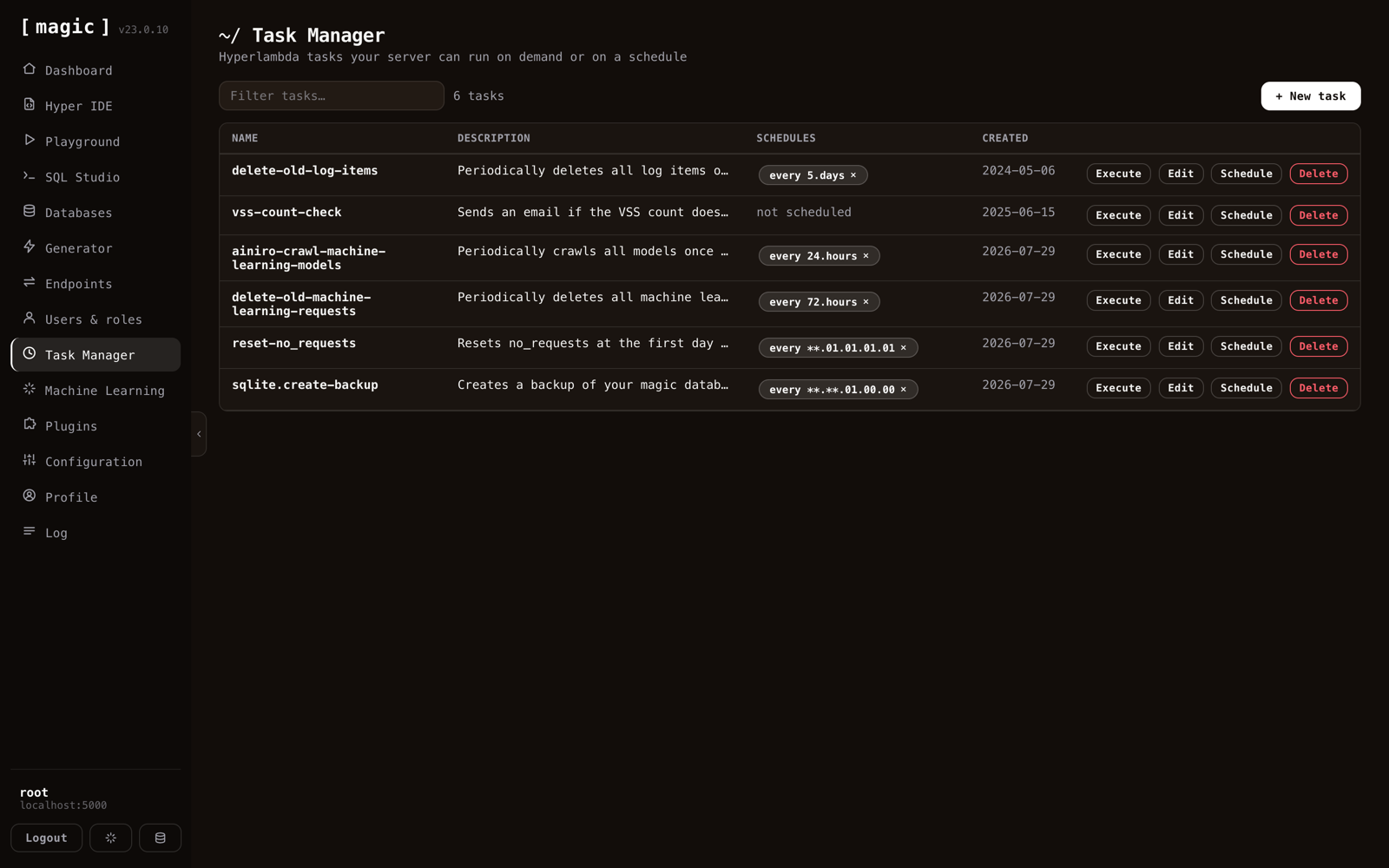
The Task Manager listing scheduled Hyperlambda tasks
Task Manager

Hyperlambda on a schedule

Backups, cleanup jobs, crawls and alerts, run on demand or on a schedule. Tasks can repeat on an interval, fire once at a fixed date, or follow a custom pattern — and you can execute any of them immediately, which asks first, because a task named delete-old-log-items means it.

Machine Learning

Models, training data and chatbots

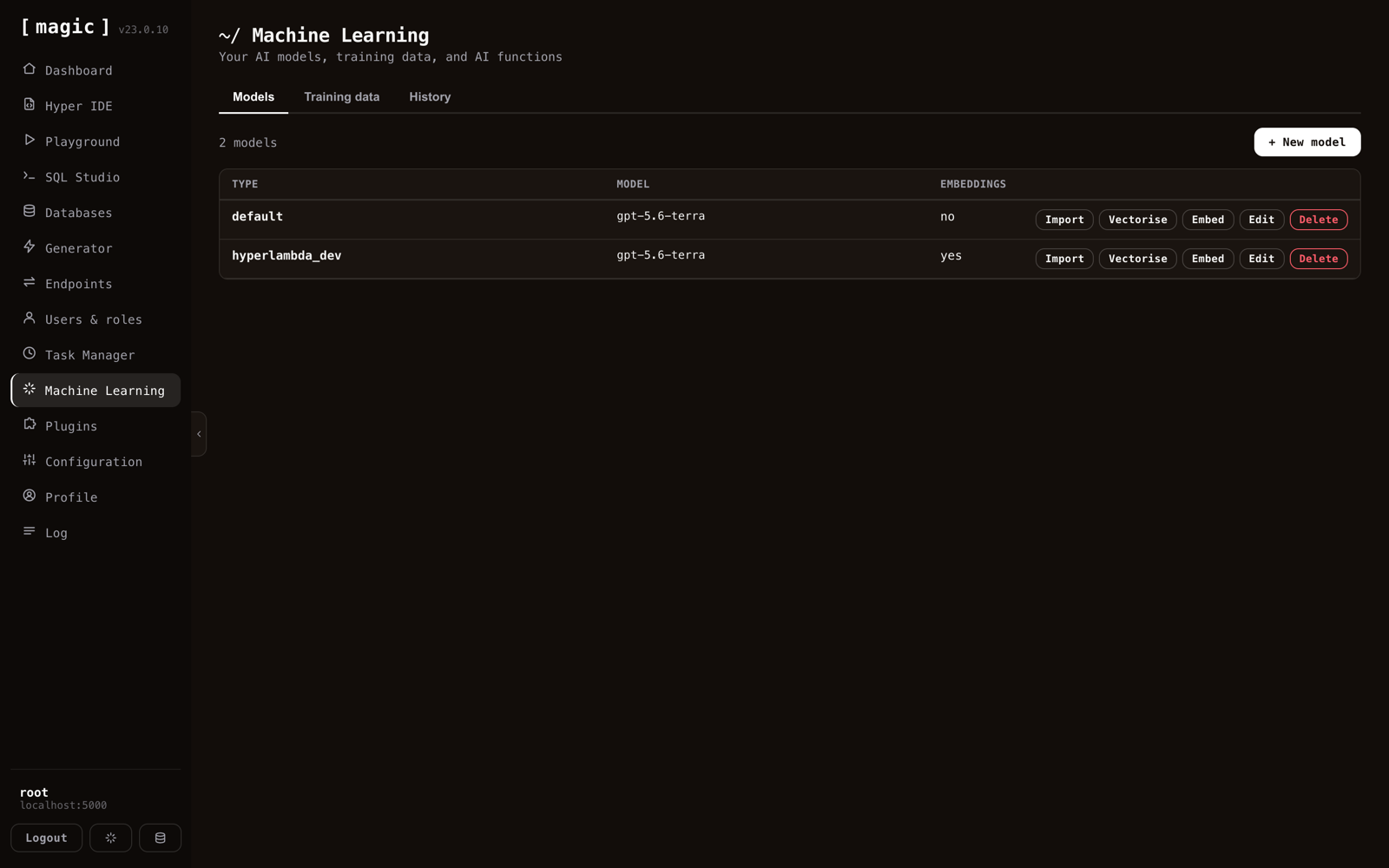
The largest screen in the application. Models define which LLM answers, at what temperature, with what system message and threshold. Training data is what they answer from — crawled, uploaded or hand-written.

Vectorising turns it into embeddings; embedding hands you the snippet that drops the finished chatbot onto a web page. A history tab shows what people actually asked it.

The Machine Learning screen listing models with import, vectorise and embed actions
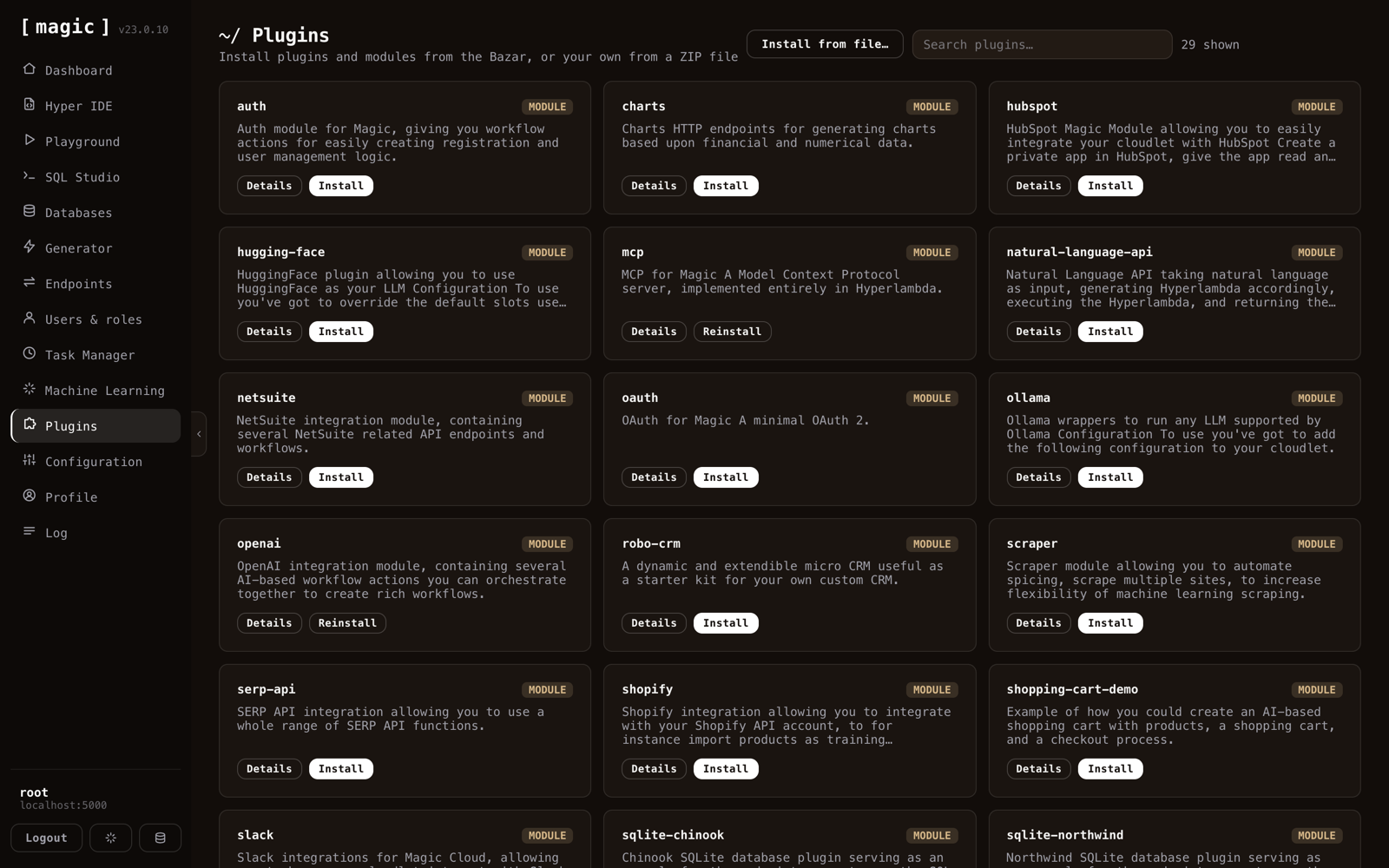
The Plugins screen showing available Bazar modules
Plugins

The Bazar, one click away

MCP, OAuth, OpenAI, Ollama, HuggingFace, Shopify, HubSpot, NetSuite, scraping, charts and a couple of dozen more. One click installs a module into your cloudlet, endpoints and all — or install your own from a ZIP file.

Profile

Your account, and long-lived tokens

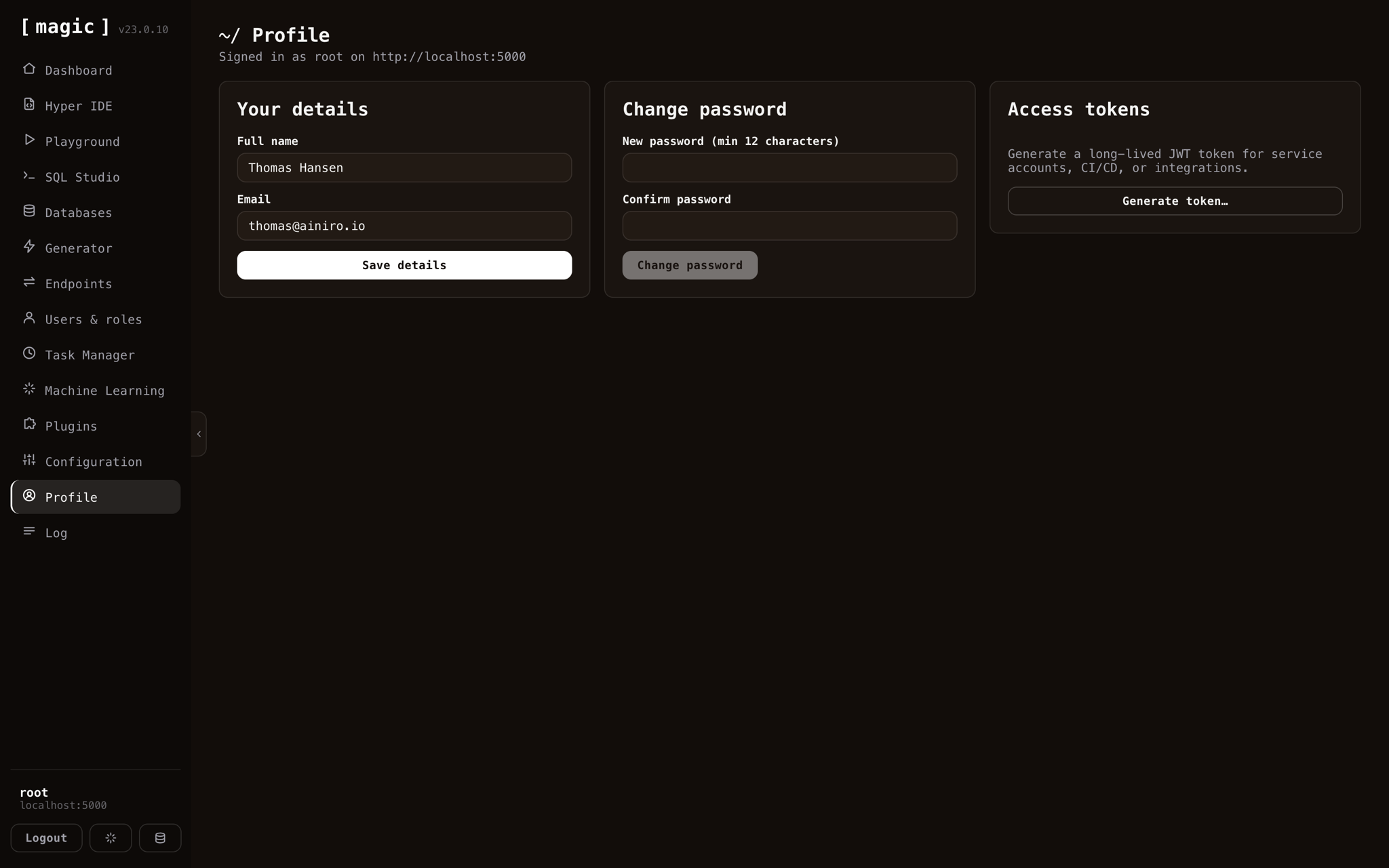
Your name, your email, your password — and access tokens, which is the part that matters operationally. Generate a long-lived JWT for a service account, a CI pipeline or an integration, scoped to the roles you pick and expiring on a date you choose.

The Profile screen with details, password change and access token generation
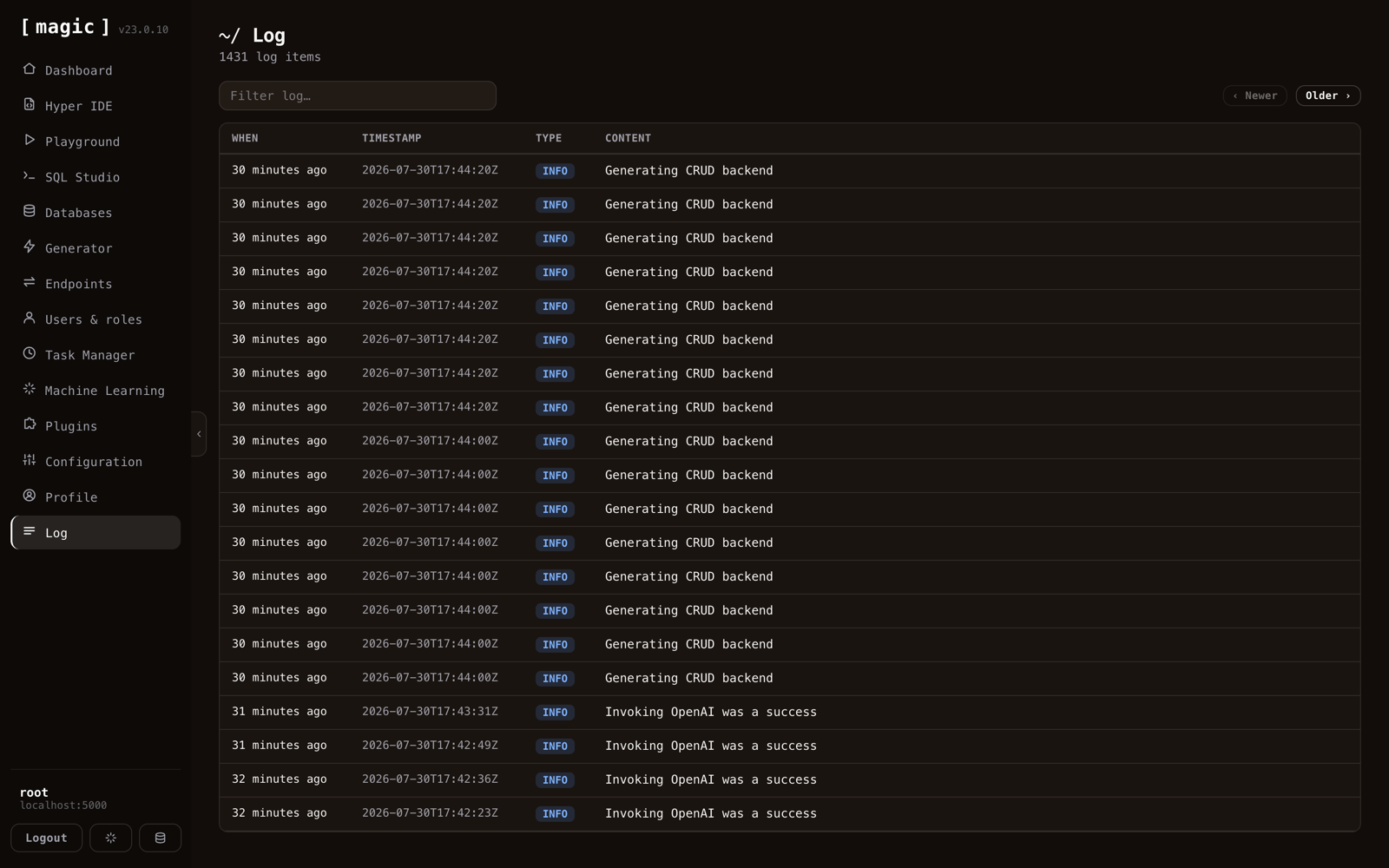
The Log screen listing backend log entries by type and time
Log

What your backend has been doing

Newest first, filterable, with severity on every row. It is where you go when something did not work — and the generated CRUD endpoints write to it automatically when you ask them to log writes.

Beyond a straight port

Things the old dashboard never had

OIDC login

Sign in with Google or any registered provider, straight from the login screen.

Files through Endpoints

Upload and download files on any endpoint, with inline image previews.

Dirty-file tracking

Unsaved changes flagged across Hyper IDE, SQL Studio and the Playground.

Multiple files open

A tab per file, so you can move between them without losing your place.

Multi-backend

A separate JWT per cloudlet, and shareable links that open the dashboard against one.

AI support on F1

Ask about any Hyperlambda selection and get an answer from the documentation.

Frequently asked questions
Do I need to install the dashboard separately

Not with the all-in-one image — it bundles the dashboard and backend together, so it is there the moment you install. You can host the dashboard separately if you prefer, for example on a different domain from the backend it talks to.

Is the Magic Cloud dashboard open source

Yes. It is part of the MIT-licensed Magic repository on GitHub, frontend included, and you can self-host the whole thing on your own hardware with no license fee.

Who can access the dashboard

The dashboard is for root users — it is the administrative surface of your cloudlet. The APIs you build with it can be exposed to any role you choose, but the dashboard itself is root-only.

How do I sign in to the dashboard

With a username and password. A passwordless magnetic link is also available when SMTP is configured on your backend, and single sign-on over OIDC — including Google — when you have configured one or more OIDC providers.

Can one dashboard manage more than one backend

Yes. It keeps a separate JWT per cloudlet, so you switch between backends without signing in again, and you can share a link that opens the dashboard against a specific one.

Can I build a secured API without writing code

Yes. The Generator turns database tables into complete CRUD endpoints — GET, POST, PUT, DELETE — with role-based authorisation, paging, sorting and optional caching, generated in seconds without hand-writing any backend code.

Does the dashboard work with MySQL, PostgreSQL and SQL Server

Yes. Alongside the built-in SQLite, you can connect external MySQL, PostgreSQL and Microsoft SQL Server databases, after which SQL Studio, the visual Designer and the generator all treat them like a local database.

Can I design database schemas without writing SQL

Yes. SQL Studio's Designer renders each table as a card and lets you add tables, columns and foreign-key relations visually — and it will hand you the DDL if you ever want it.

Can I turn my cloudlet into a tool for an AI agent

Yes. With the MCP plugin installed, the dashboard shows a URL that hands any MCP-capable agent your endpoints as callable tools, so an agent can discover and invoke them directly.

Can I build a chatbot from my own website

Yes. The Chatbot Wizard crawls a site you point it at, turns the content into training data, and gives you an embeddable chatbot grounded in your own material — with the full machine-learning screen behind it for models, training data and embedding.

Run it yourself

The whole thing ships with Magic Cloud

Magic is MIT-licensed and open source. Install it, and this dashboard is what you sign into.