For teams connecting agents to real systems

Turn Your Backend Into MCP Tools Claude Can Call

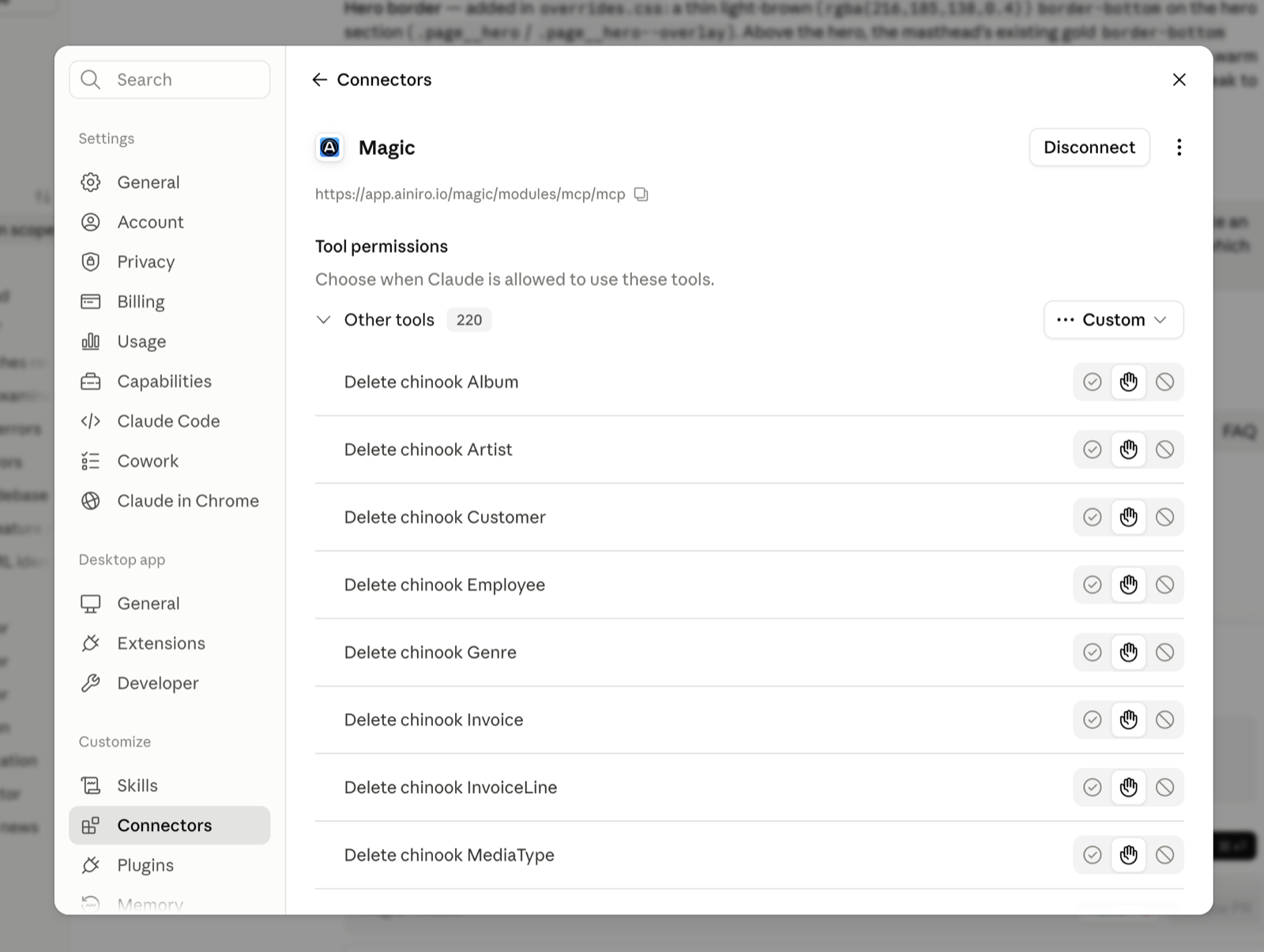
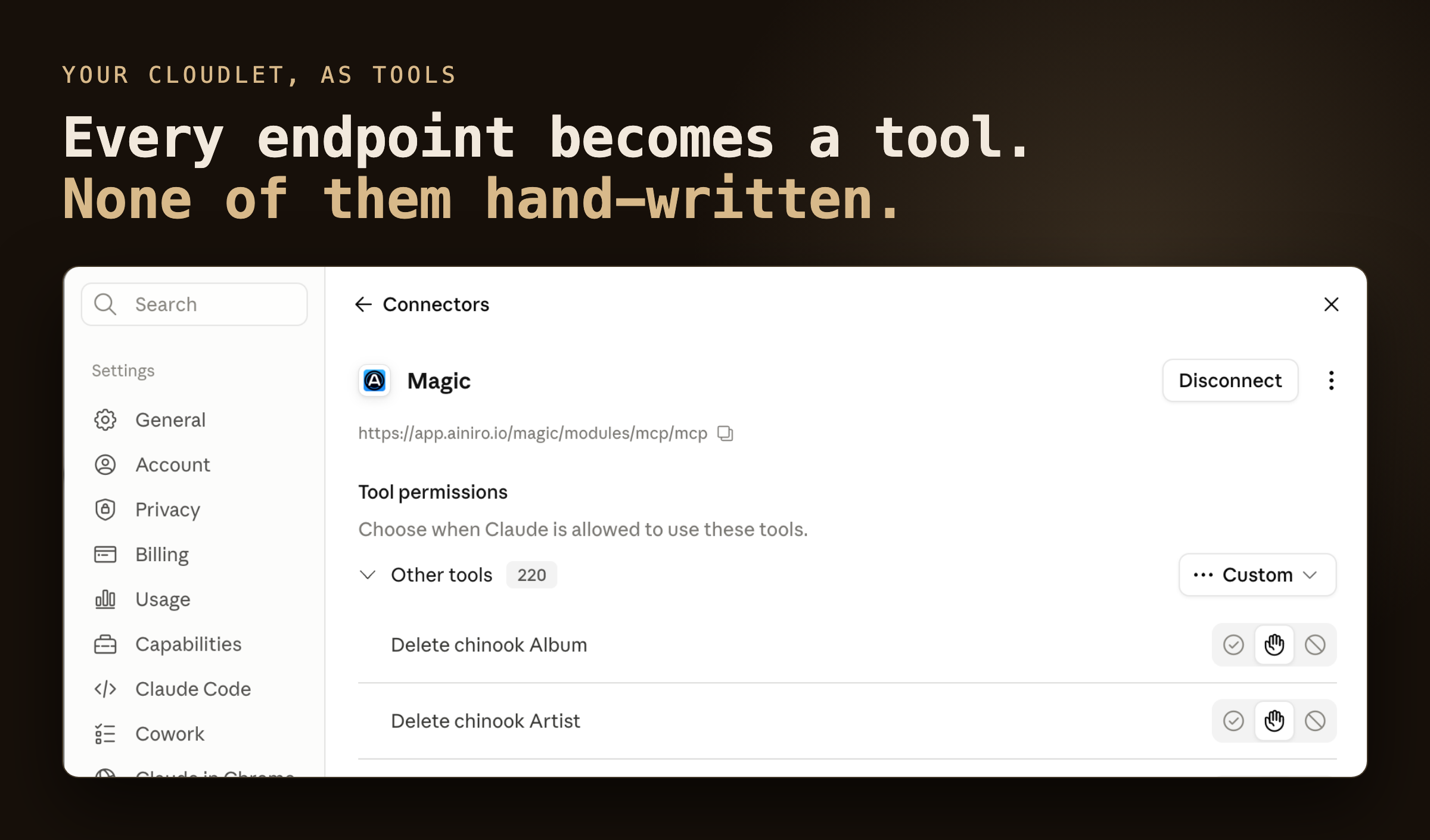
A Magic cloudlet is an MCP server. Every endpoint on it — generated from a database table, imported from an OpenAPI specification, or described in a sentence — shows up as a tool in Claude, Claude Code, Cursor, or any MCP client, filtered by the roles of the person who signed in. The cloudlet runs its own OAuth 2.1 flow, so connecting is paste a URL and authorise. Nobody writes a tool definition, and there is no separate server to host.

OAuth 2.1 with dynamic client registration and PKCE — no client ID to create, no secret to paste
Tool list assembled per caller from their roles — and the same check runs again on every invocation
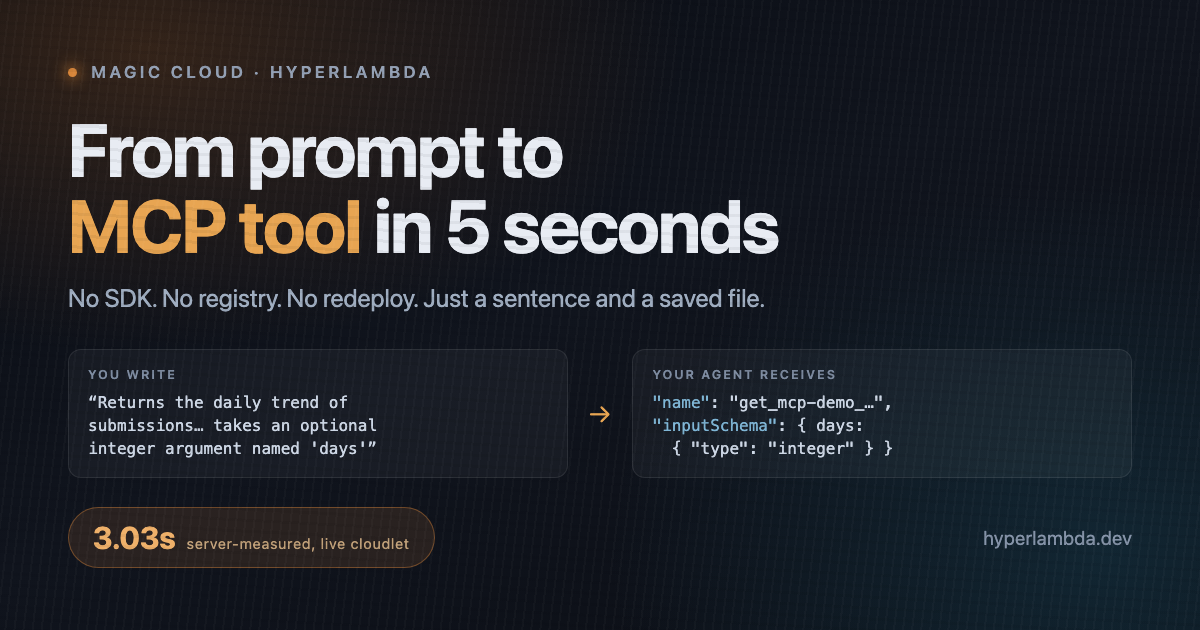
A tool that does not exist yet is one sentence away — measured at 3.03 seconds from prompt to live
The problem

MCP standardised the transport. It did not standardise the supply.

The protocol tells an agent how to call a tool. It says nothing about where tools come from. In practice somebody installs an SDK, writes a server, hand-authors a schema per operation, wires the handler, hosts the process, registers an OAuth client, and reconnects everything each time the API changes.

Then the security question arrives: what does the agent hold? Usually a shared service token in a configuration file, which means the agent's permissions are whatever that token can do — and every tool re-implements its own idea of who may call it.

A Magic cloudlet connected to an AI agent, exposing its endpoints as callable tools with per-tool permissions
How it works

One server, every endpoint, zero tool code

Magic's MCP server has no tool registry. When a client asks what tools exist, the server enumerates the endpoints that exist, right then, and describes them from the metadata already in the files. Calling a tool runs the endpoint — not a proxy in front of it — through the same invocation path an HTTP request takes, carrying the caller's own identity.

Endpoints are tools

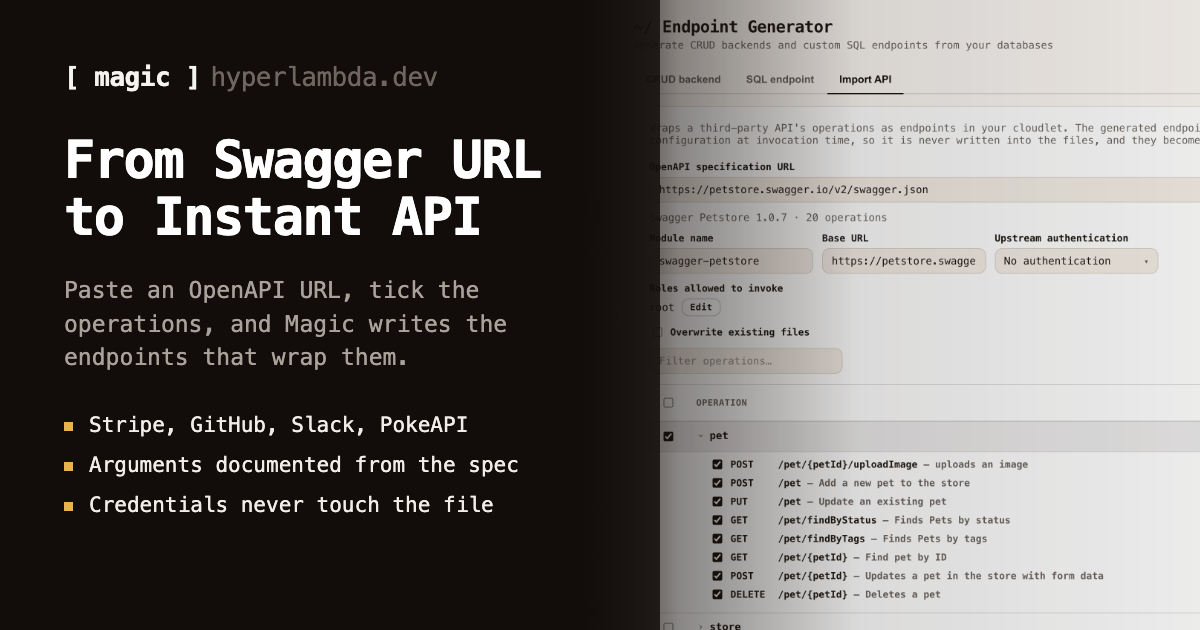
An endpoint's file comment becomes the tool description; the comment above each argument becomes that argument's description; Hyperlambda types become JSON Schema types. The CRUD generator's output, imported OpenAPI operations, and hand-written endpoints all qualify.

Roles are the filter

The catalogue is built per caller from the roles on the authenticated ticket. Two agents connecting with different credentials get two different tool lists — and hiding is not the mechanism, because the identical role check runs again when the tool is invoked.

Generation is the catalogue

Ask for a tool that does not exist and the Hyperlambda Generator writes it from your sentence, verifies every instruction against the live slot registry, and saves it. Saving is the last step: no build, no restart, no registration.
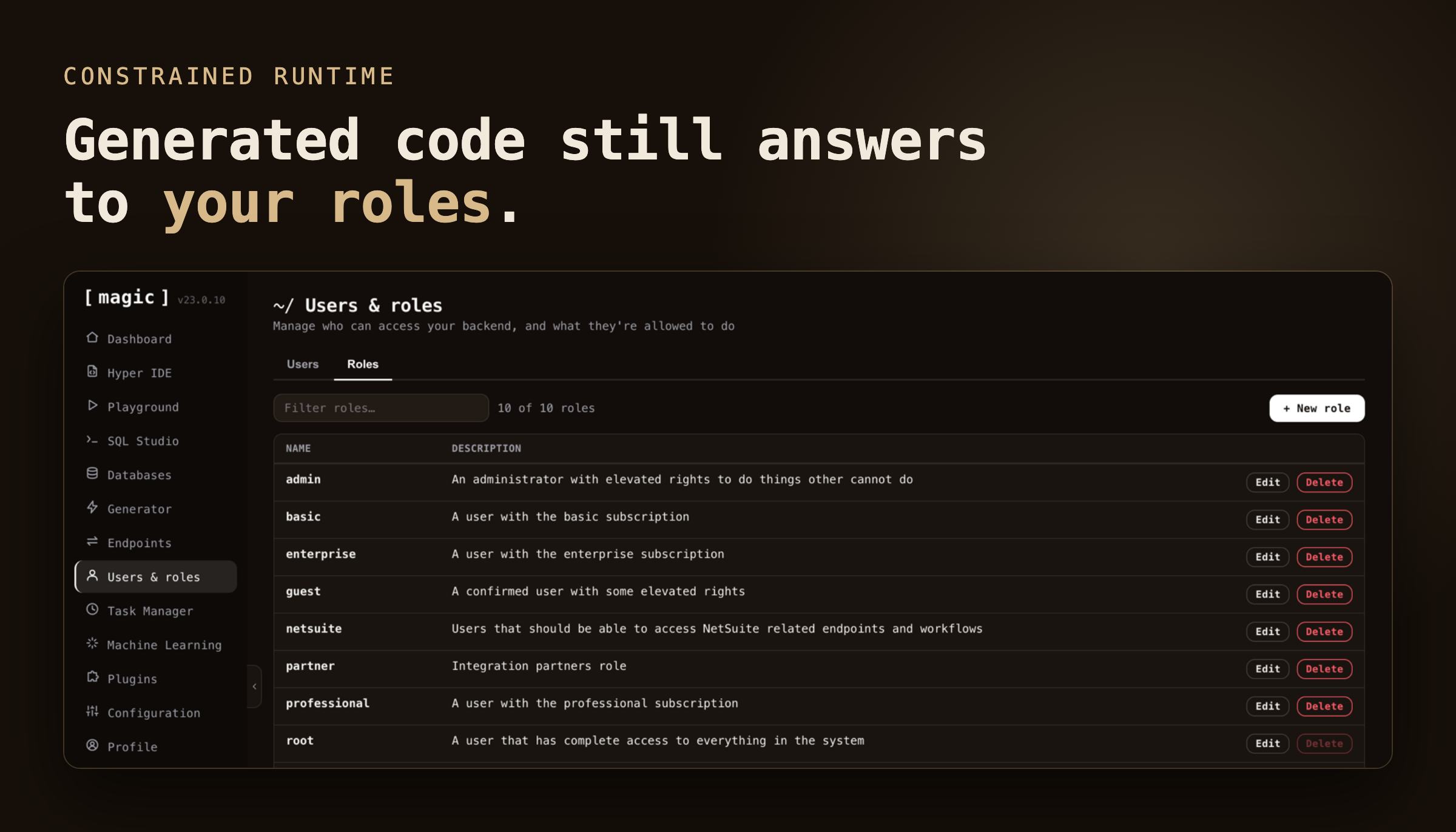
The roles table that every generated endpoint, and therefore every MCP tool, is gated on
The security model

The agent gets your permissions, not root

When a client first reaches the MCP URL without a token, the cloudlet answers with a 401 that points at its own OAuth metadata. The client registers itself, runs the authorisation-code flow with PKCE, and you log in with your Magic username and password and consent. What comes back is a Magic JWT: the connector is a user with roles, not a shared key. The role you connect an agent with is its blast radius.

Tools the agent generates for itself are Hyperlambda — an AST whose every node must bind to a whitelisted capability — so a hallucinated invocation fails structurally before it executes. Upstream credentials for imported APIs live in configuration and are attached server-side at invocation time; the agent is never handed a secret it could leak. The full argument is in runtime whitelisting, not prompt filtering.

Clients

One URL, any MCP client

Install the oauth and mcp plugins from the dashboard's Plugins section, then hand your client this URL: https://your-cloudlet/magic/modules/mcp/mcp. Append ?path=/modules/crm/ to expose one module only.

ClientHow to connectAuthReach
ClaudeCustomize → Connectors → Add custom connector → paste the URL → Add, then AuthoriseOAuth 2.1, discovered automaticallyCalled from Anthropic's cloud — the cloudlet must be reachable from the internet
Claude Codeclaude mcp add --transport http magic https://your-cloudlet/magic/modules/mcp/mcp, then /mcpOAuth 2.1 in the browserRuns on your machine — localhost and inside-the-firewall cloudlets work
CursorAdd the URL under mcpServers in mcp.jsonOAuth 2.1Runs on your machine
Any MCP-over-HTTP clientPoint it at the URLOAuth 2.1, or a Magic JWT as a bearer tokenDepends on where the client runs

The transport is plain request/response JSON — a spec-compliant subset with no SSE stream and no server-initiated messages. Some clients cap tool names at 64 characters; Magic does not truncate, so keep module paths shallow. The step-by-step lives in how to connect the MCP server.

Use cases

What shows up in the tool list

CRM

Your CRM inside Claude

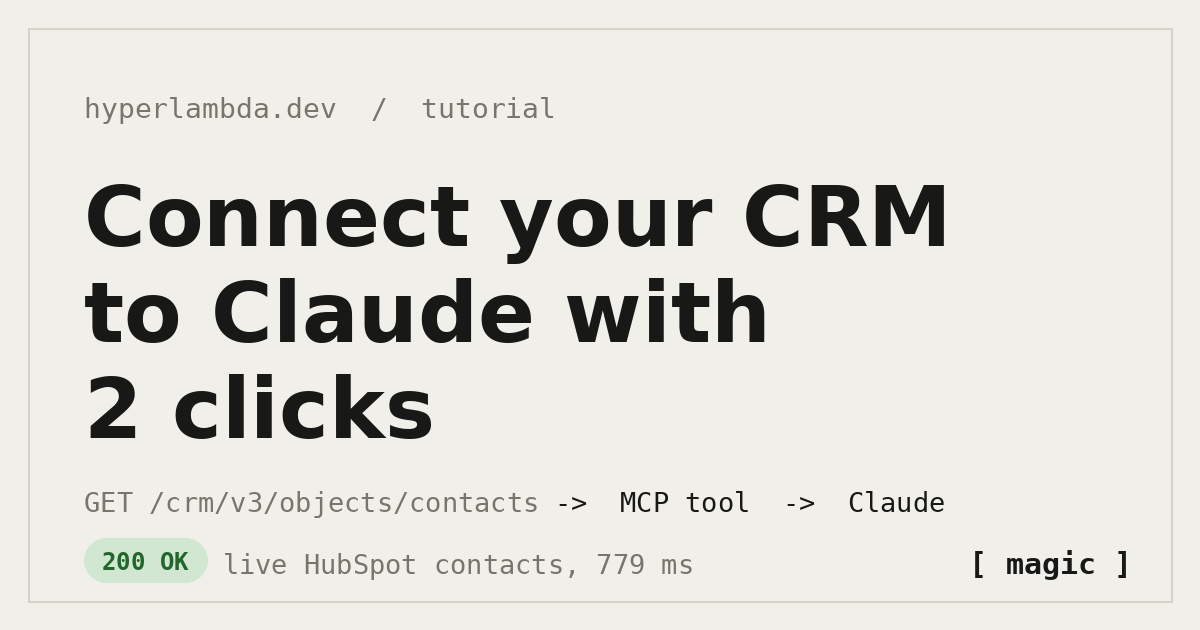
Import HubSpot's OpenAPI specification, tick List contacts, choose a role, and Claude reads live contacts — with the HubSpot token held in your configuration, never in the agent.

Databases

CRUD over any SQL database

Point the generator at SQLite, PostgreSQL, MySQL or SQL Server, and every table becomes read, create, update and delete tools — paging, filtering and sorting included, role-gated per verb.

OpenAPI

Any documented API, secured

Paste a Swagger URL, import twelve operations rather than eight hundred, and each one is a typed, described tool whose upstream credential is attached server-side.

On demand

Tools the agent asks for

An agent that needs a daily trend, a reconciliation, or a report describes it in one sentence, and the generator writes, verifies and saves it. It is in the catalogue before the reply lands.

Operations

Tasks, files, email, browser

The workflow tools a cloudlet ships — scheduled tasks, file management, SQL, email, headless browser, Python — are MCP tools too, each behind the role it requires.

Audiences

One backend, many servers

Combine per-role catalogues with the ?path= narrowing and one cloudlet serves as many differently-scoped MCP servers as you have audiences: sales sees the CRM, finance sees invoicing, nobody sees payments configuration by accident.

The difference

Most MCP servers are hand-built. This one is a query against reality.

A hand-built MCP server

  • One tool definition written per endpoint, by hand
  • Schemas and descriptions maintained beside the code, stale within a month
  • Auth re-implemented inside the server, usually a shared token
  • A fixed toolbox — new capability means a deploy
  • A separate process to host, monitor and restart

A Magic cloudlet

  • Every endpoint is a tool automatically — there is no registry to update
  • Descriptions and types come from the endpoint's own comments and argument declarations
  • OAuth 2.1 built in; RBAC enforced by the runtime at invocation
  • The agent grows its own tools from plain language, whitelisted and verified
  • The MCP server is the backend — nothing extra to host
From cloudlet to connector

Five steps, two of them clicks

There is no OAuth application to create beforehand and no client ID to generate. The cloudlet describes its own front door, and the client walks through it.

1. Install

Add the oauth and mcp plugins from the dashboard's Plugins section.

2. Paste

Give your client the cloudlet's MCP URL, narrowed with ?path= if you want one module only.

3. Authorise

Log in with your Magic username and password and consent. The client receives a Magic JWT.

4. See the tools

The catalogue arrives filtered by your roles, with descriptions and typed arguments.

5. Ask for more

Describe a tool that does not exist. It is generated, verified and live in seconds; reconnect to see it.

Frequently asked questions
Which MCP clients work with a Magic cloudlet?

Claude (as a custom connector), Claude Code, Cursor, and any client that speaks MCP over HTTP. The transport is plain request/response JSON — a spec-compliant subset with no SSE stream and no server-initiated messages.

Does my cloudlet have to be reachable from the internet?

Only for Claude custom connectors, which are called from Anthropic's infrastructure. Claude Code and Cursor run on your machine and talk to the cloudlet directly, so a self-hosted cloudlet on localhost or inside your firewall works without exposing anything.

How does authentication work? Do I need to create an OAuth application first?

No. The cloudlet runs its own OAuth 2.1 authorization server. An unauthenticated request gets a 401 pointing at the cloudlet's OAuth metadata; the client registers itself with dynamic client registration, runs the authorization-code flow with PKCE, and receives a Magic JWT. You log in with your Magic username and password and consent — there is no client ID or secret to paste. Clients that cannot run OAuth can send a Magic JWT as a bearer token instead.

I created a new endpoint. Why does it not show up as a tool?

The server's catalogue is current the instant the file lands, because it enumerates the endpoints that exist on every request. Most clients, however, fetch the tool list once when they connect and cache it. Disconnect and reconnect the MCP server in your client to refresh the list.

Can I limit which tools a given agent sees?

Two ways, and they combine. The tool list is assembled per caller from the roles on the authenticated ticket, and the same role check runs again when a tool is invoked — so connect an agent with a scoped role, not root. Independently, append ?path=/modules/your-module/ to the MCP URL to narrow the catalogue to one module subtree.

Try it

Five minutes to a running MCP server

The whole platform — database, generated APIs, auth, frontend hosting, and the MCP server — on your own hardware, MIT-licensed. Install the oauth and mcp plugins, then add the URL to Claude Code.

terminal
# When it’s up: log in at http://localhost:5555 with root/root, install the oauth and mcp plugins,
# then: claude mcp add --transport http magic http://localhost:4444/magic/modules/mcp/mcp
$ curl -fsSL https://hyperlambda.dev/docker-compose.yaml | docker compose -f - up