 Hyperlambda
Part of our agent-builder series — start at AI Agent Builders.
Your AI agent does not need more tools. It needs a way to make its own.
That is the whole argument of this article, and everything below is me showing you what it looks like in practice.
Here is the problem as it stands today. Agents can reason beautifully and act barely at all, because acting means calling a tool, and every tool had to be written by a human in advance. Want your agent to read from a new table? Someone writes a wrapper. Want it to send a report every Monday? Someone writes a job. The agent is clever and completely stuck, waiting on a queue of small integration tickets.
Magic takes a different position. Install the MCP module, and your entire cloudlet becomes the agent's tool belt — your databases, your endpoints, your files, your scheduled tasks. And one of those tools is a Hyperlambda generator, which means when the agent needs a capability that does not exist, it can write it, save it, and call it inside the same conversation.
That is the wand. The rest of this article is the tour.
The dashboard is the agent's tool list
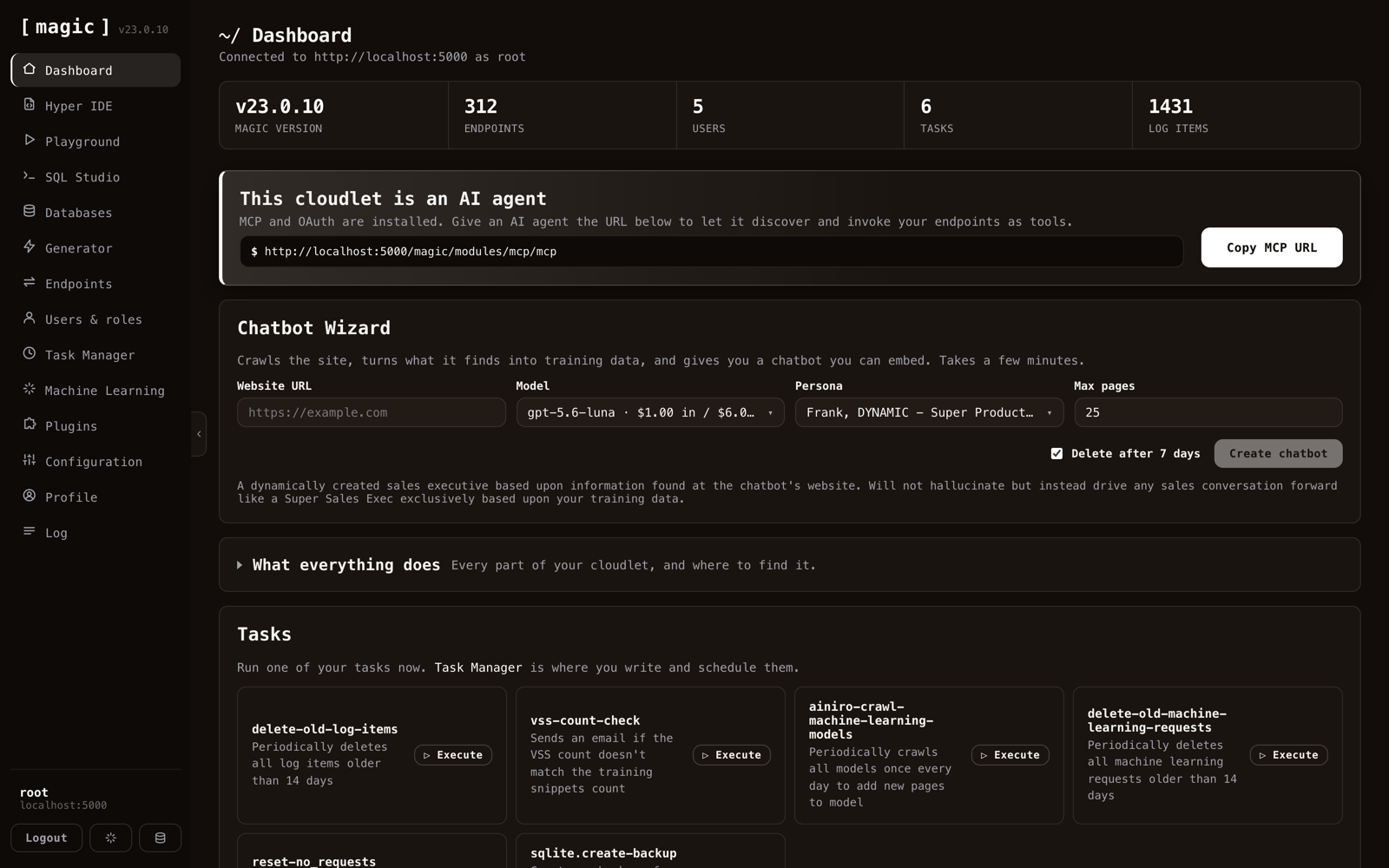
Start here, because this is the mental model that makes the rest click.
Every screen you are about to see is a human interface over a capability. That same capability is exposed to an agent over MCP. You get buttons; the agent gets tools; underneath, it is the same backend doing the same work with the same authorisation rules.
The banner near the top says this cloudlet is an AI agent, and it is not marketing copy. It hands you the MCP URL. Give that URL to anything that speaks the protocol and it discovers your endpoints as callable tools.
The cloudlet in that screenshot reports 312 endpoints, 5 users, 6 scheduled tasks and 1,431 log entries. Keep those numbers in mind — by the end of the tour you will have seen where each of them comes from, and how an agent reaches them.
Connecting the agent
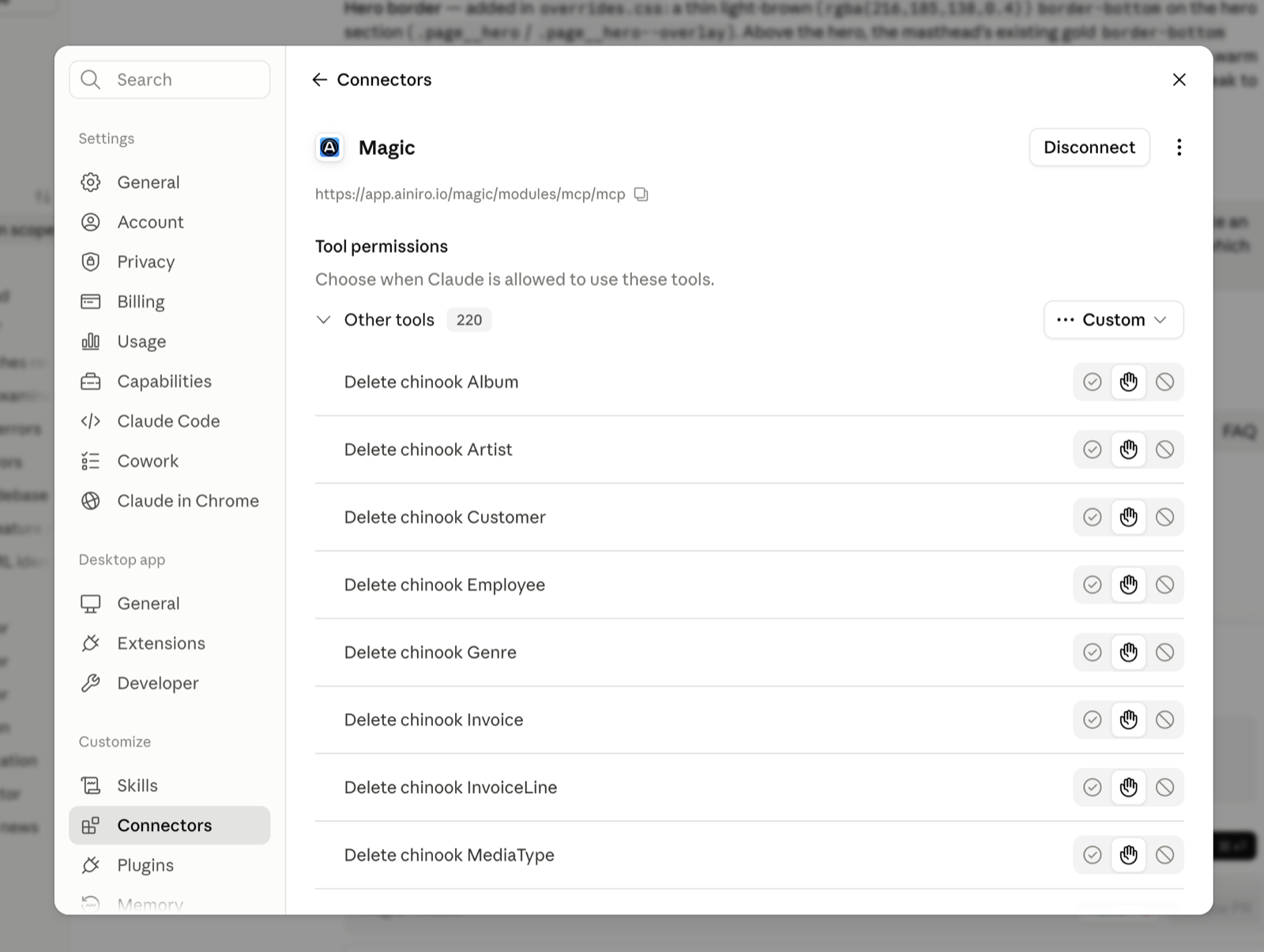
Copy the URL, paste it into your agent, done.
This is Claude with a Magic cloudlet connected, and the number on that row is worth pausing on: 220 tools. Nobody wrote 220 tool definitions. They are the endpoints on that backend, published through MCP, described well enough for a model to pick the right one.
Notice the permission controls beside each tool. Every one can be set to allow, ask, or deny. This matters more than it looks, and I will come back to it when we reach roles.
The wand itself
The generator takes plain language and returns correct Hyperlambda. Not a suggestion, not a snippet to adapt — code that runs.
I asked it for this while writing this article:
Executable Hyperlambda file that reads from the chinook database and returns the 10 artists having the most albums, as a JSON array where each object has a field called artist being the artist name and a field called albums being the number of albums for that artist.
Three and a half seconds later:
.arguments
data.connect:chinook
   data.select:select ar.Name as artist, count(*) as albums from Album al join Artist ar on al.ArtistId = ar.ArtistId group by al.ArtistId order by albums desc limit 10
   return-nodes:x:@data.select/*
That is the real output, pasted verbatim. It wrote the join, worked out that Album points at Artist through ArtistId, grouped, ordered and limited — from a sentence that mentioned none of it.
Hand it a filename and it saves the file. The file is the endpoint. There is no build step, no restart, no deploy pipeline — Hyperlambda is interpreted, so a file appearing on disk is the deployment. That mechanical detail is the entire reason an agent can invent a capability and use it in the same breath.
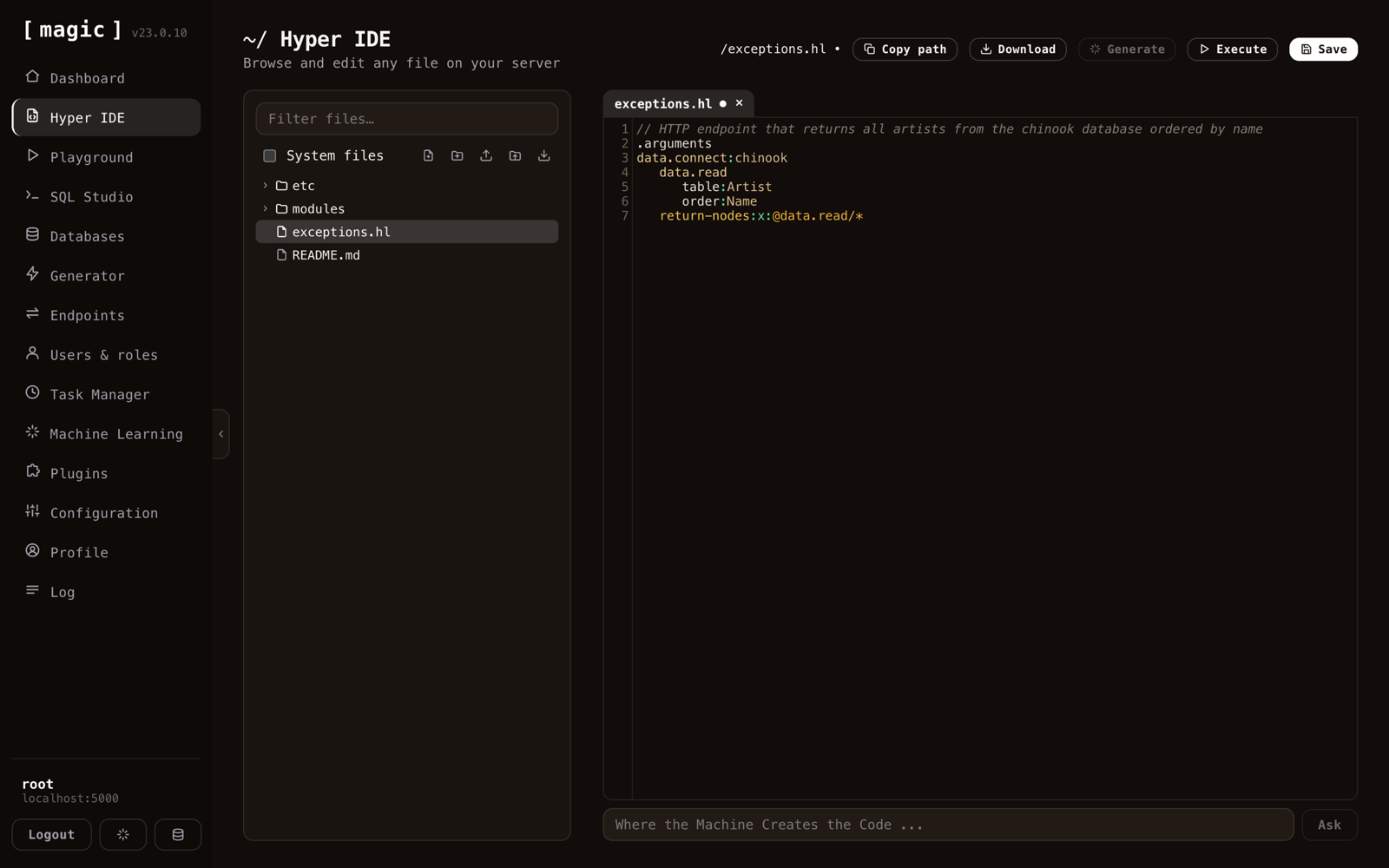
And what the agent wrote is a real file you can open, read and execute. That is Hyper IDE above — the file manager and code editor for everything on your server. Tabs, dirty markers, autocomplete against the slots your particular backend actually knows, and a prompt bar along the bottom that is the same generator, driven by a human instead of a machine.
No black box. If the agent writes something you dislike, you can see it, edit it, or delete it.
The data it acts on
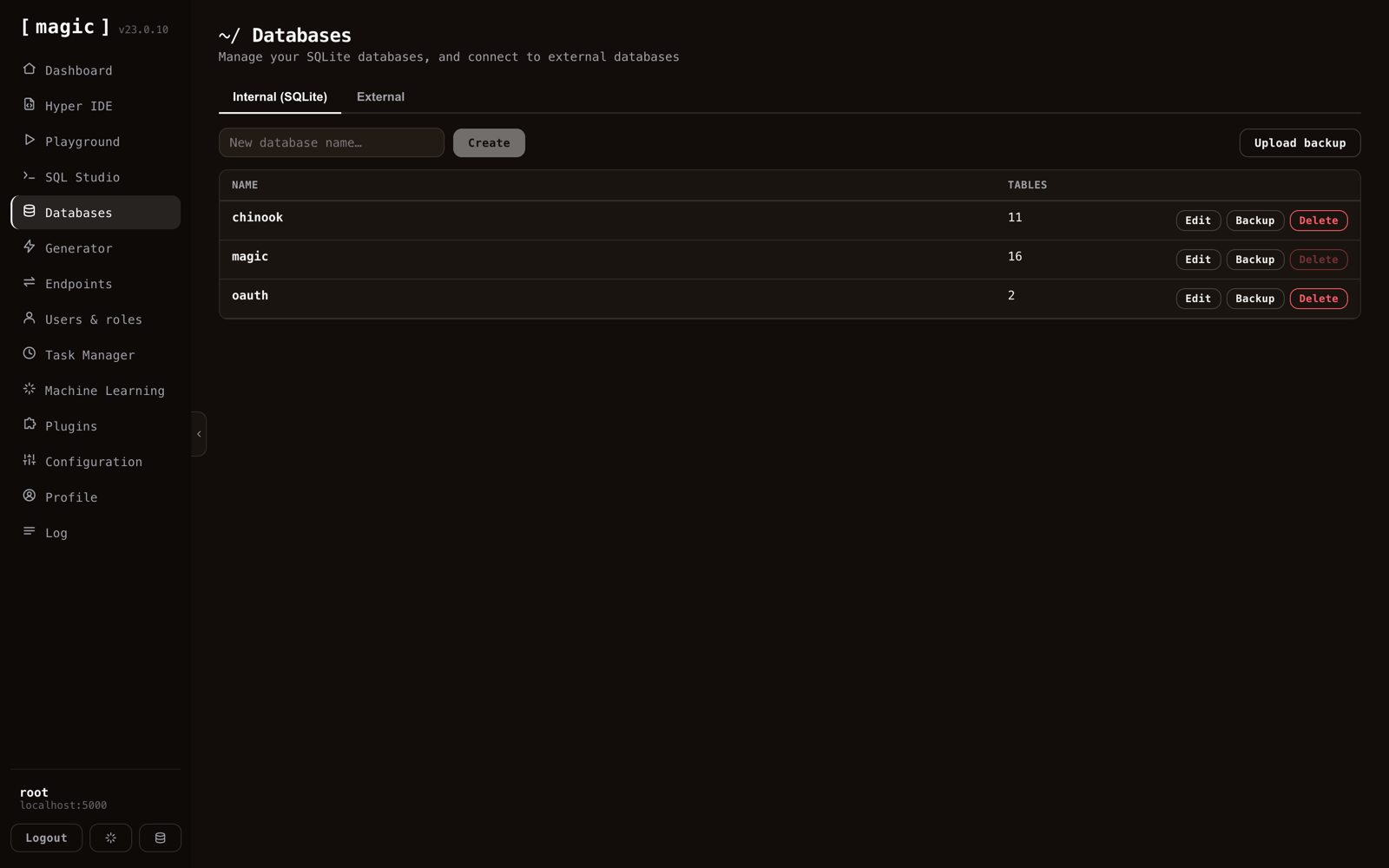
Create SQLite databases here, back them up, restore from a backup, or switch to the second tab and connect an existing MySQL, PostgreSQL or SQL Server instance. Everything downstream then treats that external database exactly like a local one.
This is where most of the value hides, incidentally. The interesting agent is rarely the one reasoning about a toy schema — it is the one pointed at the database your business already runs on.
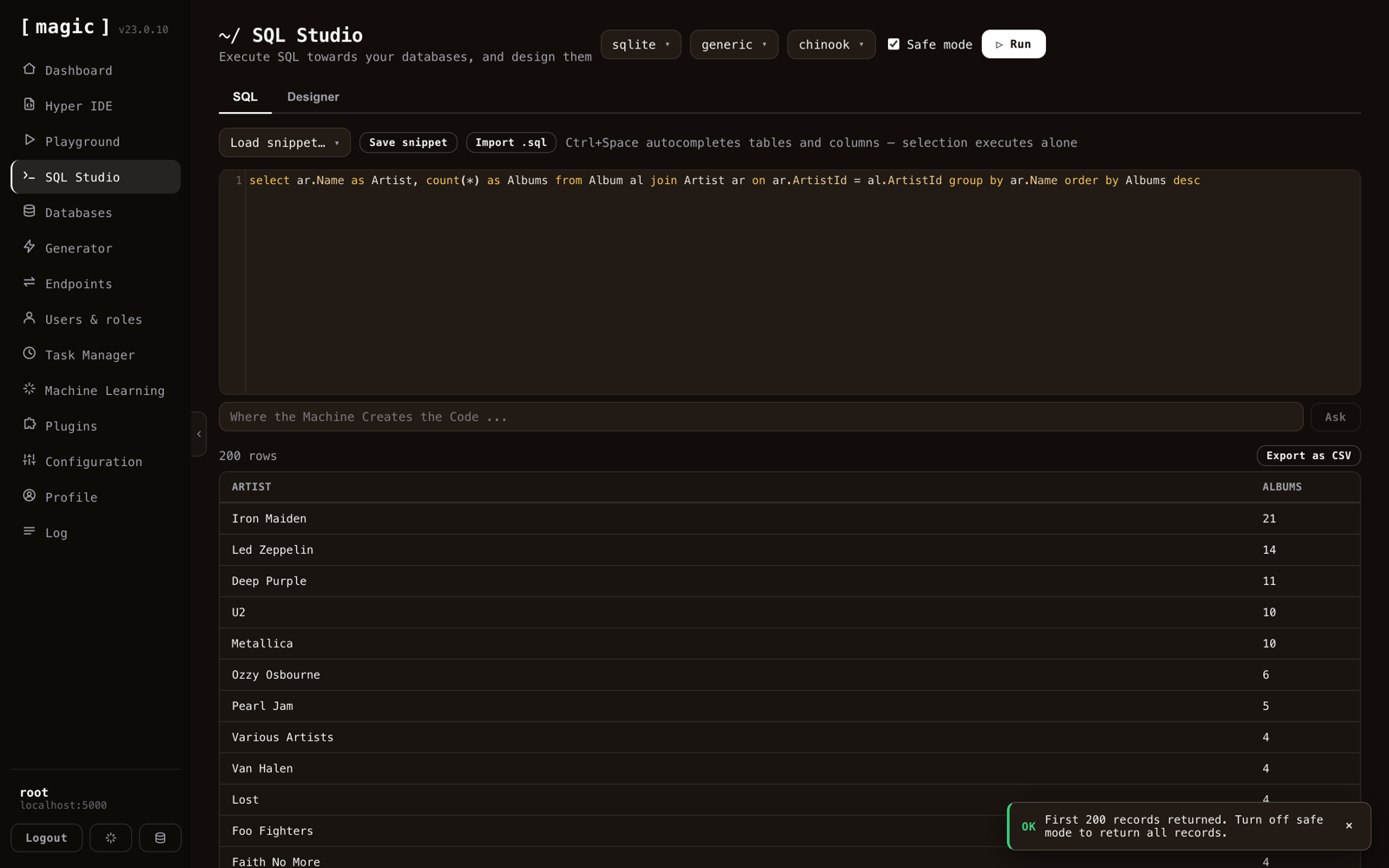
SQL Studio is the query editor, with completion over your real tables and columns, saved snippets, CSV export, and a safe mode that caps what a careless query can do. The query above counts albums per artist; Iron Maiden wins with 21.
The agent gets the same access through a row-returning select tool and a non-returning execute tool. Same database, same permissions, different door.
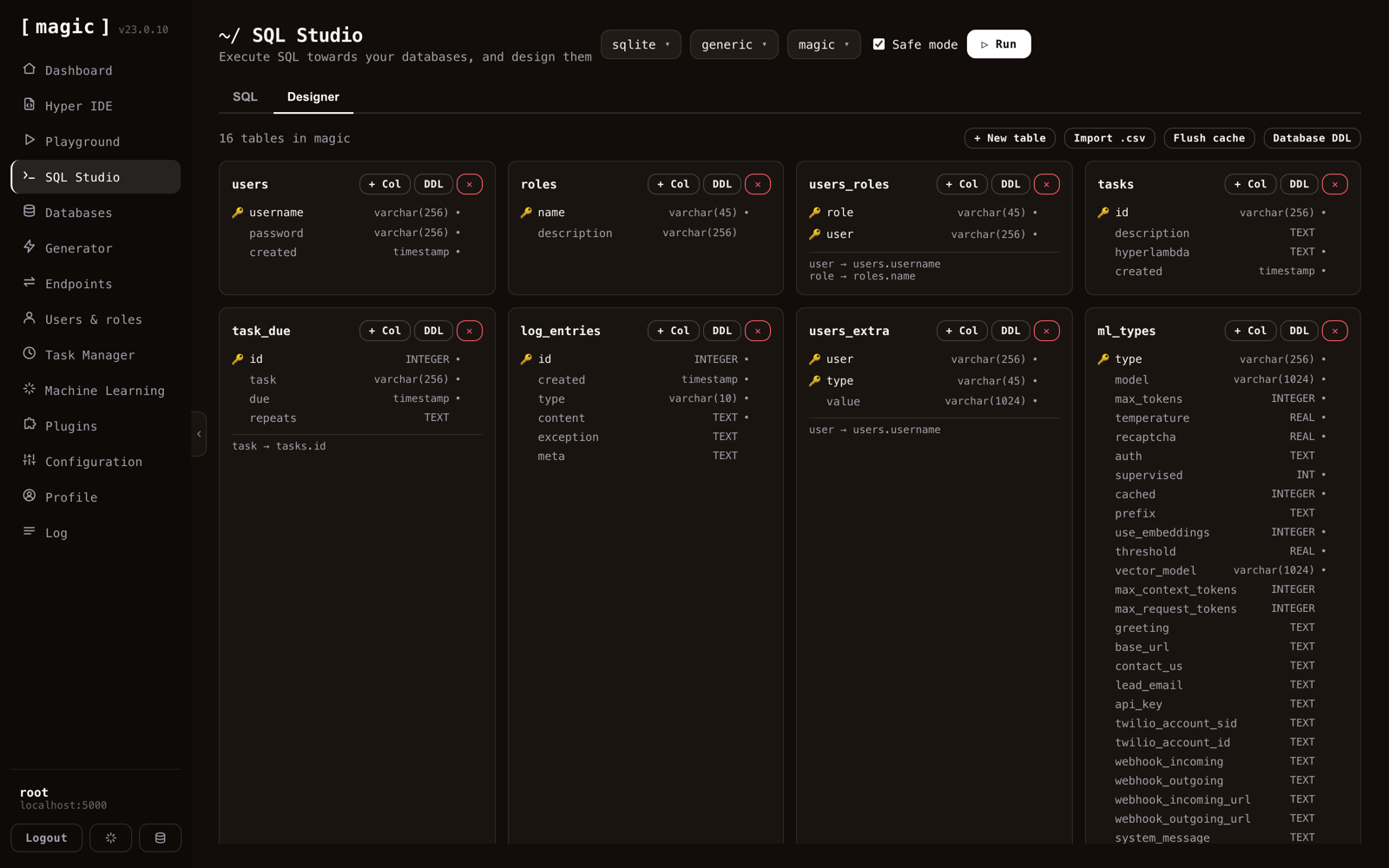
The Designer tab renders every table as a card — primary keys, types, nullability, foreign keys spelled out — and lets you add tables, columns and relations without writing DDL.
For the agent, this same schema is what stops it hallucinating. It fetches the real structure before it writes SQL, so it queries columns that exist rather than columns that sound plausible.
A whole API, in seconds
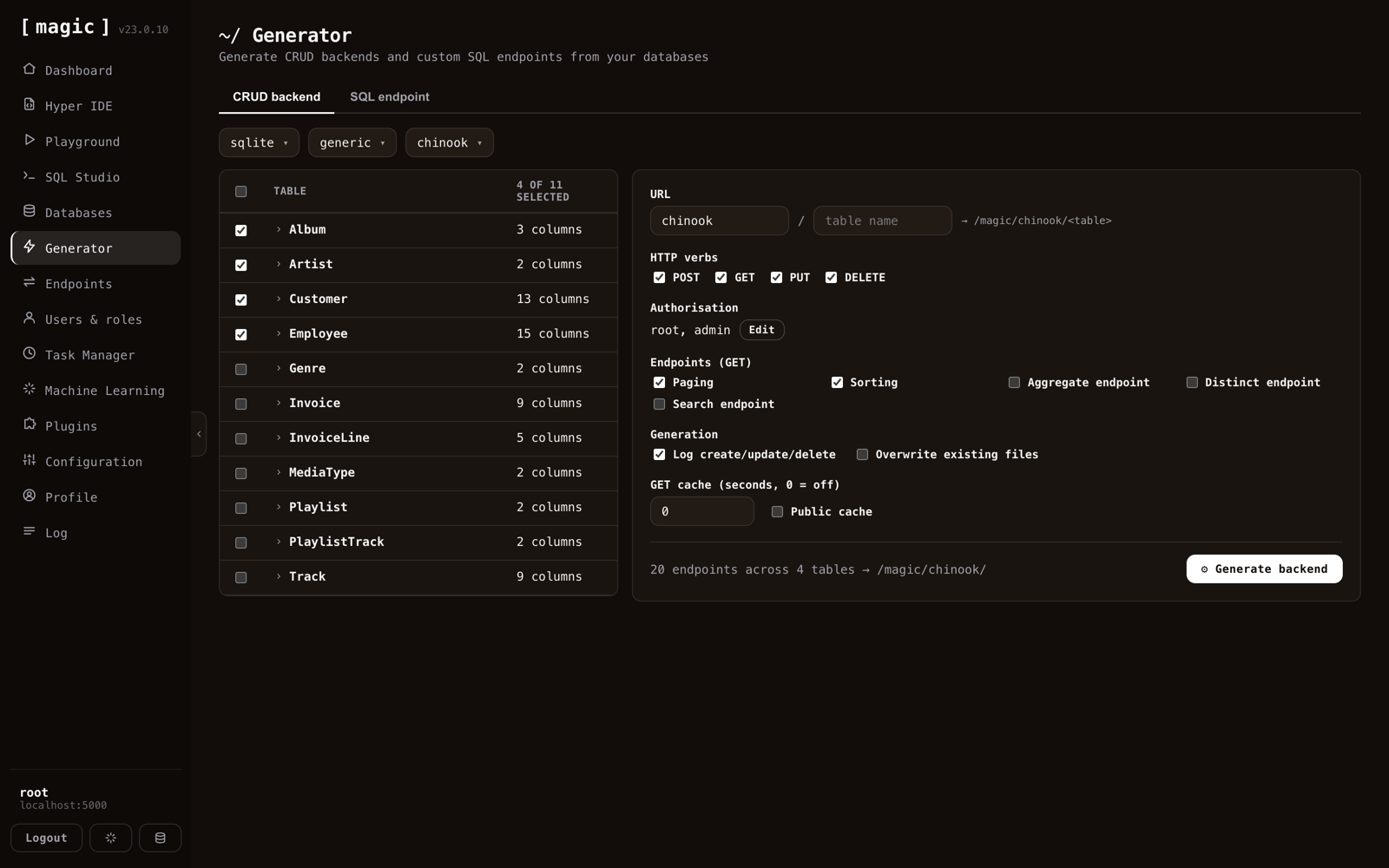
Before the agent reaches for the generator, it should reach for this.
Tick some tables and Magic writes the complete CRUD backend: POST, GET, PUT and DELETE per table, with paging, sorting, and optional aggregate, distinct and search endpoints. The footer in that screenshot reads 20 endpoints across 4 tables.
Look at the Authorisation line — root, admin. Those roles are baked into every generated endpoint. And Log create/update/delete is ticked, so every write records itself. You are not bolting security and auditing on afterwards; they are generation options.
This is why the backend is rarely where the time goes, and why an agent connected to Magic starts with a large, sensible tool set instead of an empty one.
Verify, don't trust
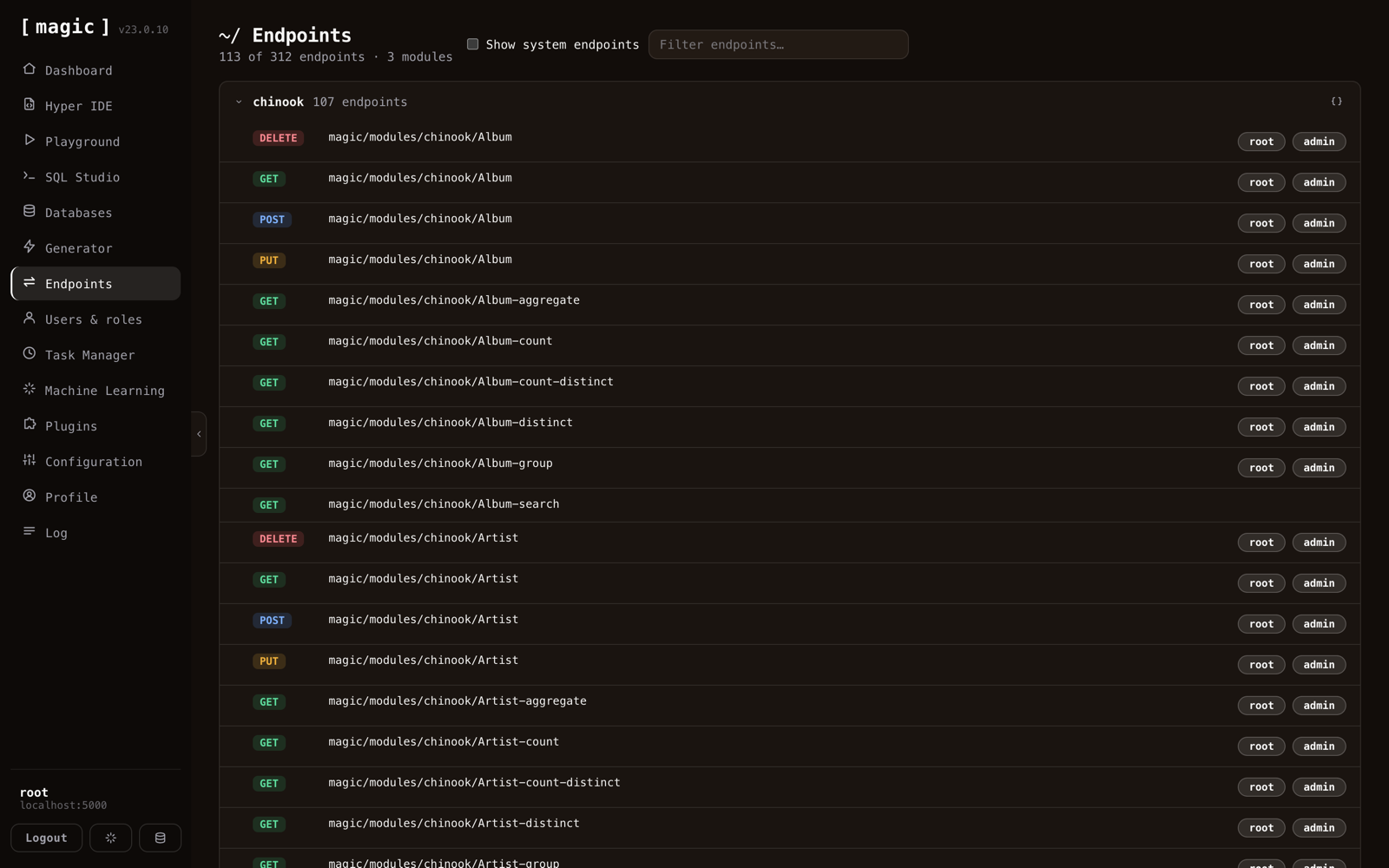
Every endpoint on the backend, grouped by module, with its verb and the roles allowed to call it. Open one and you get a form built from its actual arguments — fill them in, invoke it, and read the status code, the headers and the body.
This screen is how you audit what your agent built. It is also, in tool form, how the agent checks its own work.
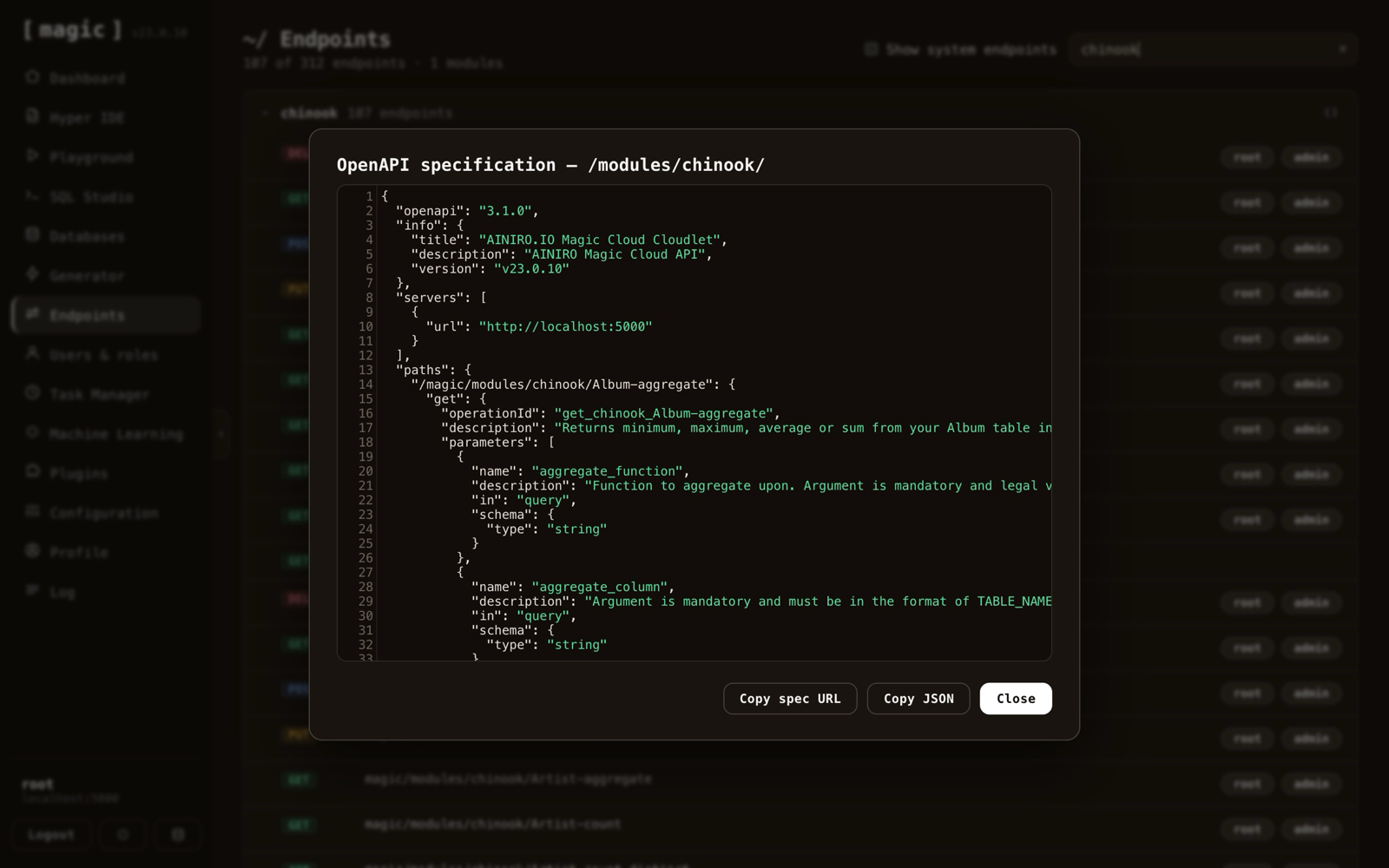
Any module will hand you its OpenAPI specification, which is how you point an external tool — or another agent — at a subset of your API.
One rule I hold to here, and I would recommend it to anyone building this way: an agent should verify its work by invoking the endpoint or reading its spec, never by re-reading the code it just wrote. A model reviewing its own source is agreeing with itself. A model reading a 500 response has met reality.
The safety catch
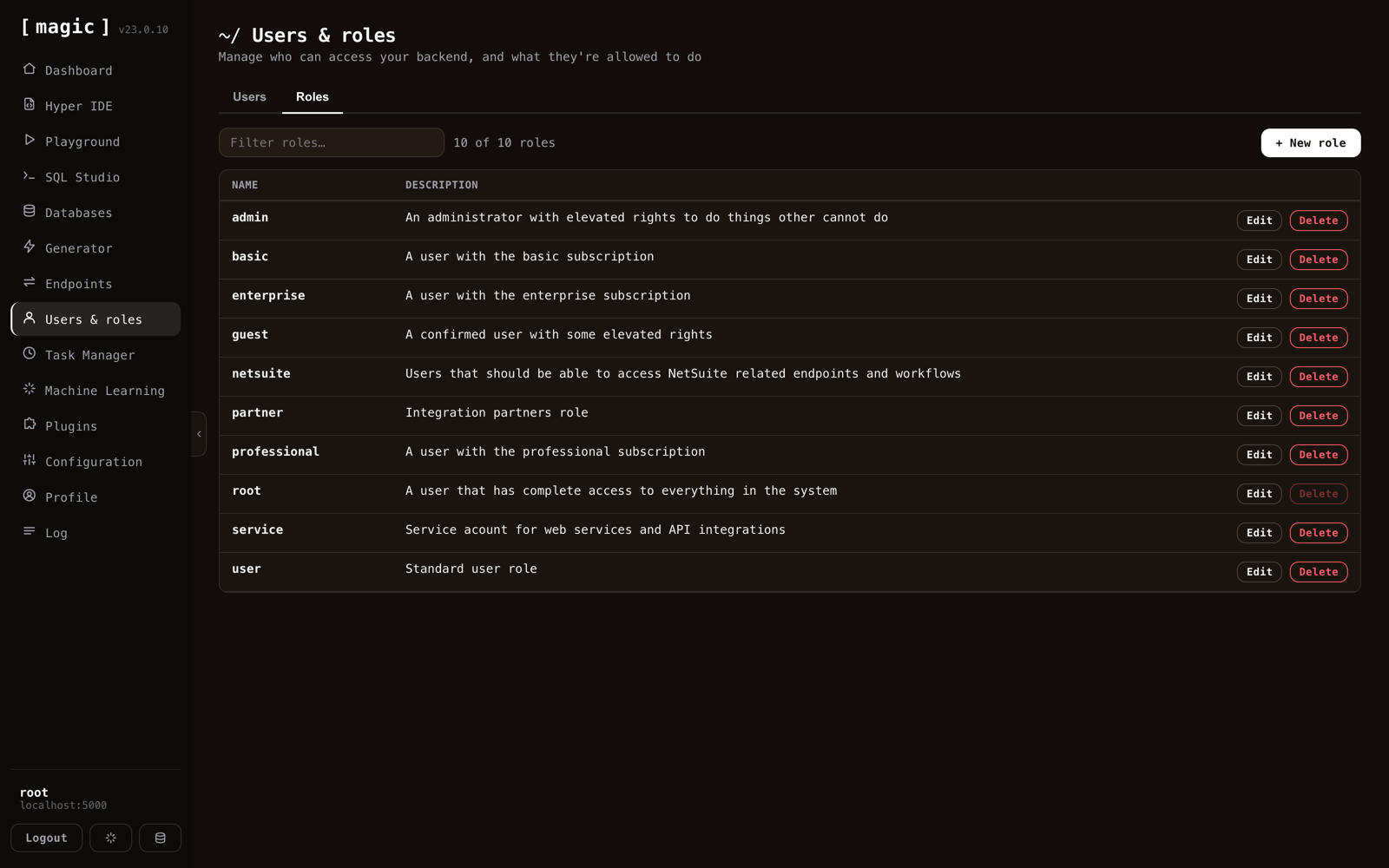
Now the part that decides whether any of this is a good idea.
Every endpoint is gated on roles. Those same roles sit inside the JWT, and they are what the Generator writes into each endpoint it produces. Ten roles on this cloudlet, from root down to guest, each meaning something specific.
The important consequence: the role you give the MCP user is the blast radius of your agent. Connect it as root and it can do anything you can do, on production, including deleting things. Connect it as a service role scoped to three modules and that is precisely what it can reach.
I am being blunt about this because the industry mostly is not. An agent with unscoped credentials is not an agent, it is an incident with good manners. Magic gives you the dial. Please turn it.
Capabilities that outlive the conversation
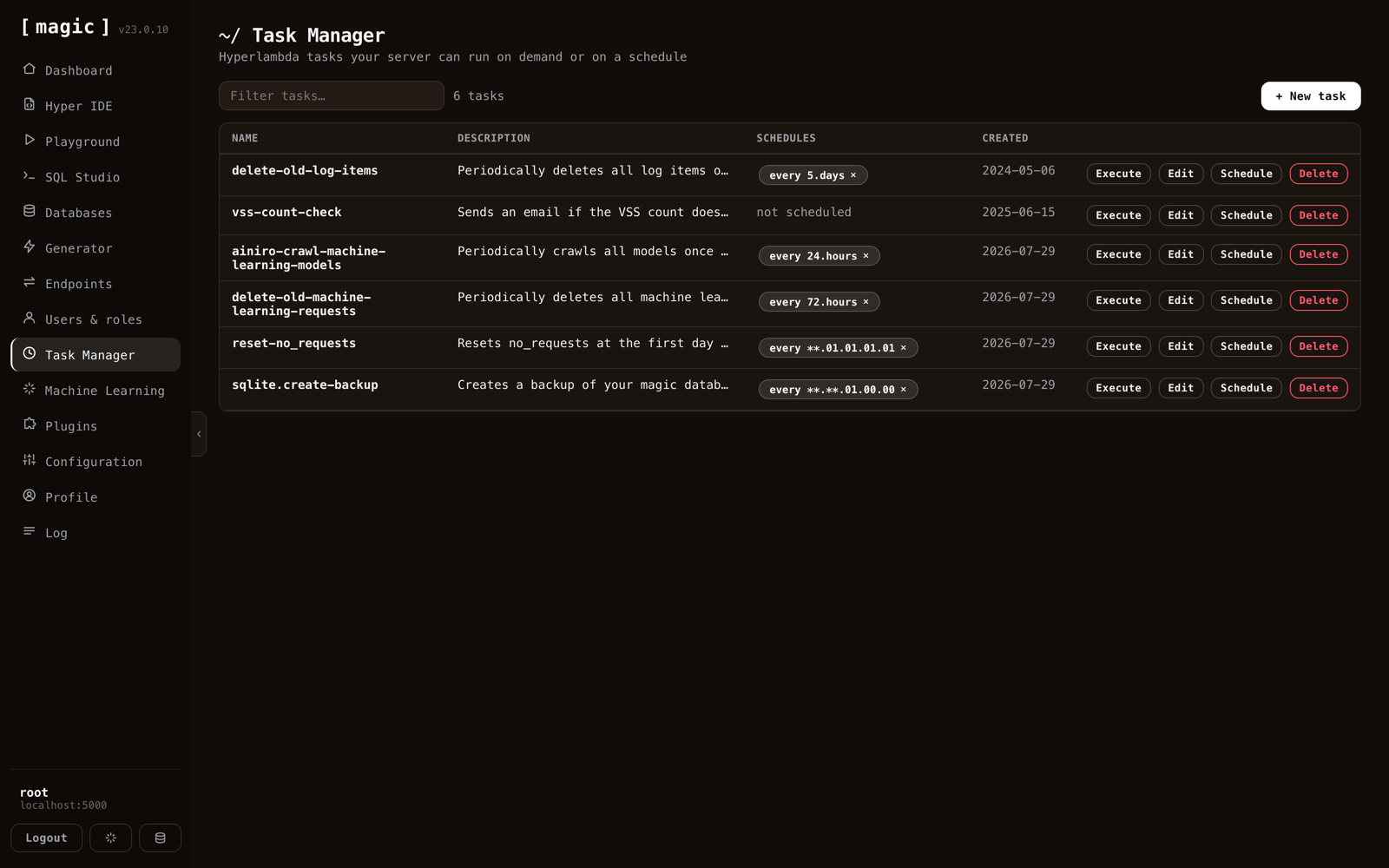
Hyperlambda that runs on a schedule or on demand — backups, cleanup, crawls, alerts. If you are weighing this against a workflow tool, the n8n alternative page is the honest matrix.
The agentic version of this is more interesting than it first appears. An agent can write a task, schedule it, and thereby do something no chat session can: act while nobody is talking to it. The cloudlet above deletes old log items every five days and takes a SQLite backup on its own clock, without a human in the loop.
Memory, and functions of its own
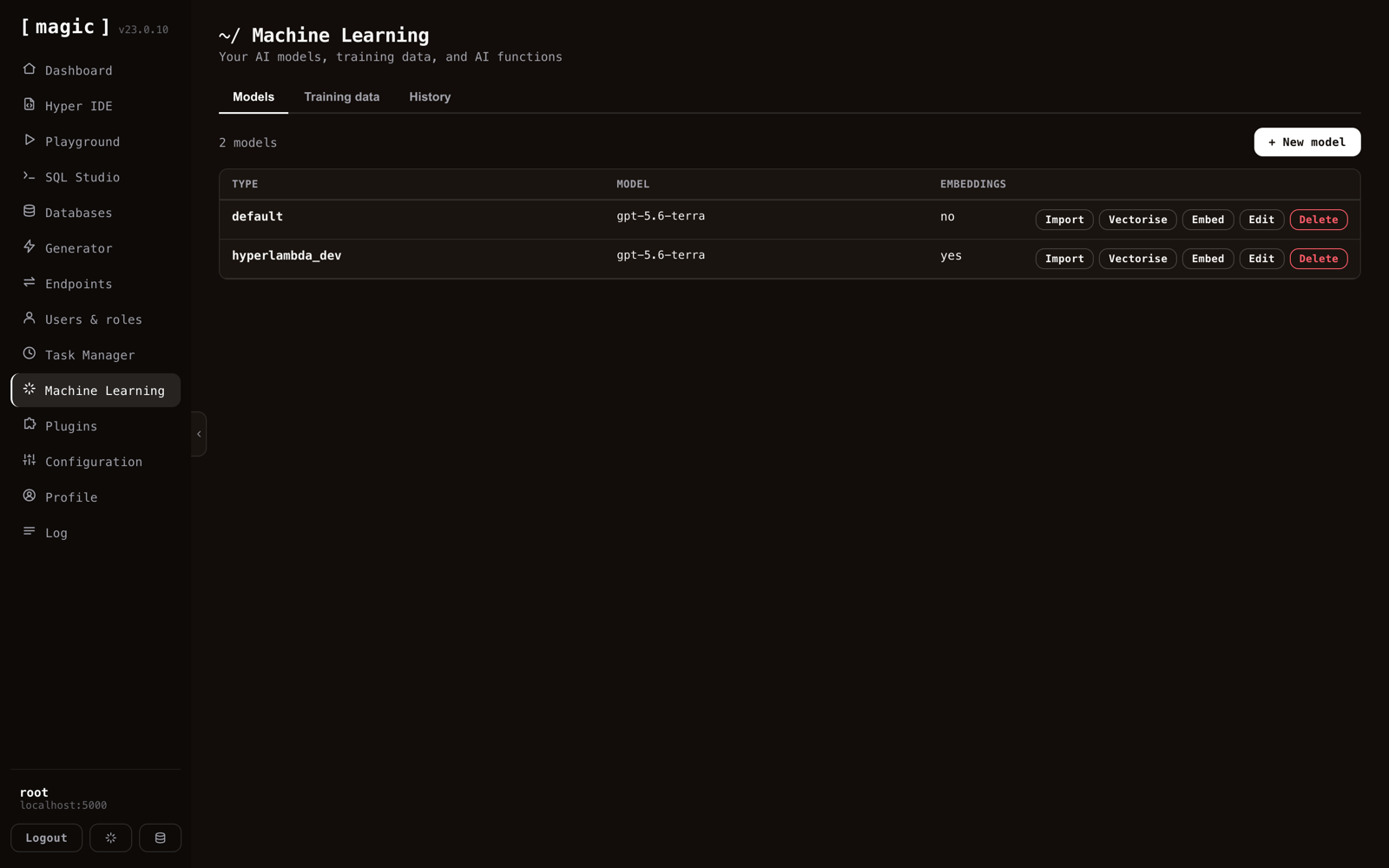
Models define which LLM answers, at what temperature, with what system message. Training data is the content they answer from — crawled from a site, uploaded as files, or written by hand. Vectorising turns it into embeddings so questions retrieve the right passages instead of the merely similar-sounding ones.
Two things here matter for agents specifically. AI functions let a model invoke your endpoints as part of answering — the retrieval layer and the action layer in one place. And the history tab tells you what people actually asked, which is the only honest source of what your agent needs to get better at.
Extending the belt
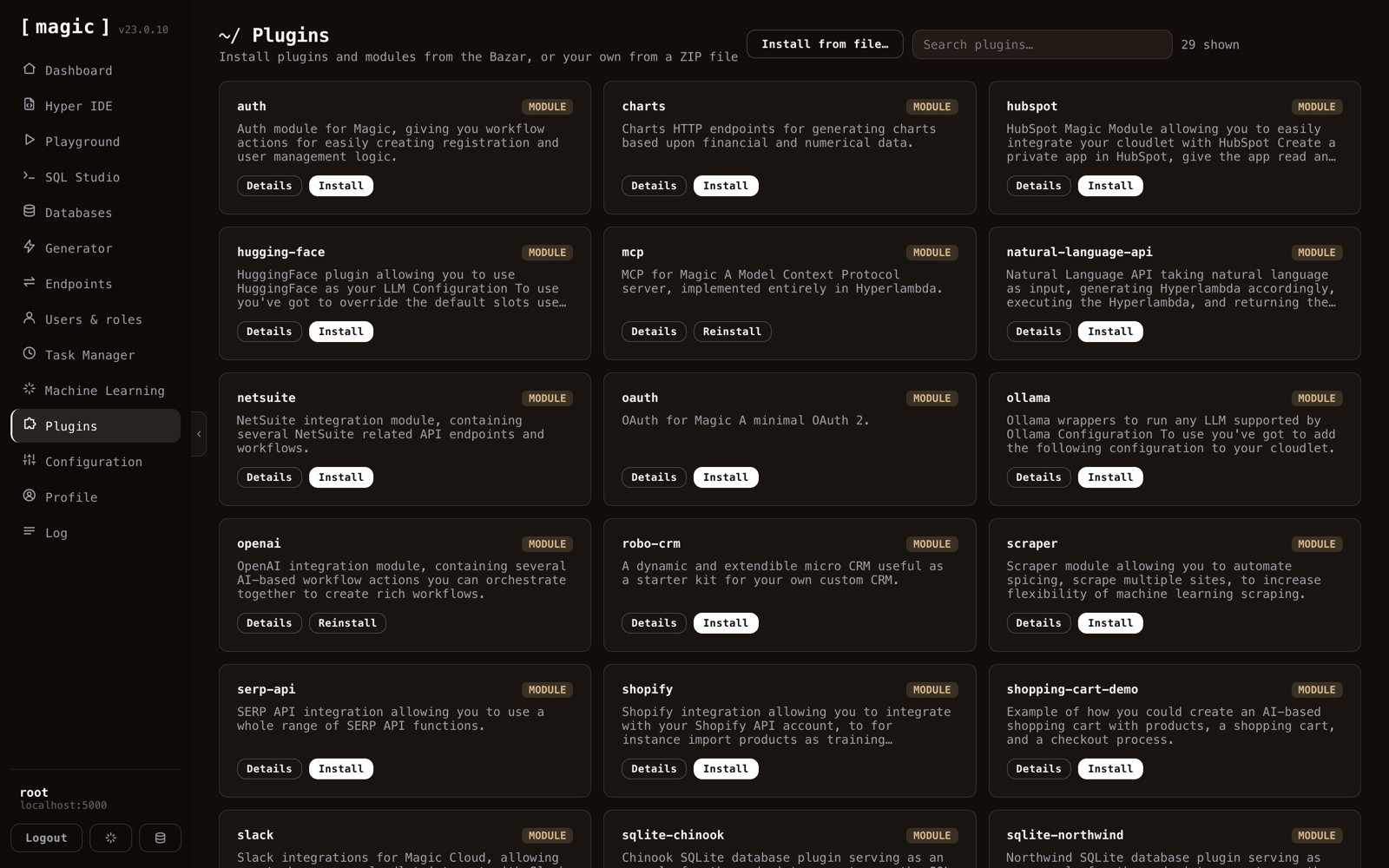
The Bazar. MCP, OAuth, OpenAI, HuggingFace, Shopify, HubSpot, NetSuite, SERP, scraping, charts, and a couple of dozen more, each installing into your cloudlet with its endpoints attached.
Installing a plugin grows the agent's tool set, immediately. This is also the one moment where an agent should stop and re-read what it can do — new plugin, new capabilities, stale assumptions.
Keys, and the receipts
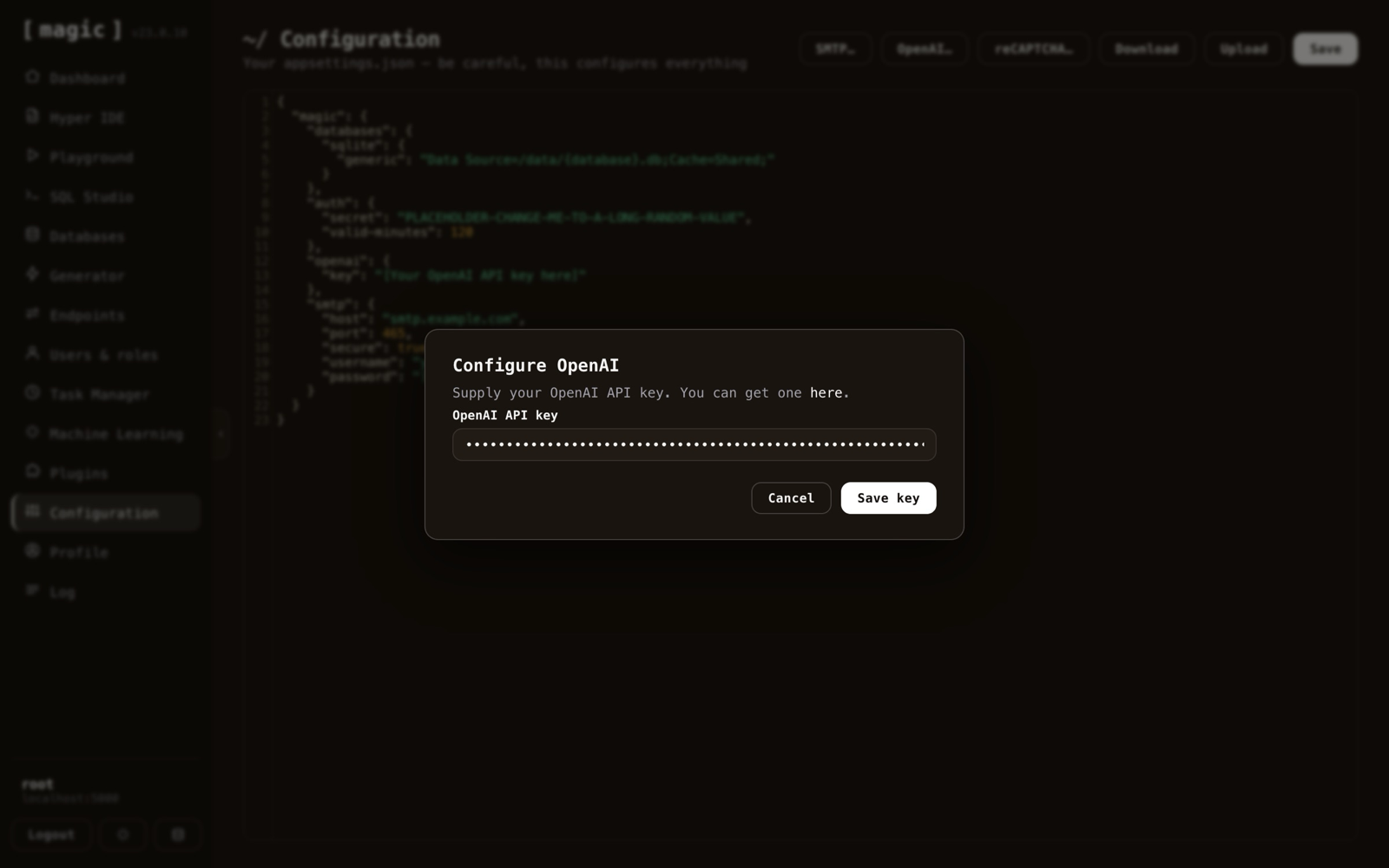
Configuration is your appsettings.json, with dialogs for the parts people actually change — OpenAI credentials, SMTP, reCAPTCHA. Your API keys live here, on your server, not in a third party's dashboard.
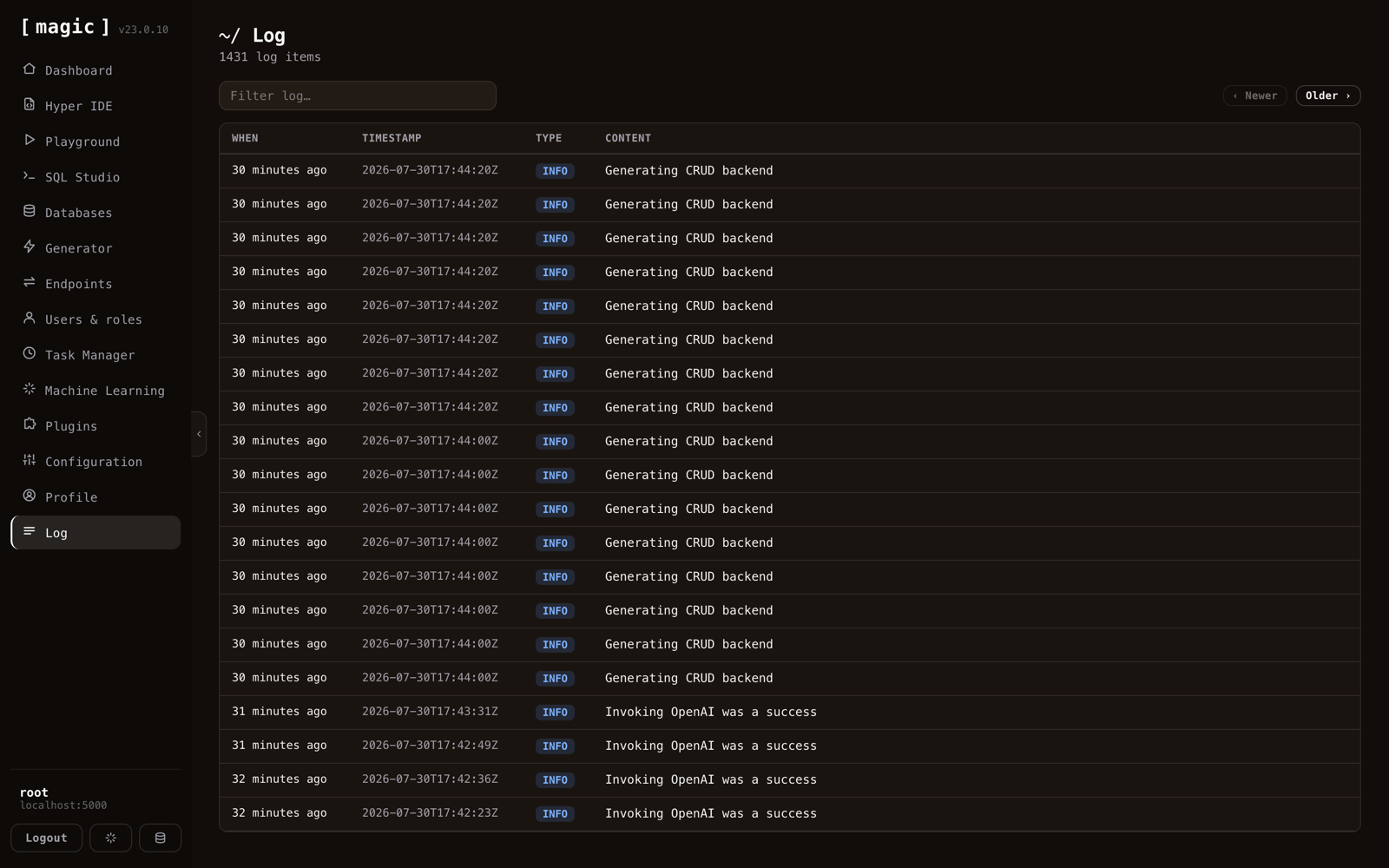
And the log is the honest answer to what did the agent actually do?
Every entry above is a real action on that backend, newest first, filterable, severity on every row. Generated endpoints write here when you tick the logging option, which means an agent operating your API leaves a trail you can read afterwards. Given how much of agentic AI is currently unobservable, I consider a boring, complete log to be a feature worth bragging about.
What it adds up to
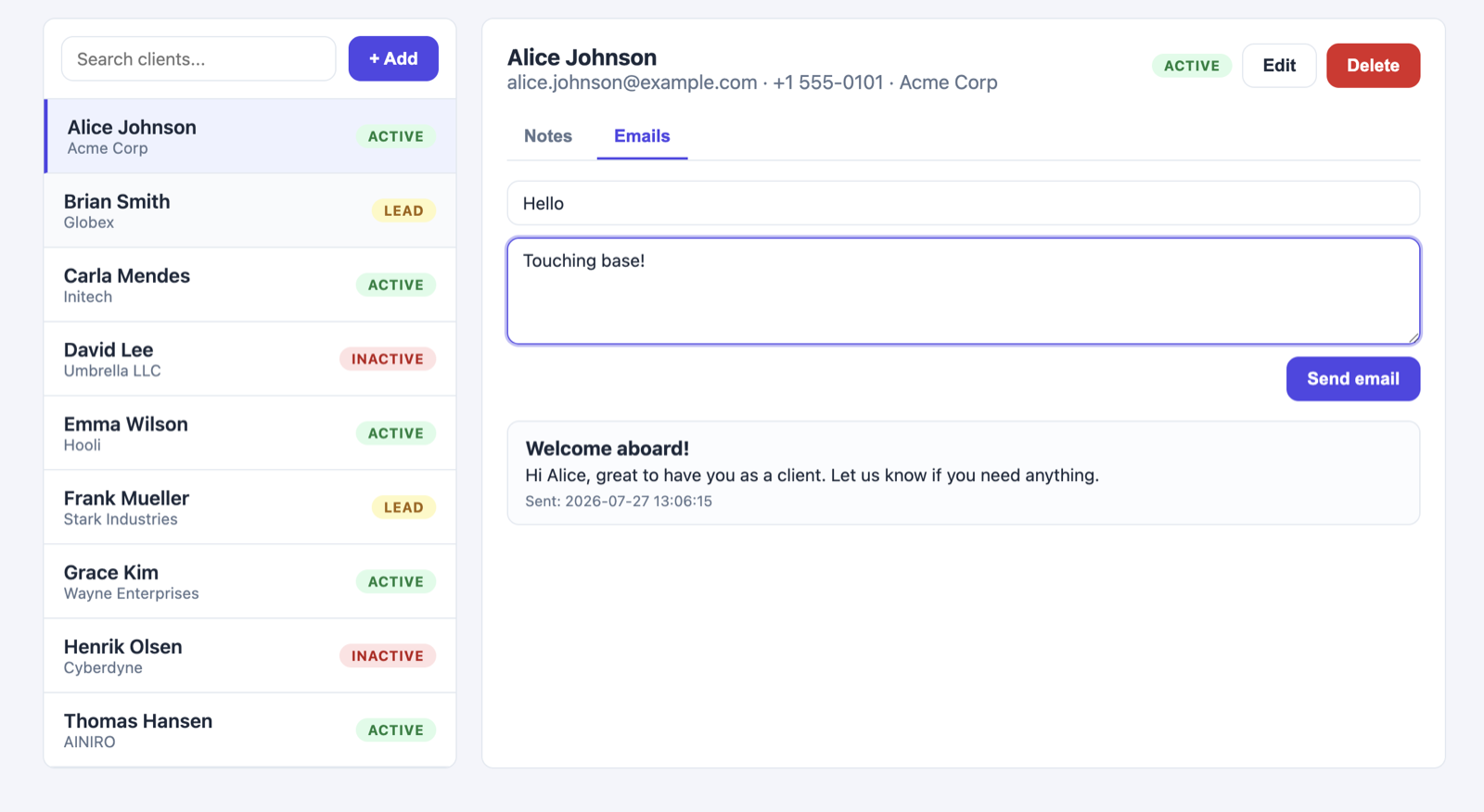
That application was built by an AI agent talking to Magic over MCP. Roughly seven minutes, and about fifty cents of tokens.
Not because the model is magic, but because it was not writing a backend from scratch. It was ticking tables in a generator, invoking endpoints that already existed, and generating the two or three pieces of Hyperlambda that genuinely had to be new. The expensive part of backend work is the boilerplate, and the boilerplate is exactly what a platform can hand over pre-built.
Try it
One command:
curl -fsSL https://hyperlambda.dev/docker-compose.yaml | docker compose -f - up
Then open localhost:5555, point it at localhost:4444, and log in with root / root. Install the MCP plugin from the Plugins screen, copy the URL from the dashboard, and hand it to your agent.
Magic is MIT-licensed and open source — the repository is at github.com/polterguy/magic, with documentation at docs.ainiro.io.
Stop writing tools for your agent. Hand it the wand — and keep hold of the roles.
Related reading
- MCP Server — the overview
- AI Agent Builders — the overview
- Magic Now Supports MCP Server Integration for AI Agents
- The Magic Cloud Dashboard, Component by Component
- The Only LLM on Earth That Grows Its Own Tools, Securely, on Demand, in Production
- A Complete CRM in One Conversation: 60 Seconds of Backend, Six Cents of Tokens
- Agentic AI Without Permission Boundaries Is Just Malware With UX
- Build AI Agents That Can Create Their Own Backend Tools