 Hyperlambda
Part of our MCP series — the overview lives at MCP Server.
There is a Swagger document somewhere in your organisation that nobody has opened since the day it was generated. It lists every operation your API exposes, every argument each one takes, the types, the required flags, and a sentence of prose explaining what each field is for.
That document is a finished set of AI tool definitions. It is just sitting in the wrong file.
Here is the entire procedure for moving it.
Paste, tick, import

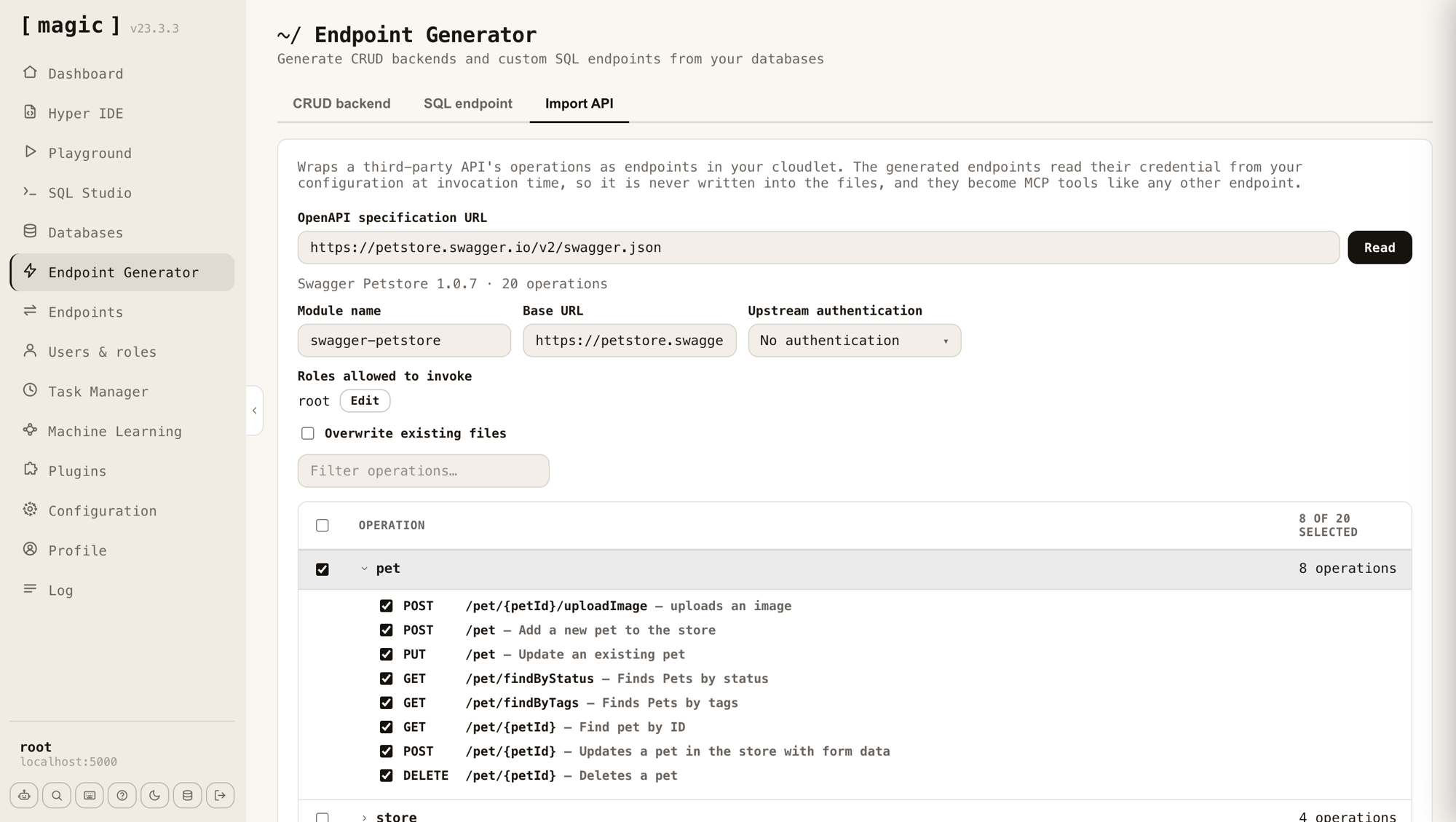
Open the Endpoint Generator, pick the Import API tab, paste the URL of the specification, and click Read. Magic fetches the document, parses it, and lists every operation it found, grouped by the specification's own tags.
The module name, the base URL and the operations table fill themselves in. Two fields you set yourself, and those two are the subject of this article:
- Upstream authentication — how the generated endpoints authenticate against the API you are wrapping. Bearer token, custom header, query parameter, or nothing at all.
- Roles allowed to invoke — which of your roles may call the result.
Tick what you want and click Import. Magic writes one Hyperlambda endpoint per operation.
An honest edge on the word "seconds": that is true of the import. Fetching and parsing a very large document takes longer — GitHub's specification describes 1,220 operations — and a multi-megabyte specification may not load at all. For anything of normal size it is finished before you have read to the bottom of the operations table.
There is no second step
Here is the part that surprises people. You are done.
Magic publishes every endpoint in your cloudlet as an MCP tool. There is no export, no separate server to write, no extra process to host. The MCP endpoint already exists and it builds its catalogue by enumerating the endpoints that exist. Import an API at ten in the morning and it is in your agent's tool list at ten past.
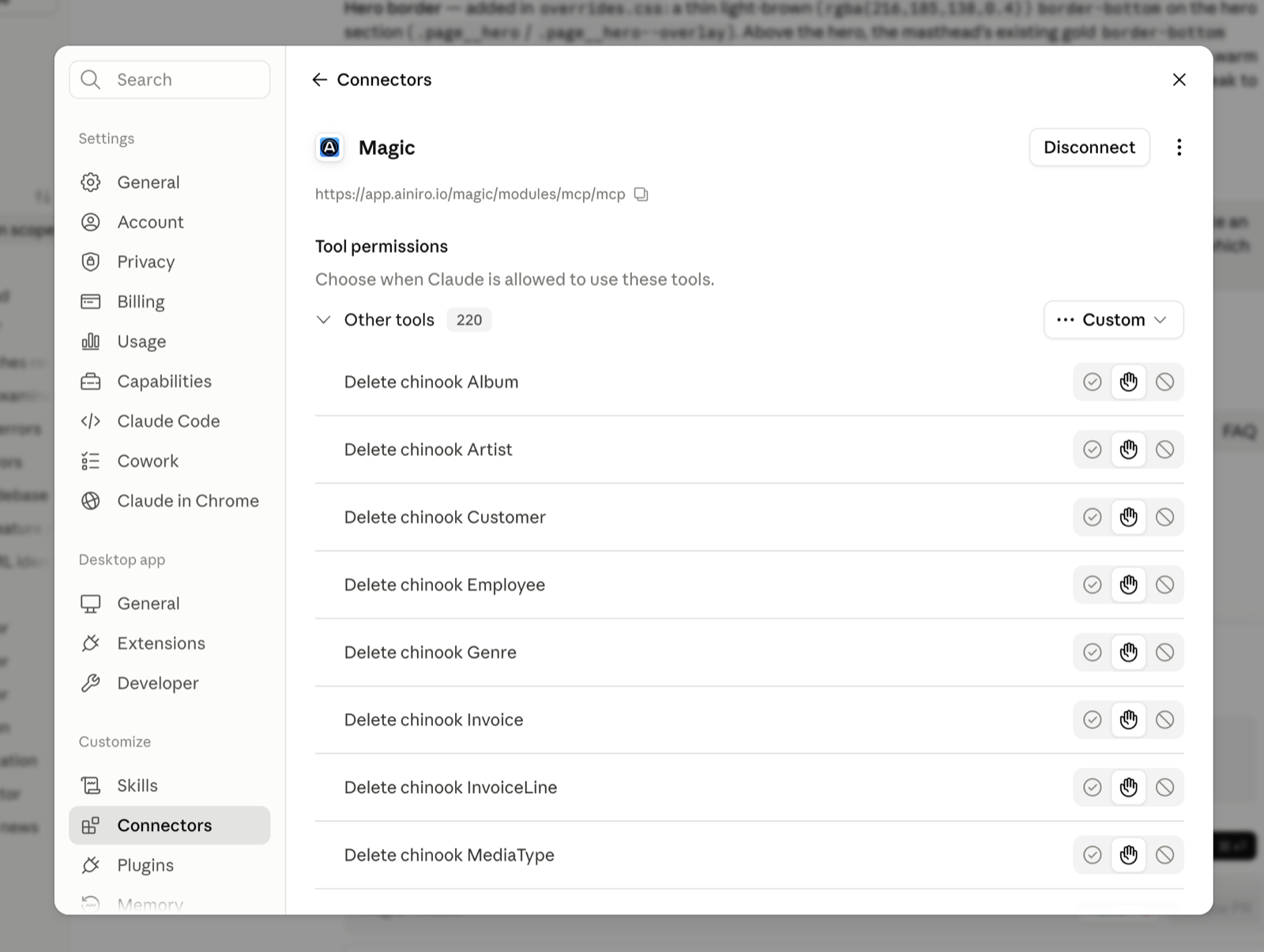
The documentation comes along too. Magic publishes an endpoint's file comment as the MCP tool description, and the comment above each argument as that argument's description — and the importer writes those comments from the specification. So Slack's chat.postMessage arrives at your agent as fifteen individually typed, individually described arguments: channel marked required, link_names typed as a boolean, thread_ts explaining what it is for. Every word of it lifted from Slack's own documentation.
Nobody wrote a tool definition. The tool definition already existed.
Secured — what that word is doing in the title
Wrapping an API for an agent is easy. Wrapping one safely is the part worth paying attention to, and it comes down to three questions.
Who holds the API key?
Not the agent. The credential you nominate at import time is never written into the generated files — it is read from your configuration at the moment the endpoint is invoked. The agent sends its request to your cloudlet, and your cloudlet attaches the credential and forwards it. An agent that gets confused, or prompt-injected, or merely talkative cannot leak a key it was never handed. As a pleasant side effect, the generated files are safe to commit.
Who is allowed to call it?
That Roles allowed to invoke field is not decoration. It writes a role check into every endpoint it generates. And Magic's MCP endpoint refuses unauthenticated requests outright, answering with a 401 that points OAuth clients at this cloudlet's own metadata so they can discover the sign-in flow and run it themselves. Your agent authenticates as a real user of your system, holding a real identity — not a shared secret in a configuration file somewhere.
Which tools can it even see?
This is my favourite part, and the one most integrations skip entirely. The MCP tool catalogue is assembled per caller: Magic reads the roles on the authenticated ticket and lists only the endpoints that caller is permitted to execute. Two agents connecting to the same cloudlet with different credentials receive two different tool lists.
Crucially, that is not a cosmetic filter. The identical role check runs again when the tool is actually called. Hiding a tool from a list while still honouring the call would be security theatre; here the list simply reflects a rule that is enforced either way.
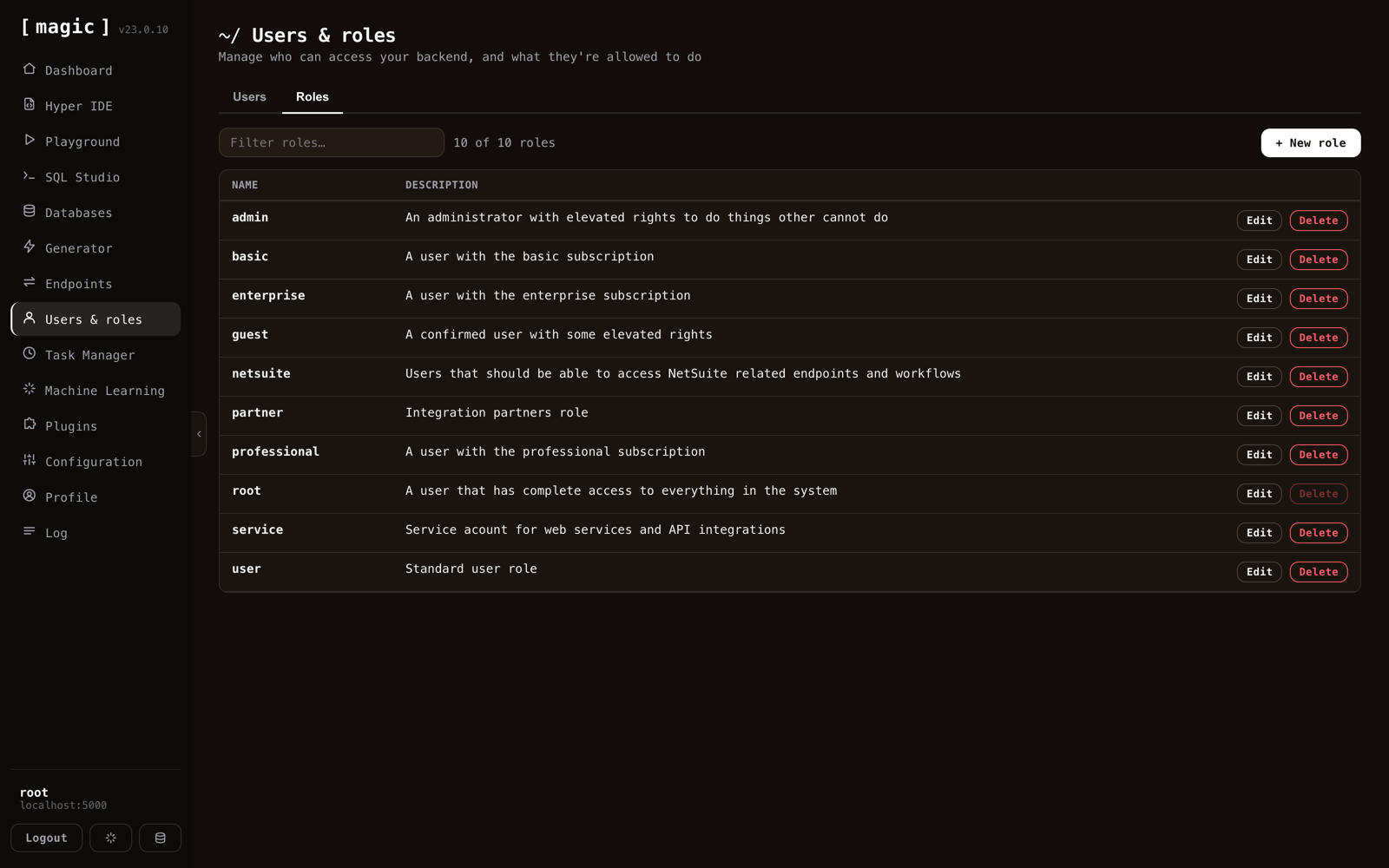
Which makes the pattern above practical — a role whose entire purpose is to describe which third-party integrations a given agent may touch. Give the sales agent the role that sees the CRM wrapper. Do not give it the one that sees the payments API.
It is code, so fix it
The generated endpoints are Hyperlambda files in your own cloudlet, and this is where the approach parts company with a runtime proxy. A proxy gives you exactly what the specification said. You get files.
So open one in Hyper IDE and improve it. Rename the operation to something a model will actually pick correctly. Delete the nine arguments nobody uses. Bake in the filter you pass every single time anyway. Collapse two upstream calls into the one tool your agent genuinely needs.
Specifications are written for HTTP clients. Tools are read by language models. They are not the same audience, and now you can edit for the second one.
Import twelve, not eight hundred
While you are being deliberate, be deliberate about the count as well. Stripe's specification describes 589 operations and GitHub's 1,220. Importing all of them is a mistake: an agent handed several hundred tools spends its context on the catalogue and gets worse at choosing, not better.
Use the filter. Import the twelve operations that correspond to something you actually want done. The other 1,208 will still be there tomorrow.
The case I would make to your architect
Public APIs are the demo. Internal APIs are the point.
Swashbuckle is switched on by default in essentially every .NET shop, which means the average enterprise is quietly sitting on dozens of documented internal services. None of those will ever be pointed at a public hosted bridge — wrong network position, wrong trust boundary, and nobody is issuing a service account to a third party so that an agent can read the orders table.
Magic runs inside that boundary. Self-hosted, MIT licensed, one container. The specification never leaves your network, the credential never leaves your configuration, and the tool list is scoped by roles you already defined years ago.
Try it
One command:
curl -fsSL https://hyperlambda.dev/docker-compose.yaml | docker compose -f - up
Open localhost:5555, point it at localhost:4444, log in with root / root, and go to the Endpoint Generator's Import API tab. Paste this:
https://petstore.swagger.io/v2/swagger.json
Twenty operations appear. Tick eight, choose a role, import — then connect your agent and watch them show up.
Magic is MIT-licensed and open source. The repository is at github.com/polterguy/magic, with documentation at docs.ainiro.io. If you would rather not host it, a managed cloudlet runs the same code.
Your agent's next tool is already documented, already typed, and already described. It is sitting in somebody's OpenAPI file, waiting for a URL box.
Frequently asked questions
Can I convert an OpenAPI spec into MCP tools?
Yes. Open Magic's Endpoint Generator, pick the Import API tab, paste the URL of the specification and click Read, then tick the operations you want and click Import. Magic writes one Hyperlambda endpoint per operation, and every endpoint in the cloudlet is published as an MCP tool with no second step.
How are MCP tools imported from an OpenAPI spec secured?
The upstream credential is never written into the generated files; it is read from your configuration when the endpoint is invoked, so the agent is never handed the key. The Roles allowed to invoke field writes a role check into every generated endpoint, and the MCP tool catalogue lists only the endpoints the authenticated caller is permitted to execute.
Should I import every operation in a large OpenAPI specification?
No. Stripe's specification describes 589 operations and GitHub's 1,220, and an agent handed several hundred tools spends its context on the catalogue and gets worse at choosing. Use the filter and import only the operations that correspond to something you actually want done.
Can I edit the MCP tools generated from an OpenAPI spec?
Yes. The generated endpoints are Hyperlambda files in your own cloudlet, so you can open one in Hyper IDE, rename the operation, delete unused arguments, bake in a filter, or collapse two upstream calls into one tool.
Related reading
- MCP Server — the overview
- Database AI Agents — the same tool belt over your SQL tables
- From Swagger URL to Instant API
- Magic Now Supports MCP Server Integration for AI Agents
- 78% of Enterprise AI Teams Now Run MCP Agents in Production — Here's Why Most of Them Are Doing It Wrong
- Agentic AI Without Permission Boundaries Is Just Malware With UX