 Hyperlambda
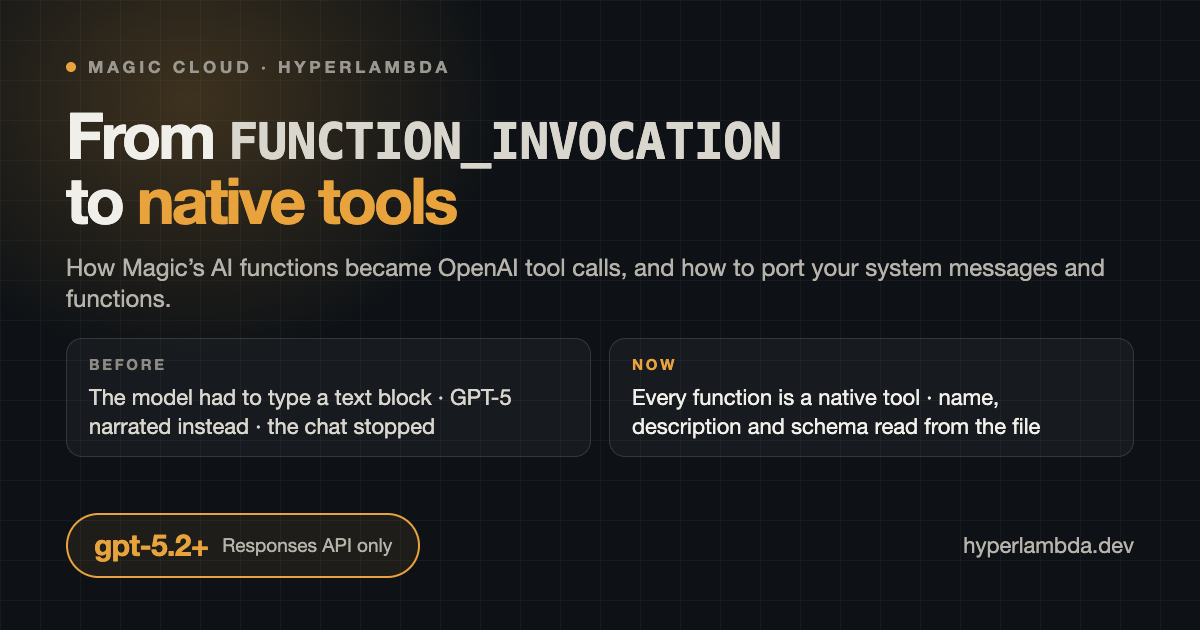
For three years, an AI function in Magic was a text protocol. The system message taught the model that when it wanted to run something, it should end its response with a block that looked like this:
___
FUNCTION_INVOCATION[/modules/crm/workflows/list-contacts.hl]:
{
  "limit": 25
}
___
Magic parsed the block, executed the file, fed the result back in as a new turn, and the model carried on. It worked, and it worked on every model OpenAI ever shipped, because it needed nothing from the model except the ability to copy a template.
Then GPT-5 arrived, and chats started stopping.
What actually broke
The symptom was that Chat Ops would say "I'll now list the contacts" and end its turn. No block, no function, no error. You typed "go on" and it did the same thing again.
The cause is in the request log. A reasoning model does not think of a function as text it writes. It thinks of it as a tool call, a separate item in its output that follows the narration. When the model has finished narrating, it expects to emit a native function_call item. Under the text protocol there is no such item to emit, so the model does the only thing left: it ends the turn. The old default system instruction made it worse by telling the model it could "continue in the next turn", which licensed exactly that behaviour.
You can prompt around this for a while. You cannot prompt around it reliably, because you are fighting the model's training on how tools work. The right fix is to stop fighting.
How it works now
Every AI function is declared to OpenAI as a native tool, and the whole chat slot talks to the Responses API exclusively.
When a prompt arrives, Magic builds the tool catalogue for the type, sends it in the tools array, and streams the answer. When the model emits a function_call, Magic runs the Hyperlambda file, appends a function_call_output item with the result, and asks the model to continue. That loop runs inside one request, up to the type's Max function invocations, so a five-step chain (create a database, run three statements, read the result back) completes in a single turn without the user prompting it along.
Nothing about a function itself changed. It is still a Hyperlambda file with an .arguments node. What changed is where the model learns about it:
| Before | Now | |
|---|---|---|
| Name | Whatever the block said | The filename without .hl, dots replaced by underscores |
| Description | Prose you wrote in the system message or snippet | The leading comment of the Hyperlambda file |
| Arguments | A JSON template the model copied | A JSON schema built from .arguments, one property per argument, its type mapped from the Hyperlambda type, its description taken from the comment above it |
| Invocation | The model typed a block and ended its turn | The model emits a tool call and Magic executes it in the same turn |
The type mapping is the one the MCP module already used: int and long become integer, decimal and double become number, bool becomes boolean, everything else is a string, and a wildcard * argument becomes an object. The framework arguments a function can declare (_session, _user-id, _type, _extra, _base_url) are hidden from the model entirely and injected by Magic at execution.
The non-streaming path and the completion_slot hook that plugins use are untouched.
Where the tool catalogue comes from
There are four sources, and every one of them is something you already had.
Training snippets with a function meta. A snippet whose meta field is FUNCTION_INVOCATION ==> /modules/crm/workflows/list-contacts.hl declares that file as a tool for the type. This is what the Add function dialog and the create-ai-function workflow write.
Markers in the system message. Every FUNCTION_INVOCATION[/path/to/file.hl] that appears anywhere in the type's system instruction declares that file. Only the marker matters now. What surrounds it is irrelevant, for reasons the next section explains.
Widgets. A snippet whose meta is WIDGET ==> /modules/crm/widgets/pipeline.html becomes a tool named widget_pipeline. Its description is the snippet's prompt and completion joined together, and every distinct [[placeholder]] in the HTML becomes a string parameter. When the model calls it, Magic renders the file with the arguments substituted and pushes it to the chat as a widget.
The workflow folders, for root. When a root user talks to the default type, every workflow under /misc/workflows/workflows/ and /system/workflows/workflows/ is a tool automatically. This is what Chat Ops runs on, and it is why the dashboard chat can create databases, generate Hyperlambda and edit files with nothing declared anywhere.
The security consequence is worth spelling out. The model never supplies a path. It supplies a tool name, and Magic resolves that name against the catalogue it built for this type and this user before the request went out. A function that is not in the catalogue does not exist as far as the model is concerned, and cannot be reached by guessing a filename. On top of that, the file's own auth.ticket.verify still runs when it executes, exactly as it would for an HTTP call.
What happens to your existing types, automatically
Backwards compatibility was a hard requirement. Thousands of system messages out there contain the old protocol prose and the old JSON blocks, and none of them should break.
Old system messages are cleaned before sending. Every Markdown section that contains a marker, from its heading to the next heading, is stripped from the system message that goes to OpenAI. So is any leftover line that mentions FUNCTION_INVOCATION. The markers were already harvested for the catalogue, and the JSON templates would only confuse a model that now has a real schema. The stored text in your database is not modified. Open the type in the dashboard and it looks exactly as you left it.
Function and widget snippets are no longer retrieved as context. They used to be part of RAG, which is how the model discovered functions in the first place. Now they are declarations, and the retrieval query excludes them. Ordinary training snippets are retrieved exactly as before.
Widget snippets are migrated at startup. Old widget rows stored a function meta pointing at the render workflow and a completion with the filename buried in JSON. A startup script rewrites them to the WIDGET ==> form. Both old spellings of the meta are recognised.
Types on unsupported models are moved. A startup script repoints every type whose model is not gpt-5.2 or newer at gpt-5.6-luna, and logs how many it touched. More on the model list below.
The one thing you lose if you do nothing. Any instruction you wrote inside a marker section is stripped with the section. If your "Search the web" section said "after searching, scrape three to five results and list your sources", the model no longer reads that sentence, because it lived next to the block. Everything else about the type keeps working. This is the reason to port.
Porting your system messages
Three edits, and the first two are deletions.
Delete the JSON block under each marker. Keep the marker line. The block was a template for the model to copy; the schema now comes from the file.
Move behavioural instructions out of marker sections. Anything you want the model to read goes in a plain section that refers to the tool by its filename. Anything that is a marker goes in a section of its own, so the strip takes only the markers.
Collect the markers at the end. One section, one line per file.
Here is the "Search the web" section from the Heidi persona template that ships with Magic, before and after.
Before:
## Search the web

If the user asks you to search the web, inform the user about the search
query you're about to use, for then to execute the following function.

___
FUNCTION_INVOCATION[/modules/openai/workflows/workflows/web-search-return-urls.hl]:
{
  "query": "[VALUE]",
  "max_urls": 20
}
___

Description of arguments:

- [query] is mandatory and will be used as a search query
- [max_urls] is optional and should default to 20

When you have retrieved results, return all URLs as Markdown, then scrape
3 to 5 URLs you believe are the most important. ALWAYS finish your response
with a list of all URLs you scraped.
After:
## Search the web

If the user asks you to search the web, tell the user which query you are
about to use, then execute the web-search-return-urls function. Unless the
user asks for a different number, return 20 URLs. When you have the results,
return all URLs as Markdown, then scrape the 3 to 5 most relevant ones, and
finish your response with a list of the URLs you scraped.

## Declared functions

The lines below attach files to this type as tools. This section is not
sent to the model.

FUNCTION_INVOCATION[/modules/openai/workflows/workflows/web-search-return-urls.hl]
FUNCTION_INVOCATION[/modules/openai/workflows/workflows/scrape-url.hl]
Notice that the "after" version says more to the model than the "before" version did, because in the before version the whole section was stripped. The five persona templates that ship with Magic (Frank, Jane, Heidi, AI Agent, Deep Research) have all been rewritten this way, so if you started from one of them, open the current template and copy its shape.
Porting your functions
The file is the declaration now, so write it for the model.
The leading comment is the description. It is the sentence the model reads when deciding whether to call the tool. "Lists contacts" is weak. "Lists contacts from the CRM database, optionally filtered by company name, ordered by most recently updated" is what you want. If the file has no leading comment the tool is declared with the description "No description available", which is exactly as useful as it sounds.
Every argument gets a comment above it. That comment becomes the argument's description in the schema. Say what it is, say whether it is mandatory, say the default if there is one.
/*
 * Searches DuckDuckGo for the specified query and returns the URLs of the
 * results, most relevant first.
 */
.arguments

   // Mandatory. The search query.
   query:string

   // Optional. Maximum number of URLs to return, defaults to 20.
   max_urls:int
Use real types.max_urls:int becomes an integer in the schema, and the model will send an integer. A bare max_urls with no type becomes a string, and you will be parsing "20" yourself.
Functions that return nothing. The default system instruction now tells the model that a function returning nothing is a success, not an error, so it stops apologising for empty results. If your function has side effects only, consider returning a short confirmation anyway.
Functions that read the caller. Declare _user-id:string or _session:string and Magic fills them in. The model never sees them.
Porting your training snippets
Function rows. The prompt and completion are ignored. Only the meta field matters, and it must be FUNCTION_INVOCATION ==> /path/to/file.hl. Old rows whose completion says "respond with the below" and contains a block can stay as they are; the text is simply not read. If you are tidying up, the Add function dialog now writes the prompt as the filename and the completion as the file's description, which is what a reasonable row looks like.
Widget rows. Prompt and completion together are the tool's description, so write them as one sentence pair: what the widget shows, and when to show it. The parameters are whatever [[placeholders]] the HTML contains, so name them descriptively. [[customer_name]] beats [[x]].
Nothing else changes. Ordinary training snippets, the ones that hold your actual knowledge, are retrieved and injected exactly as before.
Supported models
Only gpt-5.2 and newer. The full list is gpt-5.2, gpt-5.2-pro, gpt-5.3-codex, gpt-5.4, gpt-5.4-pro, gpt-5.4-mini, gpt-5.4-nano, gpt-5.5, gpt-5.5-pro, gpt-5.6-sol, gpt-5.6-terra, gpt-5.6-luna and, since the day it went public, gpt-6-astra. The model dropdown in the dashboard shows nothing else.
The reason is not fashion. The chat slot speaks the Responses API and nothing else now, and it relies on native tool calling and reasoning in every request. Supporting the older Chat Completions models would have meant keeping two engines, one of which is the engine that stops mid-chat. I removed it.
Two settings changed with it. Temperature is gone, from the API calls and from the dashboard dialog, because reasoning models do not take one. What replaces it is reasoning effort, which defaults to low. Put "think hard" in a prompt and the request goes out at high effort. "Think extra hard" goes to the highest setting. Max tokens and the two context budgets keep their meaning.
Any type that was on an older model has already been moved to gpt-5.6-luna by the startup migration. Check the log after upgrading. If it says it migrated three types, those are the three to look at first.
Checklist
- Upgrade. Restart. Read the log for the model migration line.
- Open each type. If it is not on a gpt-5.2+ model, it has been moved. Confirm the choice.
- For each system message, delete the JSON blocks under the markers.
- Move every instruction that lived in a marker section into a plain section that names the tool.
- Collect the markers under one heading at the end.
- For each function file, write a leading comment that describes it well and a comment above every argument.
- Give every argument a real type.
- For widgets, check that prompt plus completion reads as a description, and rename vague placeholders.
- Send the type a prompt that should trigger a function. Watch the History tab. You should see a tool call, its arguments, and its result, in one turn.
- Send one that chains. Chains should complete without you typing "continue".
What is unchanged
The socket protocol your frontends listen to is the same, so embedded chatbots, the dashboard chat and the expert-system app all work without changes. The chatbot embed is the same script. The MCP module is the same, and it always used native tools anyway. RAG for ordinary snippets is the same. Plugins that hook completion_slot are the same. If you have not wired that side up yet, the MCP server is how those same tools reach agents outside the chat slot — most often pointed at an existing SQL database.
Magic is MIT-licensed and open source. The chat slot is one Hyperlambda file at /system/openai/magic.startup/magic.ai.chat.hl in github.com/polterguy/magic, and everything in this article is readable there. If you would rather not run the upgrade yourself, a managed cloudlet already has it.
Frequently asked questions
What replaced FUNCTION_INVOCATION in Magic Cloud?
Every AI function is now declared to OpenAI as a native tool, and the chat slot talks to the Responses API exclusively. When the model emits a function_call, Magic runs the Hyperlambda file, appends the result, and asks the model to continue inside the same turn.
Do I have to change my existing AI types after the native tools migration?
Not to keep them working. Old system messages are cleaned before sending, function snippets are no longer retrieved as context, widget snippets are migrated at startup, and types on unsupported models are moved to gpt-5.6-luna. The one thing lost is any instruction you wrote inside a marker section, which is stripped with the section, and that is the reason to port.
Which OpenAI models does Magic Cloud support now?
Only gpt-5.2 and newer: gpt-5.2, gpt-5.2-pro, gpt-5.3-codex, gpt-5.4, gpt-5.4-pro, gpt-5.4-mini, gpt-5.4-nano, gpt-5.5, gpt-5.5-pro, gpt-5.6-sol, gpt-5.6-terra, gpt-5.6-luna and gpt-6-astra. Temperature is gone and reasoning effort replaces it.
Where does an AI function's tool description come from now?
From the Hyperlambda file itself. The leading comment is the tool description, the comment above each argument is that argument's description, and the argument's Hyperlambda type is mapped to the JSON schema type, so int becomes integer and bool becomes boolean.
Related reading
- Magic Cloud Now Supports GPT-5.5
- How Dream Prompt Compression Keeps Long AI Sessions Fast and Focused
- How I Improved RAG Quality 3x in Magic Cloud
- From Prompt to MCP Tool in 5 Seconds
- MCP Server — the overview
- Database AI Agents — the overview