 Hyperlambda
The modern way to publish a static website is to rent a company to do it. You connect a repository to a platform, agree to a build minutes quota, and from then on your site lives somewhere you do not control, behind a dashboard you do not own, at a price that is free right up until it is not.
The old way was worse. FTP, or an SSH key with shell access sitting in a CI secret, or an rsync command nobody remembers writing.
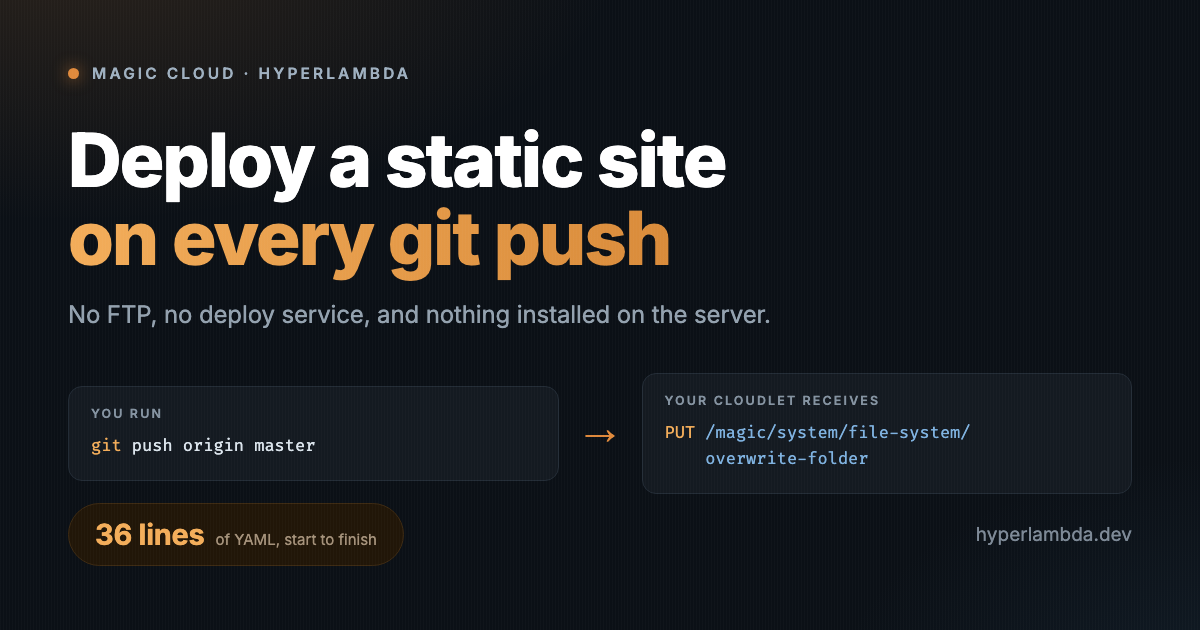
Here is the third option. A cloudlet already exposes a secured endpoint that overwrites a folder from a zip file. That is all a static deployment is - replace the contents of one folder - so the entire pipeline is 36 lines of YAML that zip your repository and PUT it at your cloudlet.
Nothing gets installed on the server. No deploy agent, no SSH key, no runner, no webhook receiver. The server was already listening, because file management is part of the platform.
Your deployment target is not a machine you shell into. It is an endpoint you call.
The endpoint you are deploying to
Everything below rests on one endpoint:
PUT /magic/system/file-system/overwrite-folder
It takes a file (multipart, a zip archive) and a folder (where to unpack it), and it does exactly four things, in this order:
- Rejects the upload with a 415 unless the filename ends in
.zip - Empties the target folder - every file and every subfolder, hidden ones included
- Unzips your archive into the now empty folder
- Deletes the archive it just unpacked
Step two is the one to internalise, because it is the difference between a deployment that works forever and one that silently eats something you needed. The folder is emptied first. Anything living in /etc/www/ that does not exist in your repository will not survive the next push.
That includes dotfiles. If your site has a .config file controlling how it is served, it belongs in the repository like everything else. Commit it, or lose it on the first deploy. This is not a bug to route around - it is what overwrite means, and a deploy that merges into whatever was already there is a deploy that cannot ever be reproduced.
The folder argument keeps its trailing slash: /etc/www/, not /etc/www.
The token, and exactly what it must be allowed to do
This is the section every deployment tutorial skips, and it is the one that matters.
Your workflow authenticates with a long-lived JWT bearer token, which you generate on the cloudlet itself. Open Profile, find the Access tokens card, and click Generate token….
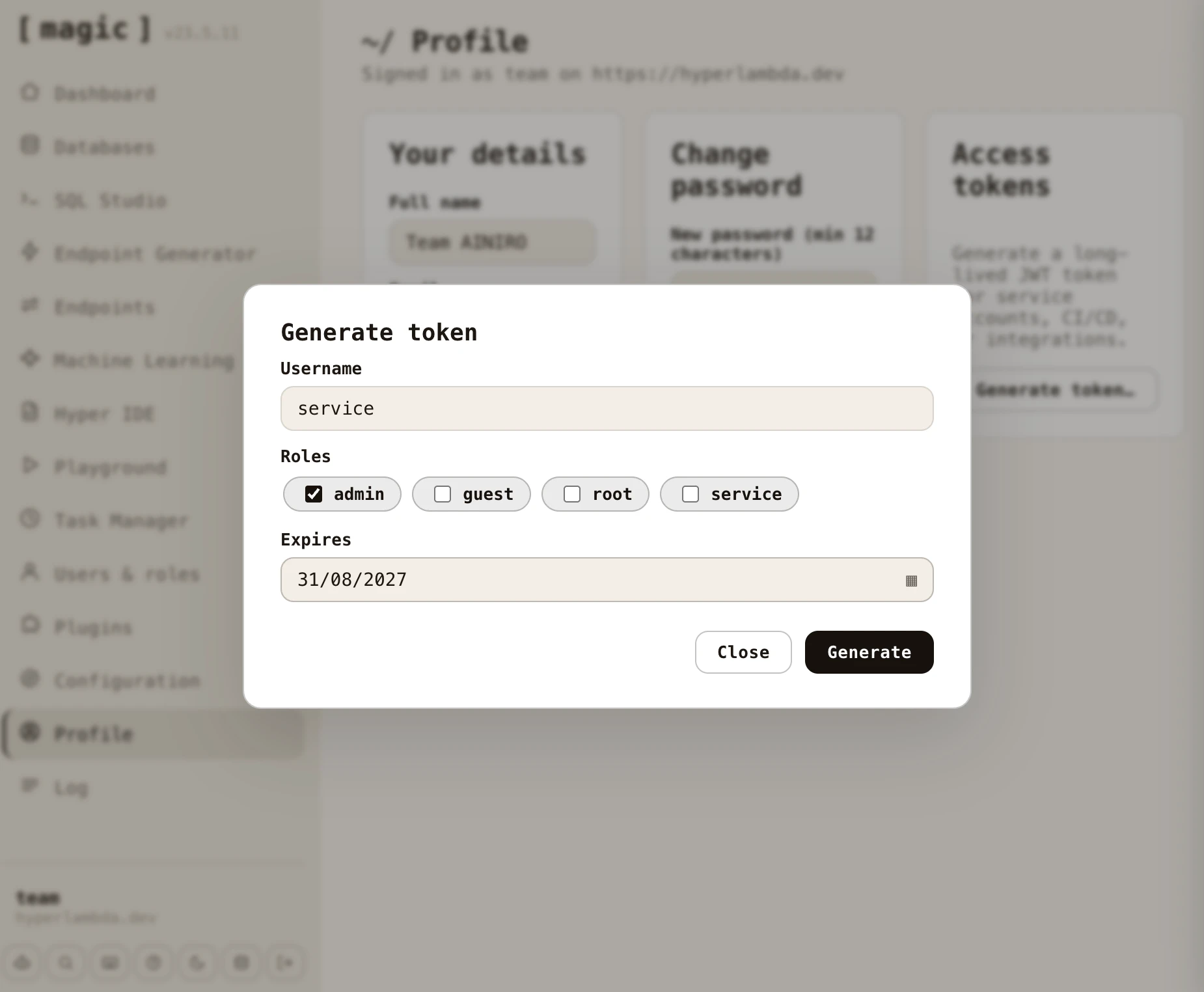
Four things about that token are worth knowing before you paste it into a repository secret.
It has to be root. Tick root in that dialog, and nothing else will do - the overwrite endpoint verifies the caller holds that exact role, and admin cannot write to the web folder. There is no narrower role for this, so there is no least privilege version of this credential to reach for. Know what you are storing: this is not a deploy key, it is your whole cloudlet - files, database, endpoint execution, all of it. Treat the GitHub secret accordingly, and never let it travel over plain http://. A bearer token on an unencrypted connection is a credential you have handed to the network.
The username does not have to exist. The token carries a role, not a user account, and the username field does not have to match anyone in your database - it is what shows up in your log entries. Name it github-actions so your audit trail tells you which deploys came from CI rather than from a human at a keyboard.
Ordinary logins expire far too fast for CI. A normal authentication ticket lives for magic:auth:valid-minutes, which is 720 by default - twelve hours. That is why CI gets a generated token with an explicit future expiry instead of a scripted login. Pick a date you will actually renew and put it in your calendar, because the failure mode is a deploy that starts returning 401 on a Tuesday morning for no reason you will remember.
There is no revocation list. You cannot invalidate one token. Killing a leaked token means rotating the cloudlet's JWT secret, which invalidates every token, including the session you are reading this in. Worth knowing before you need it, rather than during.
Generating the token requires root itself, so you do this signed in as yourself. Copy the value straight into your repository's secrets - CLOUDLET_TOKEN below - and never echo it in a workflow step.
The workflow
Drop this at .github/workflows/deploy.yml:
name: Deploy website

on:
  push:
    branches: [ master ]

concurrency:
  group: deploy-website
  cancel-in-progress: false

jobs:
  deploy:
    runs-on: ubuntu-latest
    steps:

      - name: Check out repository
        uses: actions/checkout@v4

      - name: Remove files that must never be published
        run: rm -rf .git .github .gitignore

      - name: Create archive
        run: zip -r "${{ runner.temp }}/website.zip" .

      - name: Deploy to cloudlet
        uses: fjogeleit/http-request-action@v1
        with:
          url: 'https://your-cloudlet.example.com/magic/system/file-system/overwrite-folder'
          method: 'PUT'
          timeout: 120000
          customHeaders: '{
            "Content-Type": "multipart/form-data",
            "Authorization": "Bearer ${{ secrets.CLOUDLET_TOKEN }}"
            }'
          data: '{"folder": "/etc/www/"}'
          files: '{"file": "${{ runner.temp }}/website.zip"}'
That is the whole pipeline. Change two strings - your cloudlet's hostname, and your branch - and it is yours.
Reading it, step by step
One branch, not three.branches: [ master ] is deliberately singular. It is tempting to list every branch you push, right up to the afternoon a work-in-progress branch redeploys your production site. One branch per environment, and a second workflow file if you want a staging cloudlet.
The concurrency group is not optional. Remember that the endpoint empties the folder before it unpacks. Two deploys overlapping means one of them is emptying the folder while the other is unpacking into it, and what you get is neither version. A named concurrency group makes GitHub queue them. cancel-in-progress: false because a deploy that is already writing files should be allowed to finish writing them.
Deleting .git is a security step, not a tidiness step. A .git folder served over HTTP is your entire source history published to the internet - every branch, every commit, and every secret anyone ever committed and later "removed". Since the zip is built from the checkout, whatever you do not delete gets served. .github and .gitignore go with it because nothing outside your repository needs them.
The archive is built outside the workspace. Zip the working directory into a file inside that same directory and you get a race with the archive trying to include itself. Writing to the runner's temp folder sidesteps it, and zip -r … . picks up your dotfiles, which - see above - you need it to.
The path is not hardcoded.${{ runner.temp }} resolves wherever the job runs, while a literal /home/runner/work/... path works exactly until the repository is renamed or someone forks it. Notice it has to be written as an expression inside with:, rather than as the $RUNNER_TEMP environment variable - no shell runs there to expand it, so the action would receive the string exactly as typed.
Environment differences, without find-and-replace
Local development points at a backend on localhost. Production points at your cloudlet. The tempting fix is a CI step that rewrites URLs during deployment, and it works right up until the day it does not: rewrites run in file order, a broad rule quietly swallows the narrow ones you wrote above it, and you are debugging a deployed artifact that no longer matches anything in your repository.
Deploy the same bytes you tested instead. Three ways, cheapest first:
- Relative URLs. If your site is served from the same cloudlet as its API,
/magic/modules/...needs no hostname at all, in either environment. - One
config.js, loaded before your other scripts, holding the single base URL everything derives from. One file differs between environments instead of eight scattered strings. - Resolve at runtime from
window.location.origin, and let the page work out where it is living.
The deployment step should move files. The moment it starts editing them, your production site is a build artifact nobody can reproduce locally.
Verifying it worked
The PUT returning 200 tells you the zip landed and unpacked. It says nothing about whether your site works - a broken page deploys with exactly the same status code as a good one.
So check the thing itself:
curl -sI https://your-cloudlet.example.com/ | head -1
curl -s https://your-cloudlet.example.com/ | grep -c "<title>"
Then confirm the files that are supposed to have survived actually did - your .config, your assets folder, anything that was in that folder before the deploy and needs to be in it after.
The fine print
Big claims, precise edges, as always.
The swap is not atomic. There is a brief window between "folder emptied" and "archive unpacked" where your site is not there. On a static site of ordinary size that is a fraction of a second, and the concurrency guard keeps it from overlapping with itself - but if you need genuine zero downtime deploys, this is not that, and I would rather say so than let you find out during a launch.
Rollback is git revert and push. There is no deployment history on the server, because there is no deployment service on the server. Your history is your repository, which is the right place for it, but it does mean rolling back costs one push and one build.
One folder per call. The endpoint replaces a single folder. Splitting a site across several will cost you several calls, and they will not be atomic together.
Build steps go before the zip. Nothing here is specific to hand-written HTML. If your site comes out of a static site generator, run the build in a step above the archive and zip the output folder instead of . - the deploy half is unchanged.
Everything else deploys the same way
Once the shape clicks, it generalises. A backend module deploys with the same token and the same kind of call to install-module, which unpacks a zip into /modules/ and runs its startup files. A site, a module, a whole application - the pattern does not change, because the server is not a machine you configure, it is an API you call. It is also the difference between hosting your own frontend and renting it — the argument laid out in own what you build.
Magic Cloud is MIT-licensed and open source at github.com/polterguy/magic. If you want a cloudlet to point this workflow at, there is one waiting.
Frequently asked questions
How do I deploy a static website to a Magic cloudlet on every git push?
Add a 36-line GitHub Actions workflow that checks out the repository, removes .git, .github and .gitignore, zips the working directory, and PUTs the archive to the cloudlet's overwrite-folder endpoint with a bearer token, targeting the /etc/www/ folder.
What token does the git push deploy need?
A long-lived JWT generated on the cloudlet's Profile screen with the root role, since the overwrite endpoint verifies that exact role and admin cannot write to the web folder. Store it as a repository secret and never send it over plain http.
Does deploying to a cloudlet delete existing files?
Yes. The overwrite-folder endpoint empties the target folder, hidden files included, before unzipping the archive, so anything not in your repository will not survive the next push. Commit your .config file like everything else.
Is the git push deploy to a cloudlet zero-downtime?
No. There is a brief window between the folder being emptied and the archive being unpacked. The concurrency group keeps deploys from overlapping, but if you need genuine zero-downtime deploys, this is not that.
Related reading
- From Module to GitHub Repository in One Click
- Magic Cloud on DigitalOcean: Backend with HTTPS in One Copy-Paste
- Lovable Alternative — the overview
- Vibe Coding Without a Landlord
- An Open Source Firebase Alternative With a Real Database