 Hyperlambda
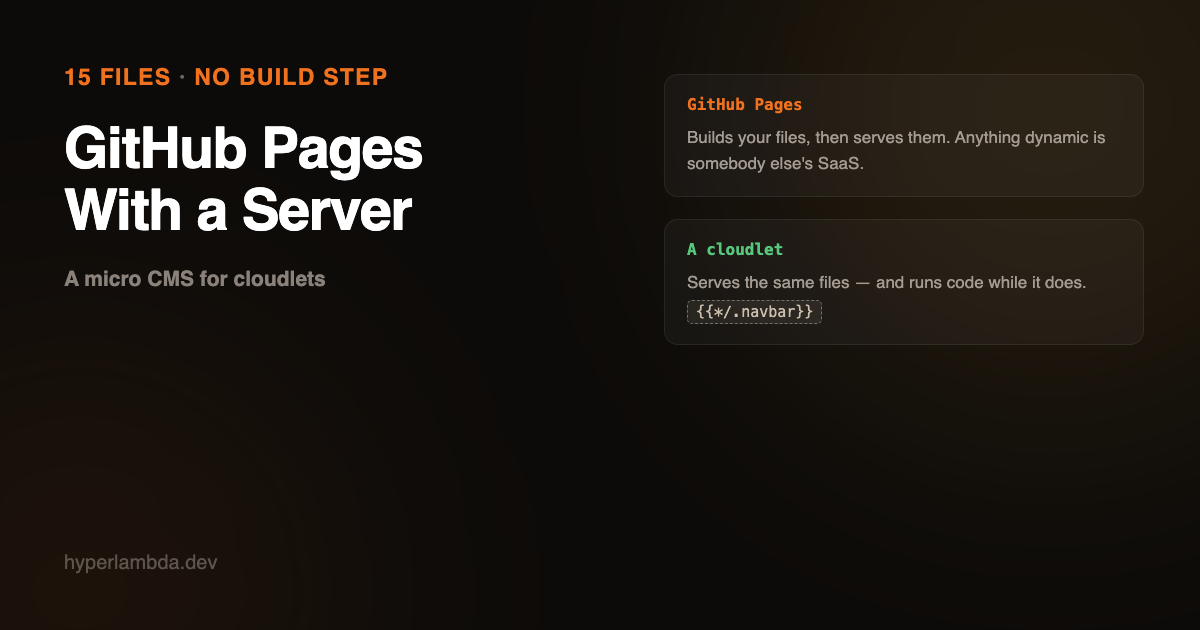
Your static site needs one dynamic thing. That is where GitHub Pages ends.
It is always one thing. A contact form. A search box. A page only members should see. A listing that has to read something. Everything up to that point was a folder of files and a free CDN, and it was lovely. Then you need a form to go somewhere, and suddenly you are shopping for a form-handling SaaS, a search SaaS, and a functions platform, each with its own dashboard and its own bill, stitched around the edges of a host that is very good at exactly one thing: serving files it cannot change.
So I built the small version of the other answer. It is called hyper-cms, it is in the Bazar, and it is fifteen files.
Let me be clear about what this is not. It is not a WordPress alternative. There is no admin area, no plugin ecosystem, no media library, no user roles for editors, no comment system. If you need those things, you need WordPress, and I am not going to pretend otherwise.
It is an alternative to the thing a lot of people actually reach for when they say WordPress and mean a small site with a blog on it. That thing is usually GitHub Pages with Jekyll, and it is excellent right up to the ceiling.
The fifteen files
index.html   index.hl              /
about.html   about.hl              /about
blog.html    blog.hl               /blog          the roll
blog/default.html                  /blog/   one article
blog/default.hl                    that page's own furniture
blog/interceptor.hl                finds the article
.components/ navbar, footer, article-card
.blog/       one article, as Markdown
assets/      styles.css
Install it from Plugins in the dashboard and it unzips into /etc/www/. There is no build, no _site/, no generator to install, and no Actions minute spent turning your files into other files. The repository root is the web root.
The sample content is a consultancy that does the paperwork for spies — expense reconciliation for sunken speedboats, cover-identity lifecycle, dinner-jacket recovery. You are meant to delete all of it. It is there so that the template has something to look like on the first page load instead of the grey rectangle of a starter theme.
Includes at request time, not build time
The navigation bar lives in one file, .components/navbar.html. Every page pulls it in:
{{*/.navbar}}
and the page's code-behind file says what that means:
.navbar
   io.file.mixin:/etc/www/.components/navbar.html
      current:home
   return:x:-
Jekyll does this too, and does it well — but it does it at build time. The include is resolved once, baked into every output file, and what the server holds afterwards is nine copies of your navigation bar. Change a link and you rebuild the site.
Here the include is resolved per request. Change the file, and every page that pulls it in is already different. Nothing rebuilt, because nothing was ever built.
That distinction sounds academic until you notice what it implies: if the server is running your code at request time to assemble a page, it can run your code at request time for any other reason too. Which is the rest of this article.
Files starting with a dot are not served, incidentally, which is why fragments live in .components/. https://your-site/.components/navbar.html is a 404.
One template, every article
The blog is not a build output either. Articles are Markdown files in .blog/:
---
title: Your exfiltration plan needs a boat
date: 2026-09-20
description: One sentence, used on the card and as the page description.
---

The article, in Markdown.
The filename is YYYY-MM-DD-slug.md. The date orders the roll, newest first. The slug after it is the address — 2026-09-20-boats.md is served at /blog/boats.
That is the whole routing story. There is no index to update, no collection to register, no front matter linking anything to anything. blog/default.html answers any address under /blog/ that has no file of its own, reads the last part of the URL, and finds the article. Write a file, publish a post.
The part where you point at it
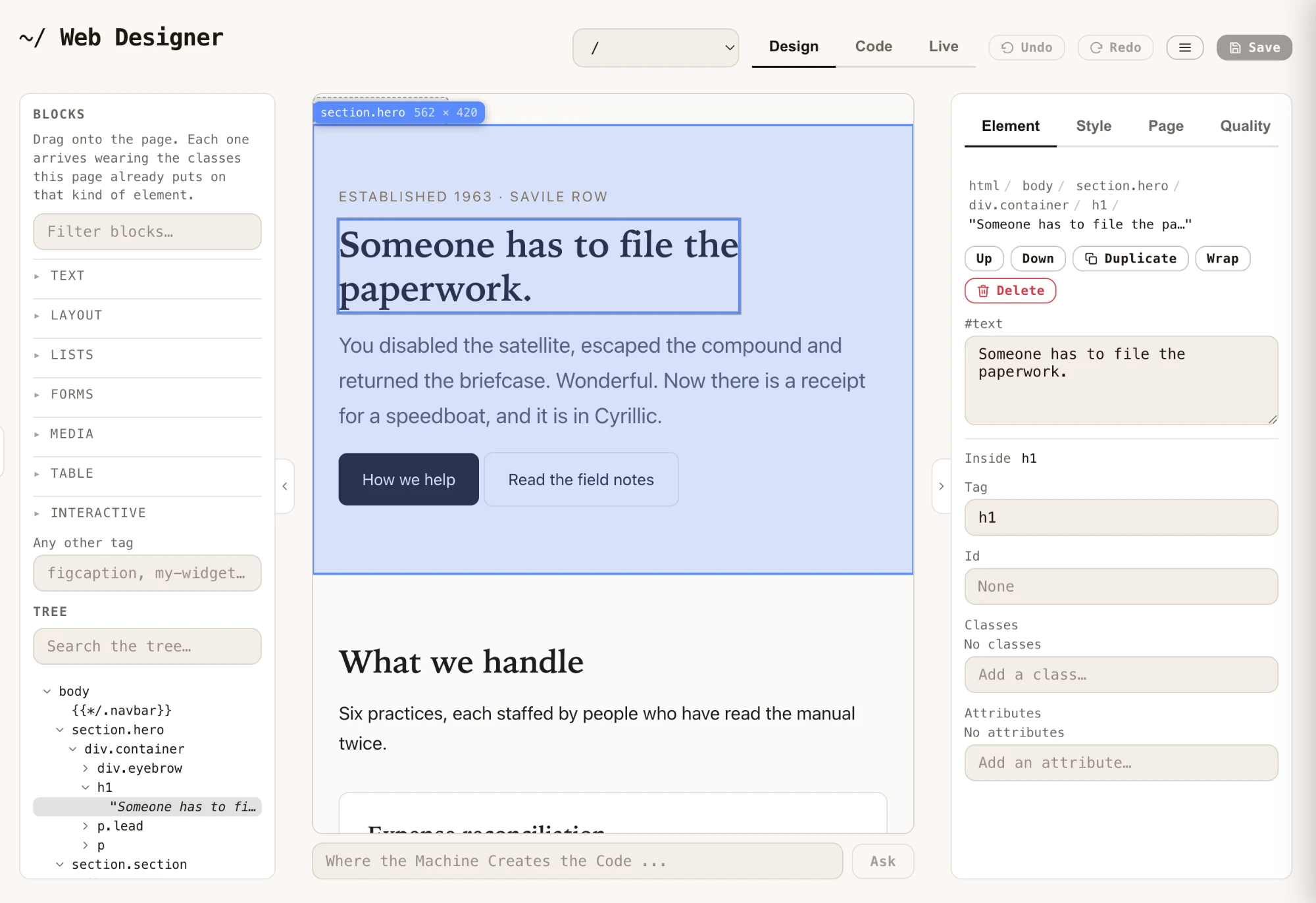
Here is the half that a folder of Markdown files has never had: Web Designer, which ships in the dashboard and edits the page by pointing at it.
Look again at the screenshot at the top. The tree on the left has a node reading {{*/.navbar}}, and on the canvas it renders as a grey chip. That is the server-side include, shown as a thing rather than as words, because it is a thing — the server is going to fill that hole in when the page is served. You can click it, you can move it, and you cannot type over it by accident.
So the editor understands the dynamic parts of a page it cannot execute. It shows you where the holes are, and it refuses to let you quietly delete one while rewriting a paragraph.
And the markup stays yours
This is the part I care about most, because it is where visual editors usually betray you.
Drop a page builder on top of WordPress and what comes out the other end is not your page any more. Elementor renders a section as nested elementor-section → elementor-container → elementor-column → elementor-widget-wrap → elementor-widget chains, hung with generated ids and inline styles, and the content itself lives as shortcodes in the database rather than as a document anywhere. You cannot read it, you cannot diff it, and you cannot take it with you. The visual editor became the only tool that can open your own page.
Web Designer writes the file a person would have written. I measured it rather than asserting it. Open the template's front page, retype the hero heading exactly as the panel does, save, and diff:
line 16
-        Someone has to file the paperwork.
+        Somebody has to file the paperwork.
That is the entire diff. One line, reviewable in a pull request by somebody who has never opened the editor.
And the shape of the document is untouched across the edit: 39 elements, 12 divs, 18 carrying a class, and zero carrying an inline style — identical before and after. No wrapper div appeared. No generated class appeared. Nothing the designer needs in order to work is left behind in what it saves.
One honest caveat. The first save reformats the file — it reindents and decodes HTML entities, and on this page that turned 80 lines into 65. That is deliberate: these pages often arrive minified onto lines thousands of characters long, and a diff that says "line 9 changed" helps nobody. The second save is byte-identical to the first, so it is a single normalisation to a stable format, not churn on every save.
Everything is a file, so everything can touch it
The page is a file at a path. That one fact is what makes all of the following the same object rather than five integrations:
- Web Designer points at it and edits it visually.
- Hyper IDE opens the same file as text, with syntax highlighting, when you want the markup.
- Chat Ops — or Claude, or Codex, or whatever you drive the MCP server with — rewrites it in a sentence.
- Git versions it. The template ships with a workflow that zips the folder on every push and publishes it.
- The Bazar ships it to somebody else's cloudlet as a plugin.
There is no export step between any two of those, because there is no proprietary format to export from. A visual edit and a git diff are the same artifact seen twice.
Now the ceiling comes off
Everything so far is a nicer static site. Here is the part GitHub Pages cannot do at any price.
The folder that serves index.html is the same folder that executes endpoints. So when the site needs the one dynamic thing, you do not go shopping. You describe it:
Create an endpoint that accepts a name, an email address and a message, stores the row, and emails it to me.
The Hyperlambda Generator writes it, verifies it against the slots that actually exist on your instance, and saves it. It is a live HTTP endpoint immediately — no deploy, no cold start, no second platform. Your form posts to your own site. The contact submissions are in your own database, on your own machine.
Do that four more times and the "static site" is quietly an application, without a single moment where you had to migrate off the thing you started on. That is the actual argument: not that this does more than GitHub Pages on day one, but that it has no day where it stops.
Where GitHub Pages genuinely wins
No rebuttals in this section, as always.
It is free. Not free-tier free. Free.
The CDN. Global edge delivery that absorbs a front-page spike without you thinking about it. A cloudlet is one machine, and putting a CDN in front of it is your job.
Nothing to secure. There is no server-side execution, which means there is no server-side vulnerability. That is a real and permanent advantage of static hosting, and anyone who tells you otherwise is selling something.
SSL and custom domains, handled. Point the DNS, get a certificate, done, at no cost.
Jekyll's ecosystem. Themes, plugins, and fifteen years of Stack Overflow answers for whatever you are stuck on.
It cannot go down because of something you wrote. No code runs, so no code crashes.
If the site is a brochure, a portfolio, or documentation, and it is never going to be anything else, GitHub Pages is the right answer and this template is a worse one.
The fine print
Precise edges, as usual.
This template is a few hours old. I wrote it today and nobody outside my own machine has run it in anger. The measurements in this article are real and reproducible, but "battle-tested" it is not.
Fifteen files is the published archive, verified by downloading the plugin from the Bazar and listing the zip — not counted by hand in my editor.
The markup measurements are of this template's front page, through the designer's own save path. A page with a thousand elements will behave the same way, but I measured the one I have.
I have not run Elementor in this session. The description of its output is characterisation from its published markup and how it stores content, not a head-to-head I performed today. I can only measure my own side, and that is the side I measured.
A cloudlet is not free and GitHub Pages is. That row does not move.
The blog reads the filesystem on each request. For a few dozen articles that is nothing. If you get to thousands, this is the wrong shape and you want a database — which the same machine also runs.
And the obvious disclosure: I wrote Hyperlambda and I sell Magic hosting. Every factual claim in here is checkable precisely because of that. Go and check them.
Frequently asked questions
Is this a WordPress alternative?
No. There is no admin area, no plugin ecosystem, no media library, no editorial user roles and no comments. It is a small template for a site with a blog on it, aimed at people who would otherwise reach for GitHub Pages and Jekyll.
How is this different from GitHub Pages with Jekyll?
There is no build step, and includes are resolved per request rather than baked into every output file at build time. More importantly, the same folder that serves the pages can execute server-side code, so a contact form, a search endpoint or a gated page does not require a second platform.
Can I edit the site visually?
Yes. Web Designer ships in the Magic dashboard and edits the served file directly by pointing at it. Server-side includes appear as chips rather than as text, so they cannot be typed over by accident, and a visual edit produces a one-line diff in the underlying file.
Does the visual editor produce clean HTML?
Yes, and it is measurable. Retyping a heading through the panel changed exactly one line of the file, and the document's shape was identical before and after: 39 elements, 12 divs, 18 with a class, zero with an inline style. No wrapper divs and no generated class names are added. The first save reformats the file once to a stable format, and saves after that are byte-identical.
How do I add a blog article?
Write a Markdown file into the .blog/ folder named YYYY-MM-DD-slug.md with title, date and description in the front matter. The date orders the listing and the slug becomes the URL. There is no index to update and no database.
How do I add backend logic to the site?
Describe what you want to the Hyperlambda Generator. It writes the endpoint, verifies it against the capabilities your instance actually has, and saves it as a live HTTP endpoint immediately. It runs on the same cloudlet that serves the pages.
Related reading
- Web Designer — point, click, edit the real file
- How to Deploy a Static Website to a Cloudlet on Every Git Push
- A Billion Times Easier Than Wix Is an Understatement
- The Hyperlambda Generator — a sentence in, a verified tool out
- Vibe Coding Without a Landlord
- From Module to GitHub Repository in One Click